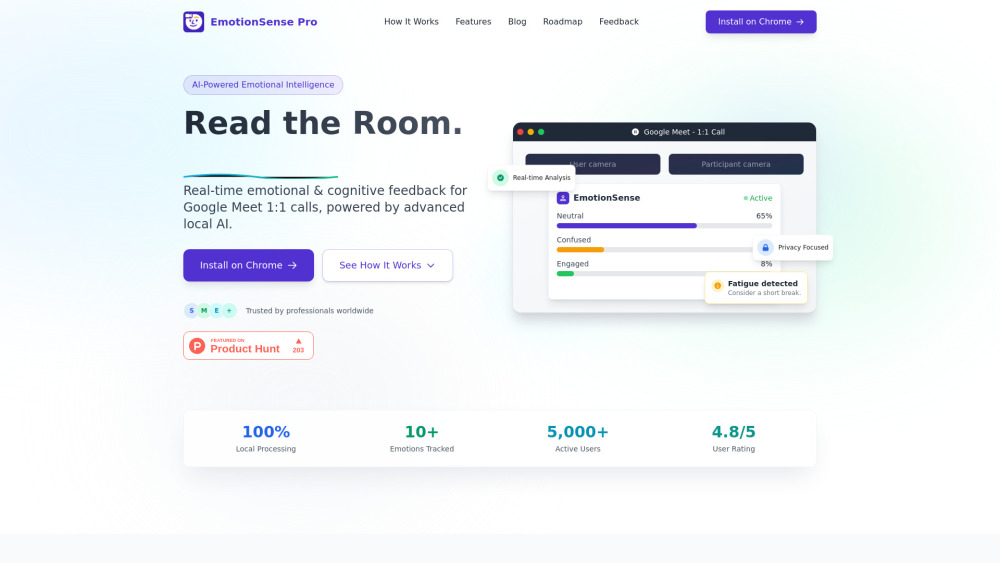
EmotionSense Pro: AI Chrome extension that analyzes real-time emotions & cognition during Google Meet calls—smarter, more empathetic meetings.
Explore a specific workflow
Explore google meet tools through the product profiles below. The collection groups applications around a shared task. Product scope can overlap, so compare the specific workflow each tool describes rather than the category name alone.
Identify the files, text or account connections your task needs. Confirm that the product accepts those inputs and offers controls for reviewing its work.
Test one representative task and inspect the result for accuracy and completeness. Record where manual corrections or extra tools are needed.
EmotionSense Pro: AI Chrome extension that analyzes real-time emotions & cognition during Google Meet calls—smarter, more empathetic meetings.
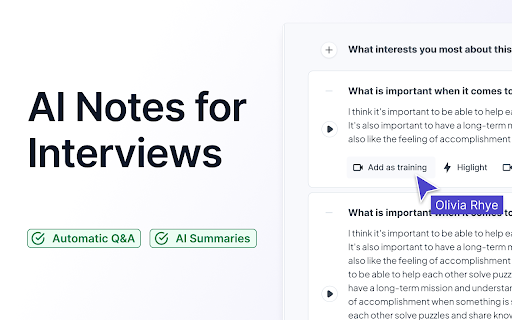
Supercharge your interviews with Aspect - the AI Interview Tool. Unleash the power of artificial intelligence for smarter, more efficient hiring decisions.
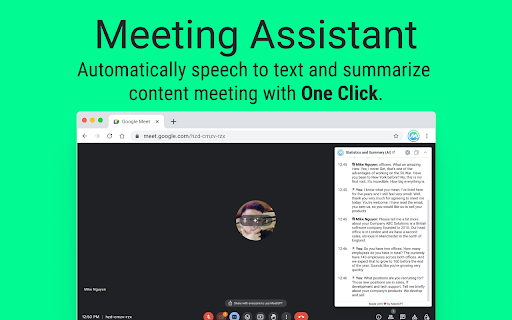
Boost productivity with MeetGPT - a free Chrome extension that effortlessly transcribes and summarizes your meetings. Get more done in less time!

Enhance your Google Meet calls with MeetMindful - Chrome Extension. Real-time transcription and analysis for communication.
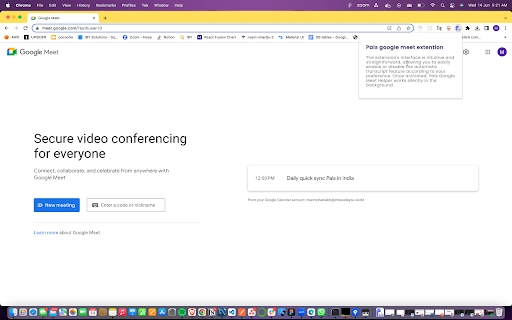
Transform your Google Meet experience with Pals Google Meet Helper! Enjoy seamless, simplified auto-transcripts for effortless note-taking and collaboration.

Transform your Google Meet calls with Transcriptify! Enjoy real-time transcriptions that enhance collaboration and keep you focused on what matters.

Boost meeting productivity with Minutes - Chrome Extension. AI-powered notes to enhance collaboration, streamline discussions, and maximize efficiency.

Scribbl Chrome Extension: Effortlessly capture and organize notes with AI-powered automation. Streamline your workflow and never miss a detail again!
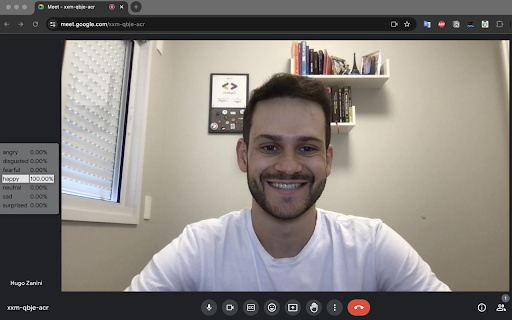
Meet the Meeting - Chrome Extension: Get real-time audience feedback during meetings to boost engagement, improve interaction, and make better decisions.
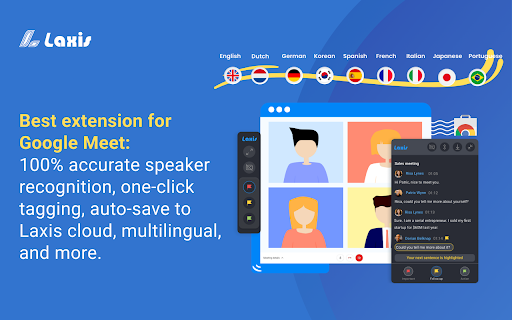
Laxis Chrome Extension: The AI meeting assistant for Google Meet. Capture, transcribe, and organize meeting notes effortlessly. Boost productivity with ease!

Pro Caller - Chrome Extension: Auto-record your Google Meet calls and gain AI-powered insights for better conversations and productivity.

tl;dv is an AI-powered meeting recorder for Zoom and Google Meet. It allows you to video record, transcribe, highlight, and share your online meetings.
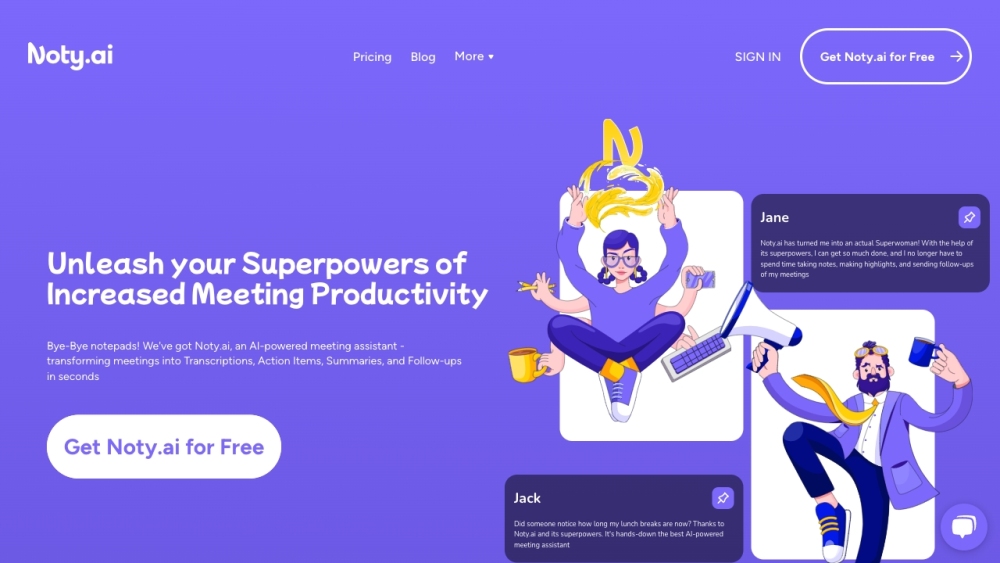
Noty.ai is a meeting transcription software that provides automated transcription, note-taking, and follow-up drafting for Google Meet and Zoom meetings. It helps users stay engaged in conversations while capturing important information.

Recall.ai: Effortlessly access real-time meeting data from Zoom, Google Meet, & Teams with our universal API. Perfect for building meeting bots quickly!

Tactiq: Real-Time Transcription & AI-Generated Summaries Tool for Google Meet, Zoom, and MS Teams. Over 300,000 downloads. #1 live transcript solution!

Experience multilingual communication with Felo Subtitles, the real-time translation plugin that breaks language barriers instantly.
FAQ
Practical answers to help you take the next step.
The collection groups applications around a shared task. Product scope can overlap, so compare the specific workflow each tool describes rather than the category name alone.
Identify the files, text or account connections your task needs. Confirm that the product accepts those inputs and offers controls for reviewing its work.
Test one representative task and inspect the result for accuracy and completeness. Record where manual corrections or extra tools are needed.
Choose one task with a clear success condition. Keep the input consistent, record the time spent reviewing and compare the complete workflow cost.
EmotionSense Pro: AI Chrome extension that analyzes real-time emotions & cognition during Google Meet calls—smarter, more empathetic meetings.
Read about EmotionSense ProSupercharge your interviews with Aspect - the AI Interview Tool. Unleash the power of artificial intelligence for smarter, more efficient hiring decisions.
Read about Aspect - Chrome ExtensionBoost productivity with MeetGPT - a free Chrome extension that effortlessly transcribes and summarizes your meetings. Get more done in less time!
Read about MeetGPT - Chrome ExtensionEnhance your Google Meet calls with MeetMindful - Chrome Extension. Real-time transcription and analysis for communication.
Read about MeetMindful - Chrome ExtensionTransform your Google Meet experience with Pals Google Meet Helper! Enjoy seamless, simplified auto-transcripts for effortless note-taking and collaboration.
Read about Pals Google Meet HelperTransform your Google Meet calls with Transcriptify! Enjoy real-time transcriptions that enhance collaboration and keep you focused on what matters.
Read about Transcriptify - Google Meet