Summarizer

Aspect - Chrome Extension

Supercharge your interviews with Aspect - the AI Interview Tool. Unleash the power of artificial intelligence for smarter, more efficient hiring decisions.

Aspect - Chrome Extension website preview

Aspect - Chrome Extension Website screenshot

Aspect - Chrome Extension: AI Interview Tool

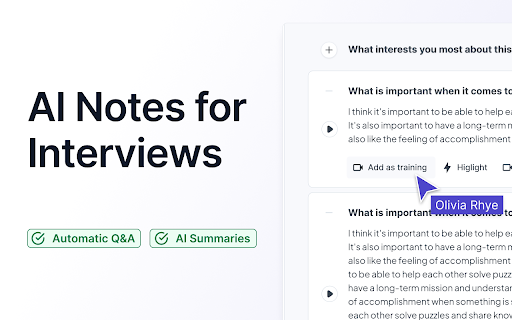
Aspect AI Chrome Extension is an innovative tool designed to revolutionize the interview process. With its advanced artificial intelligence capabilities, it acts as a co-pilot for hiring, providing custom interview summaries that streamline the recruitment workflow.

How to Leverage Aspect AI Chrome Extension?

Unlock the power of Aspect AI Chrome Extension by installing it on your browser. This seamless integration allows you to effortlessly generate AI-powered interview summaries tailored to your specific requirements.

Key Features of Aspect AI Chrome Extension

Custom AI Interview Summaries

Aspect AI Chrome Extension offers the ability to generate personalized interview summaries, ensuring that you have all the relevant information at your fingertips.

Support for Over 30 Languages

Aspect caters to a global audience by providing support for more than 30 languages. Language barriers will no longer hinder your hiring process.

Integration with Google Meet

Seamlessly integrate Aspect AI Chrome Extension with Google Meet, allowing you to optimize your virtual interviews and effortlessly gather valuable insights.

Use Cases of Aspect AI Chrome Extension

Recruiters Managing Interview Notes

Aspect AI Chrome Extension simplifies the task of recruiters by efficiently organizing and managing interview notes, ensuring that no important details are missed.

Hiring Managers Organizing Interview Data

For hiring managers, Aspect AI Chrome Extension acts as a powerful tool to organize and analyze interview data, enabling data-driven decision-making for the recruitment process.

Product source: Aspect - Chrome Extension official website. Check the provider for current plans, limits and availability.

FAQ

Aspect - Chrome Extension questions and answers

Product context and practical checks for evaluating Aspect - Chrome Extension.

What is Aspect - Chrome Extension used for?

Supercharge your interviews with Aspect - the AI Interview Tool. Unleash the power of artificial intelligence for smarter, more efficient hiring decisions.

How do I get started with Aspect - Chrome Extension?

Unlock the power of Aspect AI Chrome Extension by installing it on your browser. This seamless integration allows you to effortlessly generate AI-powered interview summaries tailored to your specific requirements.

Which capabilities are described for Aspect - Chrome Extension?

Custom AI Interview SummariesAspect AI Chrome Extension offers the ability to generate personalized interview summaries, ensuring that you have all the relevant information at your fingertips.Support for Over 30 LanguagesAspect caters to a global audience by providing support for more than 30 languages. Language barriers will no longer hinder your hiring process.Integration with Google MeetSeamlessly integrate Aspect AI Chrome Extension with Google Meet, allowing you to optimize your virtual interviews and effortlessly gather valuable insights.

What projects can I evaluate Aspect - Chrome Extension for?

Recruiters Managing Interview NotesAspect AI Chrome Extension simplifies the task of recruiters by efficiently organizing and managing interview notes, ensuring that no important details are missed.Hiring Managers Organizing Interview DataFor hiring managers, Aspect AI Chrome Extension acts as a powerful tool to organize and analyze interview data, enabling data-driven decision-making for the recruitment process.

What should I compare before choosing a Aspect - Chrome Extension plan?

Check Aspect - Chrome Extension’s current pricing page for included usage, renewal terms and any credit charges. Compare the cost of a usable result, including retries, rather than assuming that account registration includes free usage.

What inputs should I prepare for a Aspect - Chrome Extension trial?

Look for text prompts, image references, masks or sketches as appropriate. Compare composition control, supported upload types and the ability to revise a selected area.

How can I check the quality of a Aspect - Chrome Extension result?

Inspect text, hands, edges, reflections and repeated objects at full size. Check that important product or brand details survive editing.

Which export options should I check in Aspect - Chrome Extension?

Compare pixel dimensions, transparency, file formats and any enlargement options. Confirm that the downloaded result works in your design or publishing software.

What is a practical way to test Aspect - Chrome Extension against alternatives?

Prepare a brief with a subject, composition, lighting and required output size. Test a first generation and a targeted revision to see how much control you retain.

Where is the official Aspect - Chrome Extension website?

The website linked from this profile is https://chromewebstore.google.com/detail/aspect-ai-notes-for-inter/kgekeapanjofbiijmnoihajcihefallh. Use the provider’s own documentation, account area and support channels to confirm current product details.

Visit Aspect - Chrome Extension