Captions or Subtitle

Ask_me - Chrome Extension

Ask_me - Chrome Extension: Get instant assistance during calls. Enhance your communication with real-time support for better conversations.

Ask_me - Chrome Extension website preview

Ask_me - Chrome Extension Website screenshot

Ask_me - Chrome Extension: Instant Assistance during Calls : Get Help Now

Introducing Ask_me - the ultimate Chrome extension that provides instant assistance during calls and helps you get the help you need right away. With detailed transcripts and real-time answers, Ask_me ensures a seamless and efficient communication experience.

How does Ask_me ai chrome extension work?

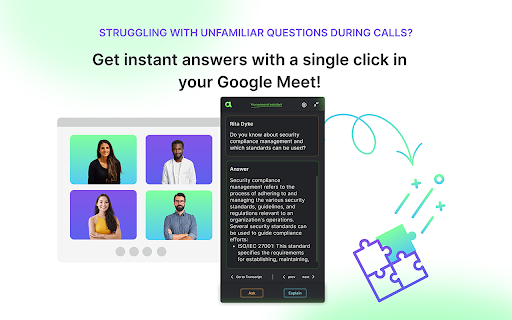
Utilizing the power of AI, Ask_me Chrome extension allows you to effortlessly access answers and explanations during calls. Simply download the extension, join your Google Meet meeting, and follow the real-time transcript. You can ask or explain any question in the chat, and receive instant assistance.

Key Features of Ask_me ai chrome extension

Record Google Meet Live Captions

Transcripts with Speaker Identification and Timestamps

Searchable Transcript by Participants

Instant Answers and Explanations during Calls

Use Cases of Ask_me ai chrome extension

Interview Meetings

Online Classes/Lectures

Team Meetings

Client Meetings

Webinars

Remote Workshops & Conferences

Training Sessions

Sales Presentations

Product source: Ask_me - Chrome Extension official website. Check the provider for current plans, limits and availability.

FAQ

Ask_me - Chrome Extension questions and answers

Product context and practical checks for evaluating Ask_me - Chrome Extension.

What is Ask_me - Chrome Extension used for?

Ask_me - Chrome Extension: Get instant assistance during calls. Enhance your communication with real-time support for better conversations.

How do I get started with Ask_me - Chrome Extension?

Utilizing the power of AI, Ask_me Chrome extension allows you to effortlessly access answers and explanations during calls. Simply download the extension, join your Google Meet meeting, and follow the real-time transcript. You can ask or explain any question in the chat, and receive instant assistance.

Which capabilities are described for Ask_me - Chrome Extension?

Record Google Meet Live CaptionsTranscripts with Speaker Identification and TimestampsSearchable Transcript by ParticipantsInstant Answers and Explanations during Calls

What projects can I evaluate Ask_me - Chrome Extension for?

Interview MeetingsOnline Classes/LecturesTeam MeetingsClient MeetingsWebinarsRemote Workshops & ConferencesTraining SessionsSales Presentations

What should I compare before choosing a Ask_me - Chrome Extension plan?

Check Ask_me - Chrome Extension’s current pricing page for included usage, renewal terms and any credit charges. Compare the cost of a usable result, including retries, rather than assuming that account registration includes free usage.

What inputs should I prepare for a Ask_me - Chrome Extension trial?

Identify the files, text or account connections your task needs. Confirm that the product accepts those inputs and offers controls for reviewing its work.

How can I check the quality of a Ask_me - Chrome Extension result?

Test one representative task and inspect the result for accuracy and completeness. Record where manual corrections or extra tools are needed.

Which export options should I check in Ask_me - Chrome Extension?

Check export formats, integrations and whether you can keep using your work outside the service. Test a real export before committing to a longer plan.

What is a practical way to test Ask_me - Chrome Extension against alternatives?

Choose one task with a clear success condition. Keep the input consistent, record the time spent reviewing and compare the complete workflow cost.

Where is the official Ask_me - Chrome Extension website?

The website linked from this profile is https://chromewebstore.google.com/detail/chatgpt-assistant-for-goo/fejabnggkpabpiidogafkakidocellai. Use the provider’s own documentation, account area and support channels to confirm current product details.

Visit Ask_me - Chrome Extension