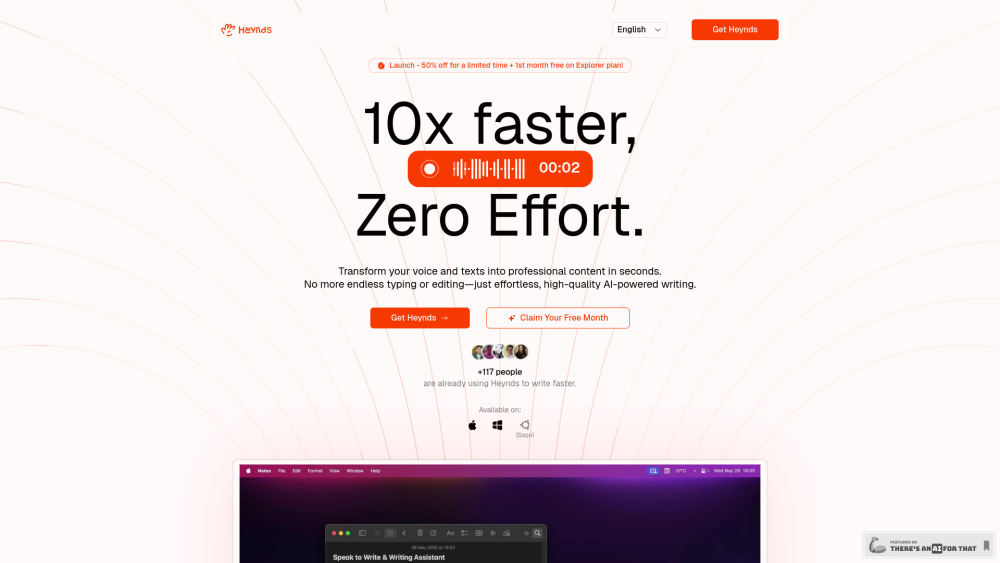
Heynds: AI-powered desktop app for effortless writing & speech—create high-quality content faster, smarter, and stress-free.
Explore a specific workflow
Explore text formatting tools through the product profiles below. Writing and content tools help draft, revise or condense text. Drafting new material, checking language and summarizing a source require different review steps.
Compare support for source documents, style instructions, outlines and length limits. Check whether citations link to real material rather than merely looking like references.
Verify names, dates, quotations and factual claims against the original sources. Edit tone, remove repetition and make sure the text answers the intended reader’s question.
Heynds: AI-powered desktop app for effortless writing & speech—create high-quality content faster, smarter, and stress-free.

Beeazt - Chrome Extension: Boost your browsing with AI-powered prompts for smarter, faster searches and enhanced productivity. Innovate your workflow!

Create & share beautiful AI prompt cards online with Promptoor! Elevate your social media game effortlessly. Join now and start your audience!

THUNDER AI CHAT is an AI content generation app with ChatGPT that allows users to enhance their conversations with the ChatGPT model. It provides features such as text formatting, search, editing, duplicating and splitting chats, sharing, mind mapping, and quick access. With THUNDER AI CHAT, users can easily navigate through their extensive conversations and find the most valuable content.

Effortlessly convert Unicode text to Kruti Dev (Mangal) font in real-time with our free online tool. Unicode to Kruti Dev Converter: fast, reliable, and free!

Echonotes converts your voice into text seamlessly, perfect for transcribing conversations, interviews, and more. Speak, and it writes for you!

TranslateImage: Recognize, translate, and edit text in images while preserving original fonts, colors, and positions. Perfect for seamless, high-quality translations.
FAQ
Practical answers to help you take the next step.
Writing and content tools help draft, revise or condense text. Drafting new material, checking language and summarizing a source require different review steps.
Compare support for source documents, style instructions, outlines and length limits. Check whether citations link to real material rather than merely looking like references.
Verify names, dates, quotations and factual claims against the original sources. Edit tone, remove repetition and make sure the text answers the intended reader’s question.
Use a real brief and a short source document. Compare factual accuracy, structure and editing time rather than accepting the longest or most confident draft.
Heynds: AI-powered desktop app for effortless writing & speech—create high-quality content faster, smarter, and stress-free.
Read about HeyndsBeeazt - Chrome Extension: Boost your browsing with AI-powered prompts for smarter, faster searches and enhanced productivity. Innovate your workflow!
Read about Beeazt - Chrome ExtensionCreate & share beautiful AI prompt cards online with Promptoor! Elevate your social media game effortlessly. Join now and start your audience!
Read about PromptoorTHUNDER AI CHAT is an AI content generation app with ChatGPT that allows users to enhance their conversations with the ChatGPT model. It provides features such as text formatting, search, editing, duplicating and splitting chats, sharing, mind mapping, and quick access. With THUNDER AI CHAT, users can easily navigate through their extensive conversations and find the most valuable content.
Read about THUNDER AI CHATEffortlessly convert Unicode text to Kruti Dev (Mangal) font in real-time with our free online tool. Unicode to Kruti Dev Converter: fast, reliable, and free!
Read about Unicode to Kruti Dev ConverterEchonotes converts your voice into text seamlessly, perfect for transcribing conversations, interviews, and more. Speak, and it writes for you!
Read about Echonotes