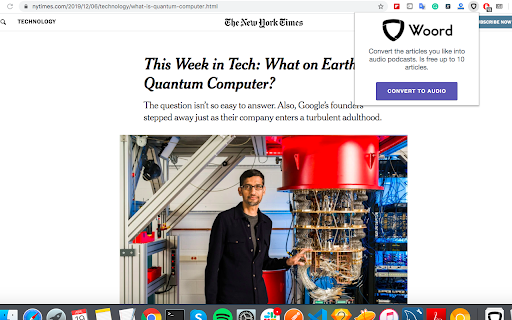
Woord Chrome Extension: Convert text to audio effortlessly with diverse voices. Easily transform documents into speech for listening on the go!
Explore a specific workflow
Explore voice selection tools through the product profiles below. Audio tools handle tasks such as transcription, speech synthesis, sound generation and editing. Distinguish converting existing audio from creating a new recording.
Compare recording length, file types, language support and speaker handling. For voice generation, check pronunciation controls and permission to use any reference voice.
Listen for mispronounced names, unnatural pauses, clipped words and noise. For transcripts, compare the text with the recording and correct speaker labels.
Woord Chrome Extension: Convert text to audio effortlessly with diverse voices. Easily transform documents into speech for listening on the go!

SpeakAI: Master languages with tailored practice, instant corrections, and diverse voice options. Elevate your learning experience today!

Experience seamless, hands-free communication with Call Pi: the AI voice assistant that powers natural conversations, making your life effortlessly connected.

FileSpeech: Convert files to crystal-clear speech with personalized voices. Multi-language support, offline capabilities, and top-notch synthesis engine included.

Blitz Video AI: Start a Faceless YouTube Channel with AI-driven video creation, SEO optimization, and direct uploading. Perfect for effortless growth!
FAQ
Practical answers to help you take the next step.
Audio tools handle tasks such as transcription, speech synthesis, sound generation and editing. Distinguish converting existing audio from creating a new recording.
Compare recording length, file types, language support and speaker handling. For voice generation, check pronunciation controls and permission to use any reference voice.
Listen for mispronounced names, unnatural pauses, clipped words and noise. For transcripts, compare the text with the recording and correct speaker labels.
Use a short recording with names, numbers and more than one speaker, or a script with difficult pronunciation. Review the exported audio or transcript in full.
Woord Chrome Extension: Convert text to audio effortlessly with diverse voices. Easily transform documents into speech for listening on the go!
Read about Woord Chrome ExtensionSpeakAI: Master languages with tailored practice, instant corrections, and diverse voice options. Elevate your learning experience today!
Read about SpeakAIExperience seamless, hands-free communication with Call Pi: the AI voice assistant that powers natural conversations, making your life effortlessly connected.
Read about Call PiFileSpeech: Convert files to crystal-clear speech with personalized voices. Multi-language support, offline capabilities, and top-notch synthesis engine included.
Read about FileSpeechBlitz Video AI: Start a Faceless YouTube Channel with AI-driven video creation, SEO optimization, and direct uploading. Perfect for effortless growth!
Read about Blitz Video AICheck audio format, sample rate, separate tracks, captions and timestamp exports. Confirm that the result works in your editing or accessibility workflow.