AI Content Generator

Blitz Video AI

Blitz Video AI: Start a Faceless YouTube Channel with AI-driven video creation, SEO optimization, and direct uploading. Perfect for effortless growth!

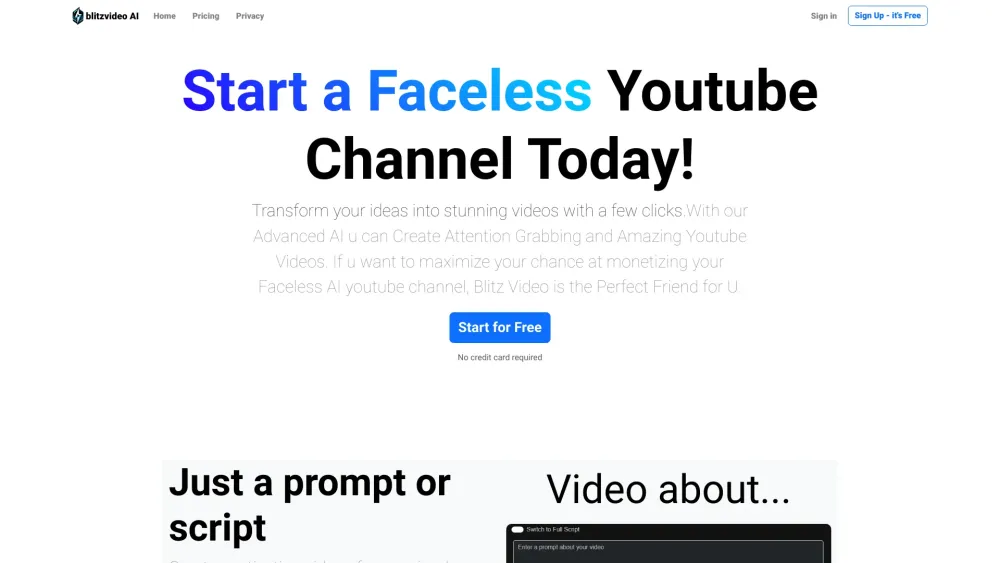
Blitz Video AI website preview

Blitz Video AI Website screenshot

Introduction to Blitz Video AI

Blitz Video AI is a groundbreaking platform that enables the creation of high-quality, faceless YouTube content through advanced AI technology. It integrates video creation, SEO optimization, and seamless YouTube uploading into one cohesive tool.

How Does Blitz Video AI Work?

Users can effortlessly create engaging videos by inputting a simple text prompt or a detailed script. The platform offers a selection of AI-generated voices and diverse video styles to choose from, ensuring that each video is uniquely tailored and optimized for YouTube.

Key Features of Blitz Video AI

AI-Driven Video Creation

Generate videos from any text input, whether it's a brief idea or an extensive script. Blitz Video AI transforms text into visual content with ease.

Diverse Voice Options

Select from 6 distinct AI voices to narrate your videos, providing flexibility in tone and style.

Variety of Video Styles

Choose from 14 different video styles, allowing for customization and creativity in your video presentations.

SEO Optimization

Enhance your video's reach with SEO tools that optimize titles, descriptions, and tags for better visibility and ranking on YouTube.

Practical Applications of Blitz Video AI

Effortless Video Production

Transform your ideas into visually appealing videos without the need for complex video editing skills.

Streamlined Content Creation

Quickly produce professional-grade videos from simple prompts, perfect for creators looking to launch a YouTube channel with minimal effort.

Product source: Blitz Video AI official website. Check the provider for current plans, limits and availability.

FAQ

Blitz Video AI questions and answers

Product context and practical checks for evaluating Blitz Video AI.

What is Blitz Video AI used for?

Blitz Video AI: Start a Faceless YouTube Channel with AI-driven video creation, SEO optimization, and direct uploading. Perfect for effortless growth!

How do I get started with Blitz Video AI?

Users can effortlessly create engaging videos by inputting a simple text prompt or a detailed script. The platform offers a selection of AI-generated voices and diverse video styles to choose from, ensuring that each video is uniquely tailored and optimized for YouTube.

Which capabilities are described for Blitz Video AI?

AI-Driven Video Creation Generate videos from any text input, whether it's a brief idea or an extensive script. Blitz Video AI transforms text into visual content with ease. Diverse Voice Options Select from 6 distinct AI voices to narrate your videos, providing flexibility in tone and style. Variety of Video Styles Choose from 14 different video styles, allowing for customization and creativity in your video presentations. SEO Optimization Enhance your video's reach with SEO tools that optimize titles, descriptions, and tags for better visibility and ranking on YouTube.

What projects can I evaluate Blitz Video AI for?

Effortless Video Production Transform your ideas into visually appealing videos without the need for complex video editing skills. Streamlined Content Creation Quickly produce professional-grade videos from simple prompts, perfect for creators looking to launch a YouTube channel with minimal effort. Blitz Video AI Login Access the platform here: Blitz Video AI Login Blitz Video AI Sign up Register for an account: Blitz Video AI Sign up Blitz Video AI Pricing View pricing details: Blitz Video AI Pricing

What should I compare before choosing a Blitz Video AI plan?

View pricing details: Blitz Video AI Pricing Confirm current prices and allowances on the provider’s website before purchasing.

What inputs should I prepare for a Blitz Video AI trial?

Compare text prompts, reference frames, source footage and audio support. Check duration, aspect ratio and whether the tool lets you keep a subject consistent between shots.

How can I check the quality of a Blitz Video AI result?

Watch the entire clip for motion errors, distorted objects, changing identities, lip-sync problems and abrupt transitions. Inspect the downloaded file as well as the preview.

Which export options should I check in Blitz Video AI?

Check export resolution, frame rate, aspect ratio, audio tracks and watermark rules. A good preview is not a substitute for an export that fits your publishing channel.

What is a practical way to test Blitz Video AI against alternatives?

Use a short shot with one subject and one camera movement. Keep the prompt and duration constant, then compare usable seconds and the number of regenerations.

Where is the official Blitz Video AI website?

The website linked from this profile is https://www.blitzvideo.ai. Use the provider’s own documentation, account area and support channels to confirm current product details.

Visit Blitz Video AI