AI Presentation Generator

Vowel

Boost your meetings with Vowel: AI video conferencing, recording, live transcripts, and universal search. Transform discussions into shareable, searchable knowledge!

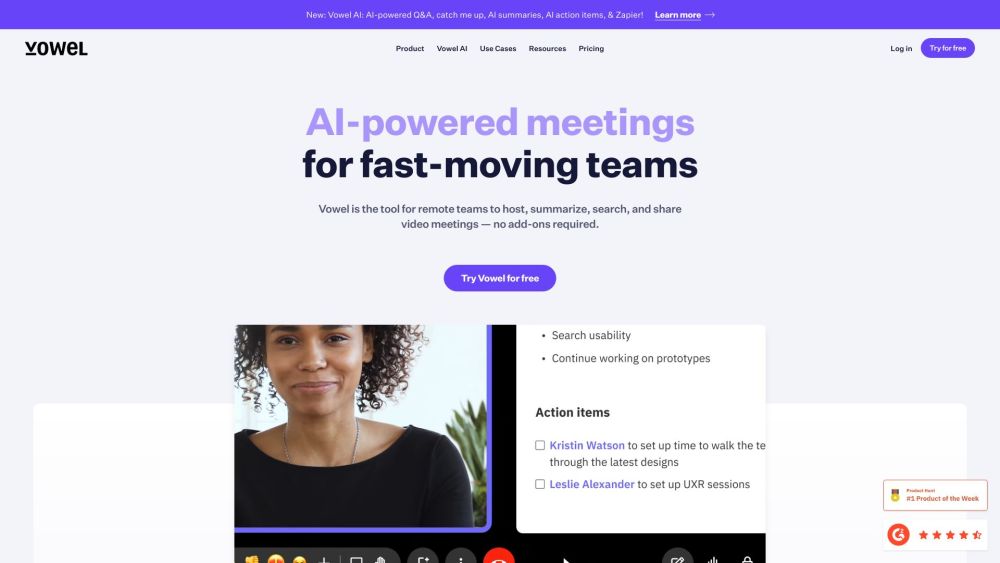
Vowel website preview

Vowel Website screenshot

Introducing Vowel

Vowel is an advanced AI-driven platform that revolutionizes video conferencing by providing features like meeting recording, live transcription, AI-generated summaries, and comprehensive search capabilities. It empowers businesses to transform meetings into searchable and shareable assets, maximizing their value and accessibility.

Getting Started with Vowel

With Vowel, you can enhance your meetings by leveraging its integrated tools for video conferencing, real-time transcription, recording, and AI-generated summaries. It also offers collaborative agendas and note-taking, all consolidated in one user-friendly platform.

Key Features of Vowel

Vowel offers a suite of features including AI-generated meeting summaries, recording, live transcription, universal content search, video conferencing, and collaborative agendas and notes.

Vowel in Action

1-1 Meetings

Weekly Team Syncs

Company All-Hands

Design Review Sessions

Sales Presentations

User Interviews

Partnership Updates

Coaching and Mentoring

Daily Standups

Sprint Planning Meetings

Executive Briefings

Common Questions about Vowel

What is Vowel?

Vowel is an innovative video conferencing tool that offers AI-generated meeting summaries, recording, live transcription, and universal content search, making meetings more productive and knowledge more accessible.

How can I utilize Vowel?

Vowel enhances meetings by integrating video conferencing with live transcription, recording, and AI-generated summaries, complemented by collaborative tools for agendas and notes.

What are Vowel's features?

Vowel provides features like AI-generated summaries, recording, live transcription, content search, video conferencing, and collaborative tools for meeting agendas and notes.

Is Vowel available for free?

Yes, Vowel offers a free trial for users to experience its full range of features.

Does Vowel support integration with other tools?

Vowel integrates seamlessly with mobile applications and operates without the need for additional expensive third-party tools or extra cloud storage.

Is Vowel secure?

Vowel prioritizes privacy and security for all video conferencing activities. More details about our security measures are available on our website.

```

Product source: Vowel official website. Check the provider for current plans, limits and availability.

FAQ

Vowel questions and answers

Product context and practical checks for evaluating Vowel.

What is Vowel used for?

Boost your meetings with Vowel: AI video conferencing, recording, live transcripts, and universal search. Transform discussions into shareable, searchable knowledge!

How do I get started with Vowel?

With Vowel, you can enhance your meetings by leveraging its integrated tools for video conferencing, real-time transcription, recording, and AI-generated summaries. It also offers collaborative agendas and note-taking, all consolidated in one user-friendly platform.

Which capabilities are described for Vowel?

Vowel offers a suite of features including AI-generated meeting summaries, recording, live transcription, universal content search, video conferencing, and collaborative agendas and notes.

What should I compare before choosing a Vowel plan?

Check Vowel’s current pricing page for included usage, renewal terms and any credit charges. Compare the cost of a usable result, including retries, rather than assuming that account registration includes free usage.

What inputs should I prepare for a Vowel trial?

Compare text prompts, reference frames, source footage and audio support. Check duration, aspect ratio and whether the tool lets you keep a subject consistent between shots.

How can I check the quality of a Vowel result?

Watch the entire clip for motion errors, distorted objects, changing identities, lip-sync problems and abrupt transitions. Inspect the downloaded file as well as the preview.

Which export options should I check in Vowel?

Check export resolution, frame rate, aspect ratio, audio tracks and watermark rules. A good preview is not a substitute for an export that fits your publishing channel.

What is a practical way to test Vowel against alternatives?

Use a short shot with one subject and one camera movement. Keep the prompt and duration constant, then compare usable seconds and the number of regenerations.

What should I review before uploading material to Vowel?

Read the provider’s rules on access, retention, deletion and use of uploaded material. Start with a non-confidential sample that you have permission to use.

Where is the official Vowel website?

The website linked from this profile is https://www.vowel.com. Use the provider’s own documentation, account area and support channels to confirm current product details.

Visit Vowel