Table of contents
File Translator AI : Instant, Accurate Document Translation
Translate large files instantly with File Translator AI—powerful, accurate AI for documents. See use cases, pricing, reviews & top alternatives.
Directory : Translate, Writing Assistants, AI Content Generator, AI Productivity Tools, AI Task Management, AI Project Management, AI Files Assistant
Introducing File Translator AI
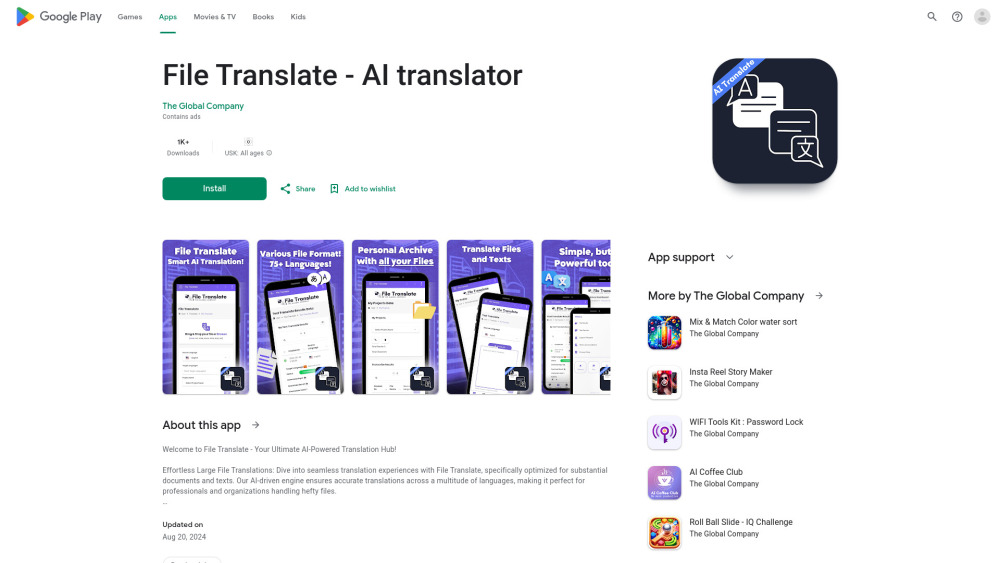
File Translator AI is a next-generation document translation platform powered by artificial intelligence, built to deliver fast and precise translations for a wide range of file types. Whether it's Word documents, Excel spreadsheets, PowerPoint presentations, or plain text files, this tool ensures seamless multilingual conversion—ideal for educators, remote teams, and enterprises operating across borders.
How to Get Started with File Translator AI
Begin by uploading your file in any supported format directly to the platform. Choose your desired output language, and let the AI engine handle the rest in moments. Completed translations are automatically stored in an organized project library, enabling quick access and version tracking.
Key Features of File Translator AI
High-speed translation for large documents
Intelligent context-aware language processing
Secure project history and file organization
Multiple billing options with scalable plans
Real-World Applications
Streamlining international collaboration with translated reports and proposals
Adapting research and educational content for global audiences
Customizing corporate materials for cross-border client engagement
Frequently Asked Questions
-
Which file types are compatible with File Translator AI?
-
Can I choose between subscription and pay-per-use plans?
Frequently Asked Questions
What is File Translator AI?
File Translator AI is a smart, cloud-based solution that leverages cutting-edge AI technology to translate complex documents accurately and instantly. It supports major formats such as DOCX, XLSX, PPTX, and TXT, making it perfect for users who require reliable, multilingual document handling.
How do I use File Translator AI?
Simply upload your file, pick the target language, and initiate the AI-powered translation. Once complete, download your translated document or save it to your personal project archive for future reference.
Which file types are compatible with File Translator AI?
The platform supports a broad range of file formats, including Microsoft Word, Excel, PowerPoint, and plain text files, ensuring versatility across professional and academic needs.
Can I choose between subscription and pay-per-use plans?
Yes, File Translator AI offers flexible pricing models—users can opt for a recurring subscription for unlimited usage or a credit-based system tailored to occasional translation needs.