Clideo: Online Video, Image & GIF Editor—Fast, Free, No Skills
Clideo: Effortlessly edit videos, images & GIFs online—no downloads, no skills needed. Fast, free, and ready in seconds!


What Is Clideo?
Clideo is a powerful, browser-based creative suite designed for everyone — from social media beginners to content creators on tight deadlines. With zero software to install and no technical expertise required, it delivers lightning-fast editing for videos, images, and GIFs — all in one intuitive, cloud-powered workspace. Built around speed, simplicity, and accessibility, Clideo empowers users to produce polished, share-ready content — instantly, freely, and without friction.
How Does Clideo Work?
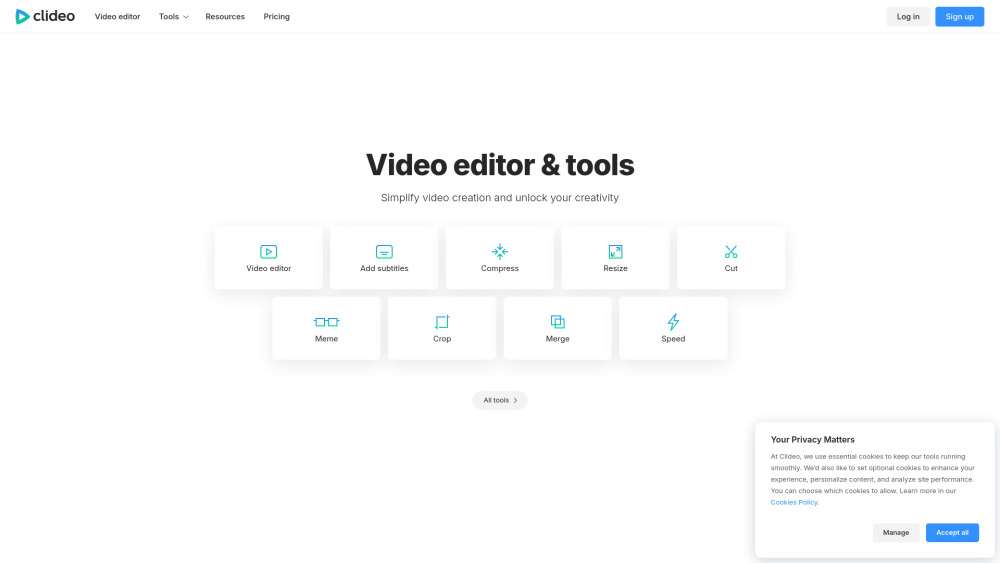
Getting started takes seconds: open Clideo.com in any modern browser, choose your tool (e.g., “Resize Video”, “GIF Maker”, or “Auto Subtitle Generator”), upload your file — and edit in real time. No downloads, no accounts needed for basic tasks, and no learning curve. Drag, click, customize, and download — all within minutes. Your files stay secure and never leave the browser unless you choose to save them.
Clideo’s Core Features
Video Editor
Video Compressor
Subtitles & Captions Tool
Aspect Ratio Changer
GIF Creator & Animator
Format Converter (MP4, MOV, AVI, MP3, WEBP, PNG, JPG & more)
Screen Recorder (with mic & webcam support)
Text-to-Speech Generator
AI-Powered Auto Subtitle Generator
Music & Audio Overlay Tool
Who Uses Clideo — and Why?
Social media managers crafting vertical clips optimized for Instagram Reels, TikTok, and YouTube Shorts.
Educators compressing lecture recordings for LMS uploads or student sharing.
Marketers adding multilingual subtitles to boost engagement and accessibility.
Designers turning product demos into eye-catching, looping GIFs in under a minute.
Remote teams recording quick screen walkthroughs for onboarding or troubleshooting.
Students converting lecture audio to MP3 or video files to compatible formats for submission.
Frequently Asked Questions
-
Is Clideo really free?
-
What’s included in Clideo Pro?
-
Do I need to download anything?
-
Contact & Support
For help, feedback, or refund inquiries: visit Clideo’s Contact Page.
-
About Clideo
Company Name: Clideo Ltd.
Registered Address: Riga, Latvia
Learn more about our mission and team on the About Us page. -
Clideo Login
Access your projects anytime: https://clideo.com/login
-
Clideo Sign Up
Start editing in seconds — no credit card required: https://clideo.com/signup
-
Clideo Pricing
Compare plans and unlock premium features: https://clideo.com/pricing
FAQ from Clideo
What is Clideo?
Clideo is an all-in-one online editor built for speed, flexibility, and universal access — letting anyone edit videos, images, and GIFs instantly, for free, with no prior experience or software installation.
How do I use Clideo?
Just go to Clideo.com, pick a tool, upload your file, make edits using simple drag-and-drop controls, and download your result — all in your browser, no sign-in required for basic use.
Is Clideo really free?
Yes — fully functional free tools are available with no time limits. Free exports include a subtle watermark and 7-day cloud storage. Remove both with Clideo Pro.
What’s included in Clideo Pro?
Clideo Pro unlocks watermark-free exports, extended cloud storage (up to 30 days), higher resolution output, priority processing, and unlimited access to advanced AI tools like auto-subtitles and voice synthesis.
Do I need to download anything?
No. Clideo runs entirely in your web browser — compatible with Chrome, Firefox, Safari, Edge, and even mobile browsers. Zero downloads, zero installations, zero setup.