AI Content Generator

AIMagicStudio

AIMagicStudio: AI-powered video maker for stunning, scroll-stopping social media content—fast, affordable & packed with pro features. Try it today!

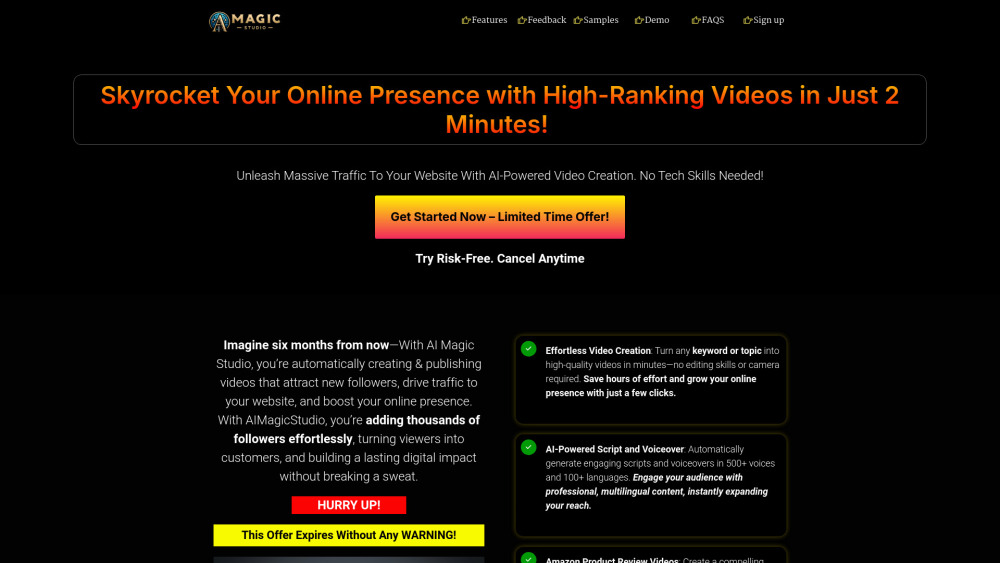
AIMagicStudio website preview

AIMagicStudio Website screenshot

What Is AIMagicStudio?

AIMagicStudio is a next-generation AI video creation suite built for speed, quality, and social-first storytelling—turning simple inputs into polished, platform-optimized videos in seconds.

How Does AIMagicStudio Work?

Paste a link, type a prompt, or upload visuals—then select your target platform (TikTok, Instagram Reels, YouTube Shorts, etc.). AIMagicStudio handles scripting, scene generation, voice narration, timing, and formatting—no editing skills needed.

Why Creators & Marketers Choose AIMagicStudio

Smart Script Generation with Brand Voice Tuning

Intelligent Visual Matching (AI selects or generates relevant B-roll & stock assets)

Natural-sounding AI Voiceovers in 30+ languages & accents

One-Click Export for Each Platform’s Exact Specs (aspect ratio, duration, captions, CTAs)

Real-World Use Cases

Scale affiliate product reviews with SEO-optimized, conversion-focused video scripts

Repurpose blog posts or landing pages into scroll-stopping social clips

Turn trending keywords or viral topics into ready-to-post content within minutes

Product source: AIMagicStudio official website. Check the provider for current plans, limits and availability.

FAQ

AIMagicStudio questions and answers

Product context and practical checks for evaluating AIMagicStudio.

What is AIMagicStudio used for?

AIMagicStudio: AI-powered video maker for stunning, scroll-stopping social media content—fast, affordable & packed with pro features. Try it today!

How do I get started with AIMagicStudio?

Paste a link, type a prompt, or upload visuals—then select your target platform (TikTok, Instagram Reels, YouTube Shorts, etc.). AIMagicStudio handles scripting, scene generation, voice narration, timing, and formatting—no editing skills needed.

What projects can I evaluate AIMagicStudio for?

Scale affiliate product reviews with SEO-optimized, conversion-focused video scriptsRepurpose blog posts or landing pages into scroll-stopping social clipsTurn trending keywords or viral topics into ready-to-post content within minutes

What should I compare before choosing a AIMagicStudio plan?

Explore flexible plans—from creators just starting out to agencies managing multiple brands: https://aimagicstudio.com/#pricing Confirm current prices and allowances on the provider’s website before purchasing.

What inputs should I prepare for a AIMagicStudio trial?

Compare text prompts, reference frames, source footage and audio support. Check duration, aspect ratio and whether the tool lets you keep a subject consistent between shots.

How can I check the quality of a AIMagicStudio result?

Watch the entire clip for motion errors, distorted objects, changing identities, lip-sync problems and abrupt transitions. Inspect the downloaded file as well as the preview.

Which export options should I check in AIMagicStudio?

Check export resolution, frame rate, aspect ratio, audio tracks and watermark rules. A good preview is not a substitute for an export that fits your publishing channel.

What is a practical way to test AIMagicStudio against alternatives?

Use a short shot with one subject and one camera movement. Keep the prompt and duration constant, then compare usable seconds and the number of regenerations.

What should I review before uploading material to AIMagicStudio?

Read the provider’s rules on access, retention, deletion and use of uploaded material. Start with a non-confidential sample that you have permission to use.

Where is the official AIMagicStudio website?

The website linked from this profile is https://. Use the provider’s own documentation, account area and support channels to confirm current product details.

Visit AIMagicStudio