
NinjaTools: One subscription, endless AI power—use cases, pricing, reviews, core features & alternatives—all in one unified platform.
Explore a specific workflow
Explore workspace tools through the product profiles below. The collection groups applications around a shared task. Product scope can overlap, so compare the specific workflow each tool describes rather than the category name alone.
Identify the files, text or account connections your task needs. Confirm that the product accepts those inputs and offers controls for reviewing its work.
Test one representative task and inspect the result for accuracy and completeness. Record where manual corrections or extra tools are needed.
NinjaTools: One subscription, endless AI power—use cases, pricing, reviews, core features & alternatives—all in one unified platform.

Fibery: Tailored workspace solution with AI, customizable views, connected databases, and powerful automations. Create, connect, and optimize your workflow.

FunBlocks: AI-powered writing, no-code app creation, and collaboration hub. Boost efficiency with AI tools for writing, brainstorming, and content creation.

Coda: An all-in-one workspace used by 40,000+ teams to supercharge their workflows and streamline collaboration for a more organized workday.
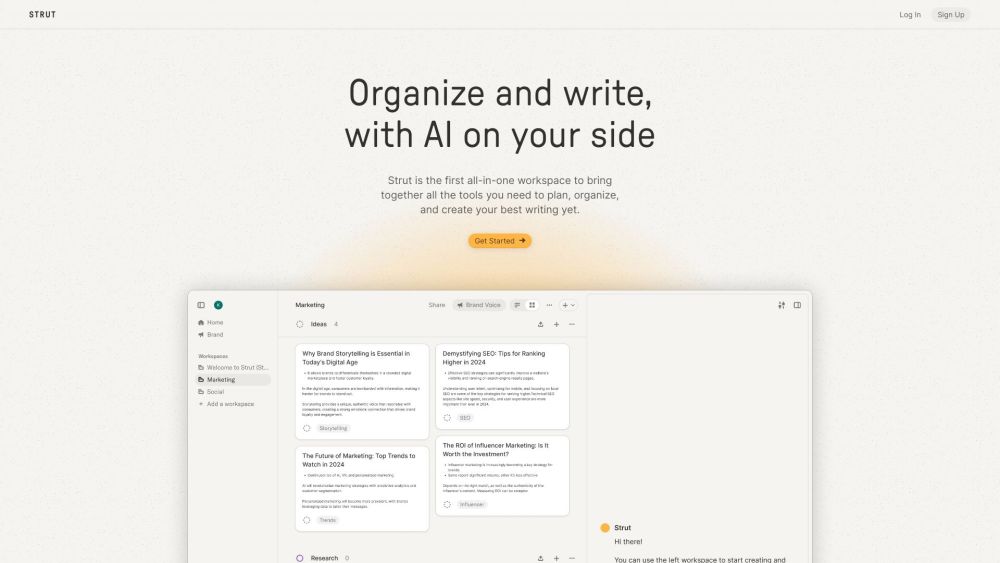
Strut is the first all-in-one workspace to bring together all the tools you need to plan, organize, and create your best writing yet.
FAQ
Practical answers to help you take the next step.
The collection groups applications around a shared task. Product scope can overlap, so compare the specific workflow each tool describes rather than the category name alone.
Identify the files, text or account connections your task needs. Confirm that the product accepts those inputs and offers controls for reviewing its work.
Test one representative task and inspect the result for accuracy and completeness. Record where manual corrections or extra tools are needed.
Choose one task with a clear success condition. Keep the input consistent, record the time spent reviewing and compare the complete workflow cost.
NinjaTools: One subscription, endless AI power—use cases, pricing, reviews, core features & alternatives—all in one unified platform.
Read about NinjaToolsFibery: Tailored workspace solution with AI, customizable views, connected databases, and powerful automations. Create, connect, and optimize your workflow.
Read about FiberyFunBlocks: AI-powered writing, no-code app creation, and collaboration hub. Boost efficiency with AI tools for writing, brainstorming, and content creation.
Read about FunBlocksCoda: An all-in-one workspace used by 40,000+ teams to supercharge their workflows and streamline collaboration for a more organized workday.
Read about CodaStrut is the first all-in-one workspace to bring together all the tools you need to plan, organize, and create your best writing yet.
Read about StrutCheck export formats, integrations and whether you can keep using your work outside the service. Test a real export before committing to a longer plan.