AI Content Generator

Coda

Coda: An all-in-one workspace used by 40,000+ teams to supercharge their workflows and streamline collaboration for a more organized workday.

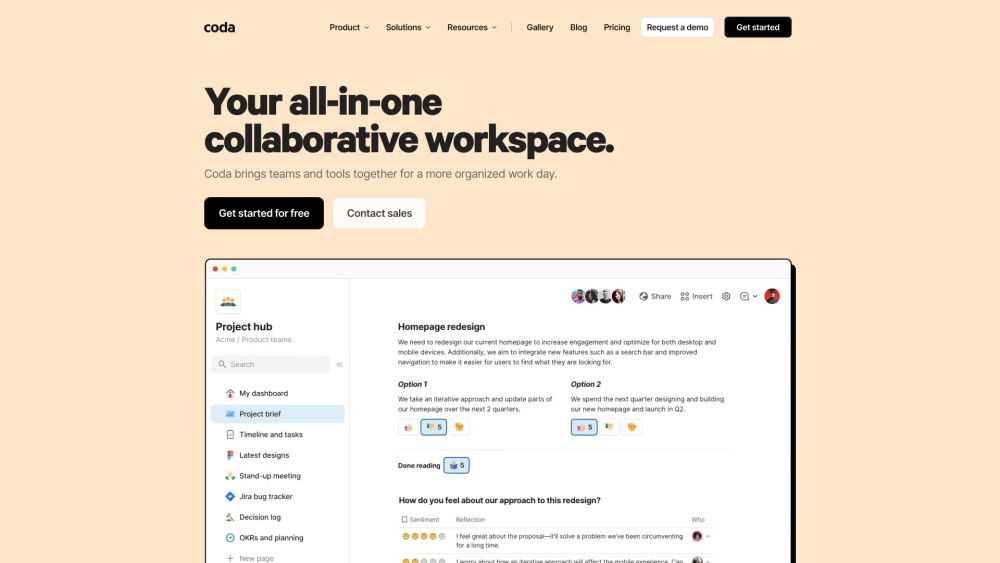
Coda website preview

Coda Website screenshot

Discover Coda

Coda is a powerful all-in-one collaborative workspace designed to unite teams and streamline workflows. Trusted by over 40,000 teams, Coda enhances productivity and fosters seamless collaboration across diverse projects.

Getting Started with Coda

To get started with Coda, teams can create a centralized workspace to collaborate efficiently. Users can develop documents, tables, and automated workflows to manage projects, monitor progress, and make informed decisions.

Key Features of Coda

Unify Your Tools

Flexible Pricing

Platform Packs

Publishing Capabilities

Comparison with Other Tools

Applications of Coda

Sales

Engineering

Planning & OKRs

Meetings

Project Management

Enterprise Solutions

Startups

Small Business

  • Contact Coda Support

    For customer service, reach out to Coda support at [email protected]. For more contact options, visit the contact page.

  • About Coda

    To learn more about Coda, visit the About Us page.

  • Sign Up for Coda

    Join Coda by signing up here.

  • Coda Pricing

    View Coda's pricing plans here.

  • Follow Coda on Social Media

    Stay updated with Coda on Facebook, YouTube, LinkedIn, and Twitter.

Product source: Coda official website. Check the provider for current plans, limits and availability.

FAQ

Coda questions and answers

Product context and practical checks for evaluating Coda.

What is Coda used for?

Coda: An all-in-one workspace used by 40,000+ teams to supercharge their workflows and streamline collaboration for a more organized workday.

How do I get started with Coda?

To get started with Coda, teams can create a centralized workspace to collaborate efficiently. Users can develop documents, tables, and automated workflows to manage projects, monitor progress, and make informed decisions.

Which capabilities are described for Coda?

Unify Your ToolsFlexible PricingPlatform PacksPublishing CapabilitiesComparison with Other Tools

What projects can I evaluate Coda for?

SalesEngineeringPlanning & OKRsMeetingsProject ManagementEnterprise SolutionsStartupsSmall Business Contact Coda Support For customer service, reach out to Coda support at [email protected]. For more contact options, visit the contact page. About Coda To learn more about Coda, visit the About Us page. Sign Up for Coda Join Coda by signing up here. Coda Pricing View Coda's pricing plans here. Follow Coda on Social Media Stay updated with Coda on Facebook, YouTube, LinkedIn, and Twitter.

What should I compare before choosing a Coda plan?

View Coda's pricing plans here. Confirm current prices and allowances on the provider’s website before purchasing.

What inputs should I prepare for a Coda trial?

Identify the files, text or account connections your task needs. Confirm that the product accepts those inputs and offers controls for reviewing its work.

How can I check the quality of a Coda result?

Test one representative task and inspect the result for accuracy and completeness. Record where manual corrections or extra tools are needed.

Which export options should I check in Coda?

Check export formats, integrations and whether you can keep using your work outside the service. Test a real export before committing to a longer plan.

What is a practical way to test Coda against alternatives?

Choose one task with a clear success condition. Keep the input consistent, record the time spent reviewing and compare the complete workflow cost.

Where is the official Coda website?

The website linked from this profile is https://coda.io. Use the provider’s own documentation, account area and support channels to confirm current product details.

Visit Coda