
Text2Motion: Turn text prompts into 3D skeletal animations with generative AI—fast, intuitive, and production-ready.
Explore a specific workflow
Explore visual effects tools through the product profiles below. The collection groups applications around a shared task. Product scope can overlap, so compare the specific workflow each tool describes rather than the category name alone.
Identify the files, text or account connections your task needs. Confirm that the product accepts those inputs and offers controls for reviewing its work.
Test one representative task and inspect the result for accuracy and completeness. Record where manual corrections or extra tools are needed.
Text2Motion: Turn text prompts into 3D skeletal animations with generative AI—fast, intuitive, and production-ready.

Transform your browsing experience with Varoriya AI Browser Integration for Chrome. AI-powered image tools for editing, enhancing, and transforming visuals.

Jector Relight: Effortlessly enhance lighting and shadows for visuals. Perfect for photographers, designers, and creators. Elevate your work with ease!

Wondershare Filmora is a user-friendly video editor offering advanced video and audio editing capabilities on both Windows and Mac platforms. Create videos with visual effects, transitions, and creative titles.

Transform your photos effortlessly with ImageEditor.AI, the AI-powered tool for advanced editing. Just describe your vision, and let AI bring it to life!

Wondershare Filmora: Effortlessly edit videos with creative tools & effects on Windows and Mac. Perfect for titles, transitions, and visual effects.

Edit videos effortlessly with Wondershare Filmora! Create with ease using titles, transitions, and visual effects on Windows and Mac.
Transform your videos with VideoPix Editor: an online tool using Instruct Pix2Pix Diffusion for stunning, creative, and realistic edits guided by intuitive prompts.

Create photo blends with PhotoBlend! Our AI-powered social app makes sharing and discovering amazing photo blends easy and fun. Try it now!

Transform ordinary photos with ArtGuru Face Swap! This free AI tool lets you easily swap faces for fun, quirky, or professional images.

TransformFace: AI-powered face swap tool for creative, professional, and scientific use. Swap faces onto various templates easily and quickly.
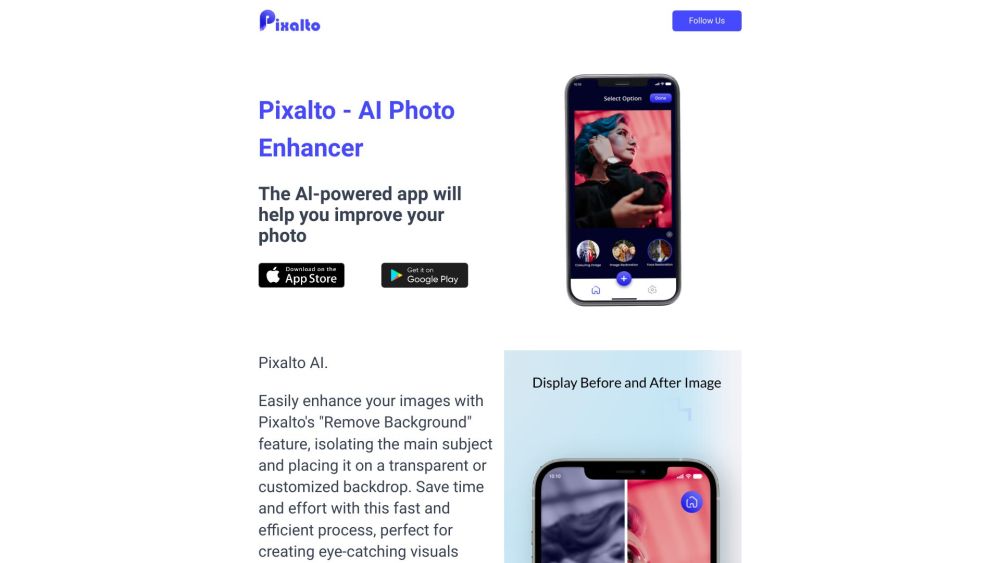
Enhance photos effortlessly with Pixalto - AI Photo Enhancer. Fix blur, reduce noise, edit faces, and more for visuals. No complex skills needed!

Pixela.ai: Elevate your gaming with AI-generated, high-quality textures. Experience visuals effortlessly with our advanced online platform.

Transform photos into vibrant videogame artwork with Pic2Game AI. Reimagine your favorite moments as game-inspired characters and scenes.

CatAIVisualizer: Unleash AI magic to create breathtaking visualizations of your cat. Transform every moment into art with CatAIVisualizer!
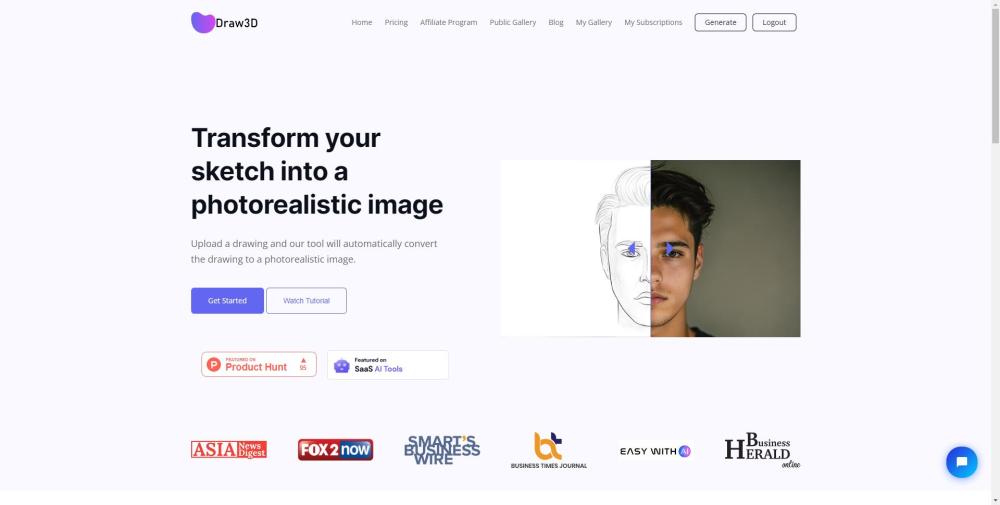
Transform your sketches into stunningly realistic images with Draw3D, the free AI software for artists, designers, and creators. Bring your drawings to life!

Create mesmerizing, infinite video loops with Endless, the innovative tool for artistic expression that never stops. Perfect for creators and visionaries!

Transform videos effortlessly with Runway, the next-gen creative suite. Use text prompts, reference images, and presets for unique creations.
FAQ
Practical answers to help you take the next step.
The collection groups applications around a shared task. Product scope can overlap, so compare the specific workflow each tool describes rather than the category name alone.
Identify the files, text or account connections your task needs. Confirm that the product accepts those inputs and offers controls for reviewing its work.
Test one representative task and inspect the result for accuracy and completeness. Record where manual corrections or extra tools are needed.
Choose one task with a clear success condition. Keep the input consistent, record the time spent reviewing and compare the complete workflow cost.
Text2Motion: Turn text prompts into 3D skeletal animations with generative AI—fast, intuitive, and production-ready.
Read about Text2MotionTransform your browsing experience with Varoriya AI Browser Integration for Chrome. AI-powered image tools for editing, enhancing, and transforming visuals.
Read about Varoriya AI Browser IntegrationJector Relight: Effortlessly enhance lighting and shadows for visuals. Perfect for photographers, designers, and creators. Elevate your work with ease!
Read about Jector RelightWondershare Filmora is a user-friendly video editor offering advanced video and audio editing capabilities on both Windows and Mac platforms. Create videos with visual effects, transitions, and creative titles.
Read about Wondershare FilmoraTransform your photos effortlessly with ImageEditor.AI, the AI-powered tool for advanced editing. Just describe your vision, and let AI bring it to life!
Read about ImageEditor.AITransform your videos with VideoPix Editor: an online tool using Instruct Pix2Pix Diffusion for stunning, creative, and realistic edits guided by intuitive prompts.
Read about VideoPix Editor