AI Photo &amp Image Generator

Draw3D

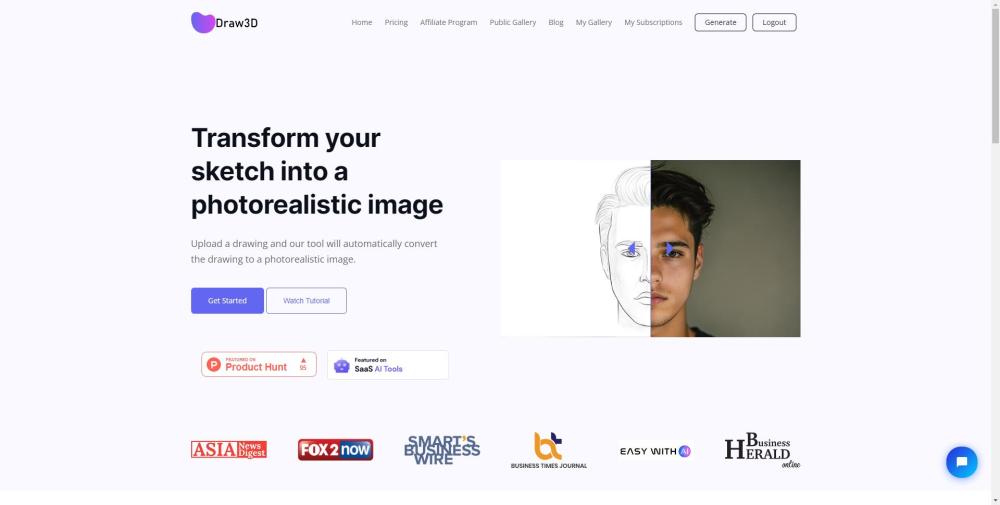
Transform your sketches into stunningly realistic images with Draw3D, the free AI software for artists, designers, and creators. Bring your drawings to life!

Draw3D website preview

Draw3D Website screenshot

Discover Draw3D

Draw3D is a revolutionary AI-powered software designed to convert sketches into lifelike images. This free tool is perfect for artists, designers, and creators who want to bring their sketches to life with remarkable realism.

Getting Started with Draw3D

Using Draw3D is simple: just upload your sketch, and the software will automatically transform it into a photorealistic image. You can also upscale the image without any loss of quality and edit it using the built-in image editor.

Key Features of Draw3D

Convert sketches to photorealistic images

Manage detailed scenes effortlessly

Animate animal sketches

Transform between sculptures and photos

Upscale images without quality loss

Edit images with a comprehensive editor

Applications of Draw3D

Creating lifelike artwork

Designing intricate graphics and visualizations

Producing digital art and animations

Assisting in CAD and 3D modeling

Enhancing concept art and game design

Aiding in architecture and product design

Supporting visual effects and simulations

Product source: Draw3D official website. Check the provider for current plans, limits and availability.

FAQ

Draw3D questions and answers

Product context and practical checks for evaluating Draw3D.

What is Draw3D used for?

Transform your sketches into stunningly realistic images with Draw3D, the free AI software for artists, designers, and creators. Bring your drawings to life!

How do I get started with Draw3D?

Using Draw3D is simple: just upload your sketch, and the software will automatically transform it into a photorealistic image. You can also upscale the image without any loss of quality and edit it using the built-in image editor.

Which capabilities are described for Draw3D?

Convert sketches to photorealistic imagesManage detailed scenes effortlesslyAnimate animal sketchesTransform between sculptures and photosUpscale images without quality lossEdit images with a comprehensive editor

What projects can I evaluate Draw3D for?

Creating lifelike artworkDesigning intricate graphics and visualizationsProducing digital art and animationsAssisting in CAD and 3D modelingEnhancing concept art and game designAiding in architecture and product designSupporting visual effects and simulations Draw3D Support and Contact Information For customer service, contact Draw3D support at: [email protected]. About Draw3D Draw3D is developed by Kites.Dev. Draw3D Login Access your Draw3D account here: https://draw3d.online/login Draw3D Sign Up Create a new Draw3D account here: https://draw3d.online/register Draw3D Pricing View Draw3D pricing details here: https://draw3d.online/pricing Connect with Draw3D Follow us on Facebook: https://www.facebook.com/kitesdeveloper Follow us on LinkedIn: https://www.linkedin.com/company/kitesdev/ Follow us on Twitter: https://twitter.com/kites_dev Follow us on Instagram: https://www.instagram.com/kites.dev/

What should I compare before choosing a Draw3D plan?

View Draw3D pricing details here: https://draw3d.online/pricing Confirm current prices and allowances on the provider’s website before purchasing.

What inputs should I prepare for a Draw3D trial?

Look for text prompts, image references, masks or sketches as appropriate. Compare composition control, supported upload types and the ability to revise a selected area.

How can I check the quality of a Draw3D result?

Inspect text, hands, edges, reflections and repeated objects at full size. Check that important product or brand details survive editing.

Which export options should I check in Draw3D?

Compare pixel dimensions, transparency, file formats and any enlargement options. Confirm that the downloaded result works in your design or publishing software.

What is a practical way to test Draw3D against alternatives?

Prepare a brief with a subject, composition, lighting and required output size. Test a first generation and a targeted revision to see how much control you retain.

Where is the official Draw3D website?

The website linked from this profile is https://draw3d.lemonsqueezy.com/. Use the provider’s own documentation, account area and support channels to confirm current product details.

Visit Draw3D