Explore video repurposing tools through the product profiles below. These tools help create, edit or repurpose moving images. Text-to-video, image animation and video editing solve different tasks, so start with the source material you already have.
✳
How to compare video repurposing tools
Compare text prompts, reference frames, source footage and audio support. Check duration, aspect ratio and whether the tool lets you keep a subject consistent between shots.
Watch the entire clip for motion errors, distorted objects, changing identities, lip-sync problems and abrupt transitions. Inspect the downloaded file as well as the preview.
SummarAIze is an AI-powered tool that transforms podcast and video content into engaging summaries. Perfect for repurposing, it offers competitive pricing, core features like transcription and analysis, and favorable reviews. Explore use cases and alternatives to elevate your content strategy today!
Opus Clip is an AI-powered video repurposing tool that allows users to turn long videos into high-quality viral clips. It is designed to increase social media reach by providing short, engaging videos that can be shared on platforms like TikTok, YouTube Shorts, and Reels.
Effortlessly repurpose videos into diverse content formats – from engaging e-books and insightful articles to interactive quizzes and shareable social media posts – all powered by Insight Video AI.
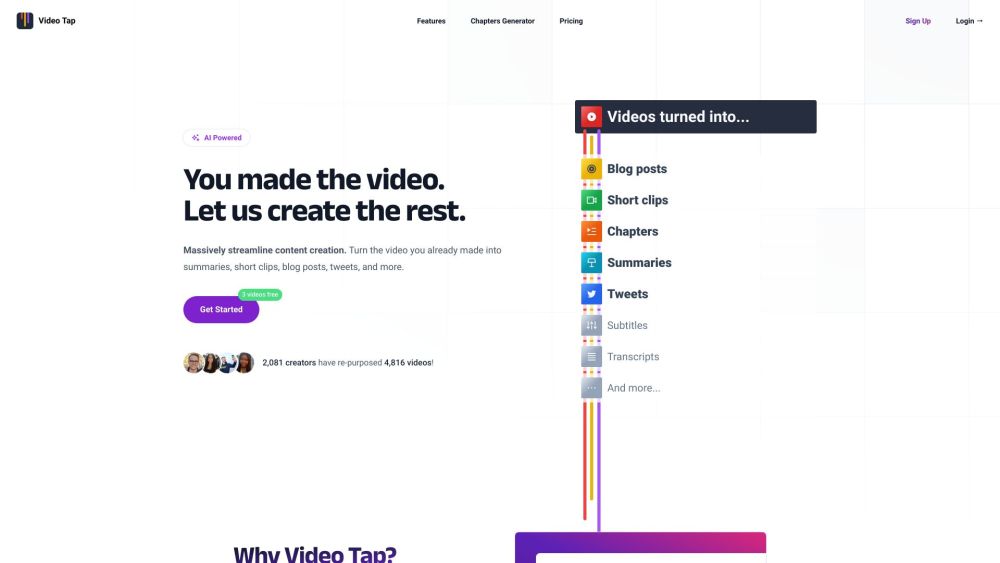
Video Tap: AI repurposes your videos into ready-to-publish blog posts. Boost your content strategy effortlessly. Add a YouTube URL &
FAQ
video repurposing questions and answers
Practical answers to help you take the next step.
What does the video repurposing tag cover?
These tools help create, edit or repurpose moving images. Text-to-video, image animation and video editing solve different tasks, so start with the source material you already have.
Which inputs should I compare in video repurposing tools?
Compare text prompts, reference frames, source footage and audio support. Check duration, aspect ratio and whether the tool lets you keep a subject consistent between shots.
How should I review results from a video repurposing tool?
Watch the entire clip for motion errors, distorted objects, changing identities, lip-sync problems and abrupt transitions. Inspect the downloaded file as well as the preview.
What is a fair first test for video repurposing tools?
Use a short shot with one subject and one camera movement. Keep the prompt and duration constant, then compare usable seconds and the number of regenerations.
What does SummarAIze offer in this video repurposing collection?
SummarAIze is an AI-powered tool that transforms podcast and video content into engaging summaries. Perfect for repurposing, it offers competitive pricing, core features like transcription and analysis, and favorable reviews. Explore use cases and alternatives to elevate your content strategy today!
What does Opus Clip offer in this video repurposing collection?
Opus Clip is an AI-powered video repurposing tool that allows users to turn long videos into high-quality viral clips. It is designed to increase social media reach by providing short, engaging videos that can be shared on platforms like TikTok, YouTube Shorts, and Reels.