AI Content Generator

Opus Clip

Opus Clip is an AI-powered video repurposing tool that allows users to turn long videos into high-quality viral clips. It is designed to increase social media reach by providing short, engaging videos that can be shared on platforms like TikTok, YouTube Shorts, and Reels.

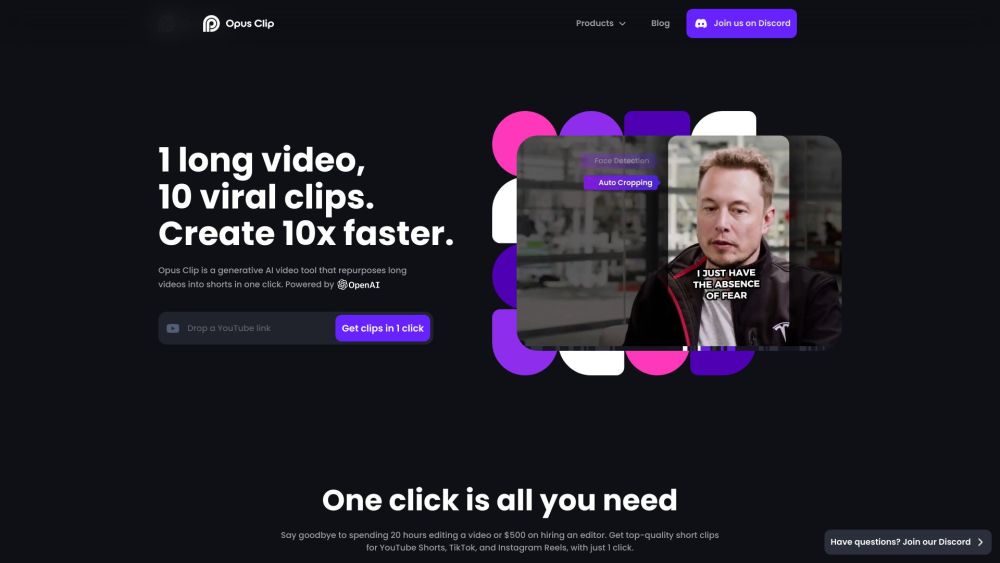
Opus Clip website preview

Opus Clip Website screenshot

What is Opus Clip?

Opus Clip is an innovative AI-driven video repurposing tool designed to transform lengthy videos into engaging, shareable clips. Its primary aim is to boost social media presence by creating short, captivating videos ideal for platforms like TikTok, YouTube Shorts, and Instagram Reels.

How to use Opus Clip?

Using Opus Clip is straightforward. Users can register for free on the website without needing to input any credit card information. After registration, they can upload their long videos to the platform. Opus Clip's sophisticated AI then analyzes these videos and generates multiple viral clips from the content. Users can download and share these clips across various social media channels to enhance their online presence.

Opus Clip's Core Features

Generative AI video tool

Converts long videos into short, viral clips

Supports English, German, Spanish, French, and Portuguese

AI Curation (ClipGenius™) to identify compelling highlights

AI Virality Score™ to evaluate viral potential

AI Co-Pilot for enhanced clipping control

Active Speaker Detection to keep faces central

AI Keyword Highlighter to identify key phrases

AI Emoji Generator to emphasize valuable content

Auto resizing to 9:16 ratio with full-screen speaker view

Auto transition for seamless jump-cuts

Auto captioning with high accuracy for increased watch time

1080p resolution for high-quality video

Multi-language support

Custom brand kit for on-brand videos

Trendy templates for professional-quality videos

AI re-layout to keep speakers at the center

Enhanced engagement, views, and watch time

Opus Clip's Use Cases

Creating viral clips from video podcasts

Repurposing educational videos into shorter, engaging clips

Extracting highlights from commentary videos

Generating short clips from product reviews

Creating compelling clips from motivational speeches

Product source: Opus Clip official website. Check the provider for current plans, limits and availability.

FAQ

Opus Clip questions and answers

Product context and practical checks for evaluating Opus Clip.

What is Opus Clip used for?

Opus Clip is an AI-powered video repurposing tool that allows users to turn long videos into high-quality viral clips. It is designed to increase social media reach by providing short, engaging videos that can be shared on platforms like TikTok, YouTube Shorts, and Reels.

How do I get started with Opus Clip?

Using Opus Clip is straightforward. Users can register for free on the website without needing to input any credit card information. After registration, they can upload their long videos to the platform. Opus Clip's sophisticated AI then analyzes these videos and generates multiple viral clips from the content. Users can download and share these clips across various social media channels to enhance their online presence.

Which capabilities are described for Opus Clip?

Generative AI video toolConverts long videos into short, viral clipsSupports English, German, Spanish, French, and PortugueseAI Curation (ClipGenius™) to identify compelling highlightsAI Virality Score™ to evaluate viral potentialAI Co-Pilot for enhanced clipping controlActive Speaker Detection to keep faces centralAI Keyword Highlighter to identify key phrasesAI Emoji Generator to emphasize valuable contentAuto resizing to 9:16 ratio with full-screen speaker viewAuto transition for seamless jump-cutsAuto captioning with high accuracy for increased watch time1080p resolution for high-quality videoMulti-language supportCustom brand kit for on-brand videosTrendy templates for professional-quality videosAI re-layout to keep speakers at the centerEnhanced engagement, views, and watch time

What projects can I evaluate Opus Clip for?

Creating viral clips from video podcastsRepurposing educational videos into shorter, engaging clipsExtracting highlights from commentary videosGenerating short clips from product reviewsCreating compelling clips from motivational speeches Opus Clip Discord Join the Opus Clip community on Discord: https://discord.com/invite/wqbb7ZKhjg. For more Discord messages, click here(/discord/wqbb7zkhjg-1). Opus Clip Support Email & Customer Service Contact For customer service, contact Opus Clip at: [email protected]. Opus Clip Company Opus Clip is a product of Immersively Inc. Learn more on the About Us page. Opus Clip Login Access your Opus Clip dashboard here: https://clip.opus.pro/dashboard Opus Clip Sign Up Register for Opus Clip here: https://clip.opus.pro/dashboard Opus Clip Pricing View Opus Clip's pricing plans: https://www.opus.pro/pricing Opus Clip YouTube Follow Opus Clip on YouTube: https://www.youtube.com/@opusclipOpus Clip TikTok Check out Opus Clip on TikTok: https://www.tiktok.com/@opusclipOpus Clip LinkedIn Connect with Opus Clip on LinkedIn: https://www.linkedin.com/company/opusclipOpus Clip Twitter Follow Opus Clip on Twitter: https://twitter.com/opusclip

What should I compare before choosing a Opus Clip plan?

View Opus Clip's pricing plans: https://www.opus.pro/pricing Confirm current prices and allowances on the provider’s website before purchasing.

What inputs should I prepare for a Opus Clip trial?

Compare text prompts, reference frames, source footage and audio support. Check duration, aspect ratio and whether the tool lets you keep a subject consistent between shots.

How can I check the quality of a Opus Clip result?

Watch the entire clip for motion errors, distorted objects, changing identities, lip-sync problems and abrupt transitions. Inspect the downloaded file as well as the preview.

Which export options should I check in Opus Clip?

Check export resolution, frame rate, aspect ratio, audio tracks and watermark rules. A good preview is not a substitute for an export that fits your publishing channel.

What is a practical way to test Opus Clip against alternatives?

Use a short shot with one subject and one camera movement. Keep the prompt and duration constant, then compare usable seconds and the number of regenerations.

Where is the official Opus Clip website?

The website linked from this profile is https://www.opus.pro/. Use the provider’s own documentation, account area and support channels to confirm current product details.

Visit Opus Clip