AI Content Generator

Yuma Ticket Assistant

Yuma Ticket Assistant: AI Help Desk Support. Automate responses, boost efficiency, enhance support quality, and increase customer satisfaction and revenue.

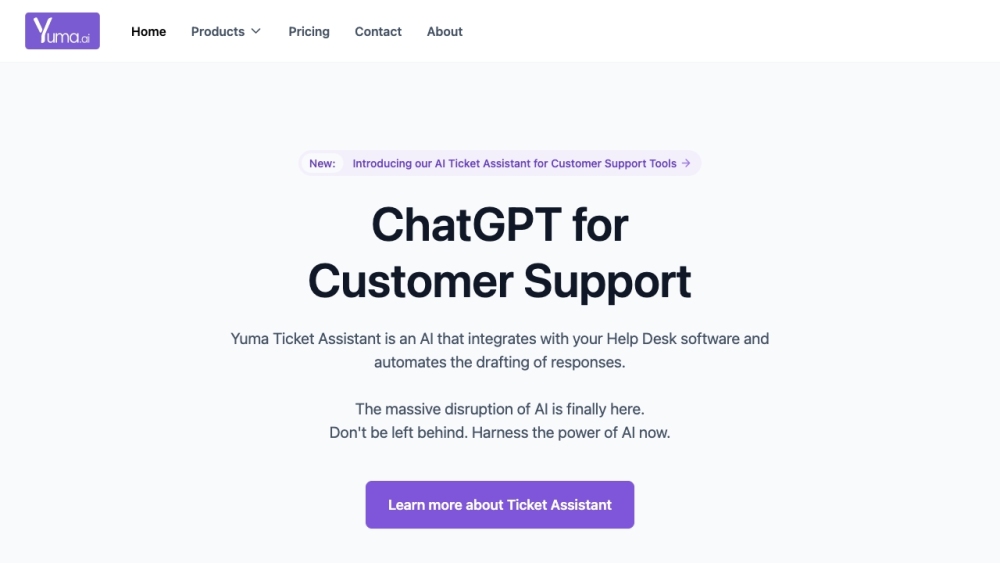
Yuma Ticket Assistant website preview

Yuma Ticket Assistant Website screenshot

What is Yuma Ticket Assistant?

Yuma Ticket Assistant is a powerful AI solution that integrates seamlessly with your Help Desk software to automate the drafting of responses for customer tickets. This tool is designed to enhance efficiency and support quality, leading to higher customer satisfaction and increased revenue.

How to use Yuma Ticket Assistant?

Integrating Yuma Ticket Assistant with your Help Desk software, such as Zendesk or Gorgias, is straightforward. Once connected, it processes incoming support tickets, generating appropriate response drafts for your agents to review and send. Additional features include conversation thread summarization, writing style customization, and multilingual support, all aimed at boosting customer service.

Yuma Ticket Assistant's Core Features

AI Automated Response Drafting

Instruct Yuma

Custom Knowledge Base

Writing Style Customization

Conversation Thread Summarization

Multilingual and Auto-Translation

One-Click 'Reply & Close Ticket'

Help Desk Native Integrations

Shopify Integration

Yuma Ticket Assistant's Use Cases

Automate response drafting for customer support tickets

Improve support efficiency and quality

Increase customer satisfaction

Boost revenue

  • Yuma Ticket Assistant Support Email & Customer Service Contact

    For customer service inquiries, contact Yuma Ticket Assistant support via email: [email protected]. For more contact options, visit the contact us page.

  • Yuma Ticket Assistant Company Information

    Yuma Ticket Assistant is operated by Yuma AI Inc. and Yuma AI PTE. LTD.

    Company addresses: 155 Water St, unit P3/19 Brooklyn, NY 11201, USA, and 68 Circular Road #02-10, Singapore, 049422.

    Learn more about us at the about us page.

  • Yuma Ticket Assistant Login

    Access Yuma Ticket Assistant here: https://app.yuma.ai/

  • Yuma Ticket Assistant Pricing

    Check pricing details here: https://yuma.ai/ai-ticket-assistant-pricing

  • Yuma Ticket Assistant on LinkedIn

    Follow us on LinkedIn: https://www.linkedin.com/company/yuma-ai/

  • Yuma Ticket Assistant on Twitter

    Follow us on Twitter: https://twitter.com/yuma_dot_ai

Product source: Yuma Ticket Assistant official website. Check the provider for current plans, limits and availability.

FAQ

Yuma Ticket Assistant questions and answers

Product context and practical checks for evaluating Yuma Ticket Assistant.

What is Yuma Ticket Assistant used for?

Yuma Ticket Assistant: AI Help Desk Support. Automate responses, boost efficiency, enhance support quality, and increase customer satisfaction and revenue.

How do I get started with Yuma Ticket Assistant?

Integrating Yuma Ticket Assistant with your Help Desk software, such as Zendesk or Gorgias, is straightforward. Once connected, it processes incoming support tickets, generating appropriate response drafts for your agents to review and send. Additional features include conversation thread summarization, writing style customization, and multilingual support, all aimed at boosting customer service.

Which capabilities are described for Yuma Ticket Assistant?

AI Automated Response DraftingInstruct YumaCustom Knowledge BaseWriting Style CustomizationConversation Thread SummarizationMultilingual and Auto-TranslationOne-Click 'Reply & Close Ticket'Help Desk Native IntegrationsShopify Integration

What projects can I evaluate Yuma Ticket Assistant for?

Automate response drafting for customer support ticketsImprove support efficiency and qualityIncrease customer satisfactionBoost revenue Yuma Ticket Assistant Support Email & Customer Service Contact For customer service inquiries, contact Yuma Ticket Assistant support via email: [email protected]. For more contact options, visit the contact us page. Yuma Ticket Assistant Company Information Yuma Ticket Assistant is operated by Yuma AI Inc. and Yuma AI PTE. LTD. Company addresses: 155 Water St, unit P3/19 Brooklyn, NY 11201, USA, and 68 Circular Road #02-10, Singapore, 049422. Learn more about us at the about us page. Yuma Ticket Assistant Login Access Yuma Ticket Assistant here: https://app.yuma.ai/ Yuma Ticket Assistant Pricing Check pricing details here: https://yuma.ai/ai-ticket-assistant-pricing Yuma Ticket Assistant on LinkedIn Follow us on LinkedIn: https://www.linkedin.com/company/yuma-ai/Yuma Ticket Assistant on Twitter Follow us on Twitter: https://twitter.com/yuma_dot_ai

What should I compare before choosing a Yuma Ticket Assistant plan?

Check pricing details here: https://yuma.ai/ai-ticket-assistant-pricing Confirm current prices and allowances on the provider’s website before purchasing.

What inputs should I prepare for a Yuma Ticket Assistant trial?

Identify the files, text or account connections your task needs. Confirm that the product accepts those inputs and offers controls for reviewing its work.

How can I check the quality of a Yuma Ticket Assistant result?

Test one representative task and inspect the result for accuracy and completeness. Record where manual corrections or extra tools are needed.

Which export options should I check in Yuma Ticket Assistant?

Check export formats, integrations and whether you can keep using your work outside the service. Test a real export before committing to a longer plan.

What is a practical way to test Yuma Ticket Assistant against alternatives?

Choose one task with a clear success condition. Keep the input consistent, record the time spent reviewing and compare the complete workflow cost.

Where is the official Yuma Ticket Assistant website?

The website linked from this profile is https://yuma.ai. Use the provider’s own documentation, account area and support channels to confirm current product details.

Visit Yuma Ticket Assistant