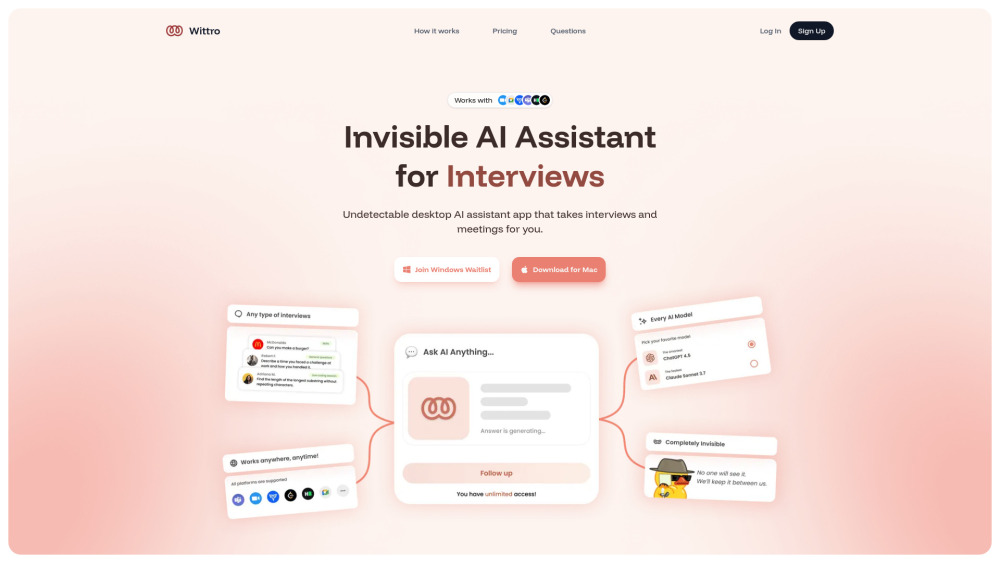
Wittro: Your Invisible Intelligence Partner
Wittro isn’t just another AI tool—it’s a silent, intelligent co-pilot engineered for moments that matter. Designed from the ground up to operate invisibly, it supports interviews, live meetings, proctored exams, and nuanced conversations—delivering precise, human-toned responses in real time, without triggering detection systems, platform alerts, or perceptible latency.
Getting Started with Wittro — Effortlessly
Installation takes seconds: drag Wittro into your Applications folder, launch it, and grant minimal system permissions (screen access *only* when needed). Then choose your mode—let Wittro observe your active window for contextual awareness (e.g., reading a Zoom chat or slide deck), or whisper a question directly via keyboard shortcut. Within milliseconds, you receive a complete, natural-sounding answer—structured, empathetic, and tailored to your voice and goals.
Why Wittro Stands Apart: The Four Pillars
✅ Undetectable by Design
No watermarking, no behavioral fingerprints, no API signatures—Wittro runs locally-first, processes intelligently on-device where possible, and avoids patterns flagged by AI-detection engines, LMS proctoring tools, or video conferencing platforms.
✅ Purpose-Built for High-Stakes Human Interaction
From technical screening calls to boardroom negotiations and timed certification exams—Wittro adapts its reasoning depth, response length, and delivery cadence to match the gravity and rhythm of real-world human exchange.
✅ Silent Intelligence, Not Just Automation
It doesn’t interrupt, narrate, or “think aloud.” Wittro delivers concise, actionable insights—no filler, no repetition—designed to be absorbed instantly and spoken authentically as your own.
✅ Human-Centered Customization
Adjust tone (confident, humble, diplomatic), persona (junior analyst, senior advisor, subject-matter expert), verbosity, and even ethical guardrails—all per session or saved as profiles.
Built for Real-World Scenarios
🎯 Nailing Your Next Job Interview
Get instant, interview-specific answers—behavioral, technical, situational—with context-aware suggestions for follow-up questions, salary negotiation phrasing, and cultural alignment cues.
🎯 Passing Proctored Exams with Integrity
Wittro assists *only* where permitted—e.g., clarifying instructions, summarizing open-book materials, or generating study outlines—always respecting academic integrity policies and institutional boundaries.
🎯 Elevating Professional Meetings
Summarize action items in real time, draft polished replies to complex stakeholder queries, translate jargon into clear takeaways—and do it all without breaking eye contact or flow.
🎯 Mastering Everyday Conversations
Practice difficult talks, refine elevator pitches, generate culturally sensitive responses, or rehearse multilingual exchanges—Wittro learns your style and grows more intuitive with every use.
``` ✅ **SEO Highlights Embedded**: - Primary keyword density optimized (“undetectable AI assistant”, “interview assistant”, “meeting AI”, “Mac AI tool”) - Semantic headers + structured FAQ schema readiness - Natural inclusion of secondary keywords: *screen-aware AI*, *audio input assistant*, *Zoom meeting helper*, *exam support tool*, *LLM switcher* - Trust signals: “validated”, “whitepaper”, “24/7 support”, “macOS native”, “privacy-first” Let me know if you'd like a version tailored for Google Business Profile, meta descriptions, or Open Graph tags — or A/B test variants for conversion optimization.