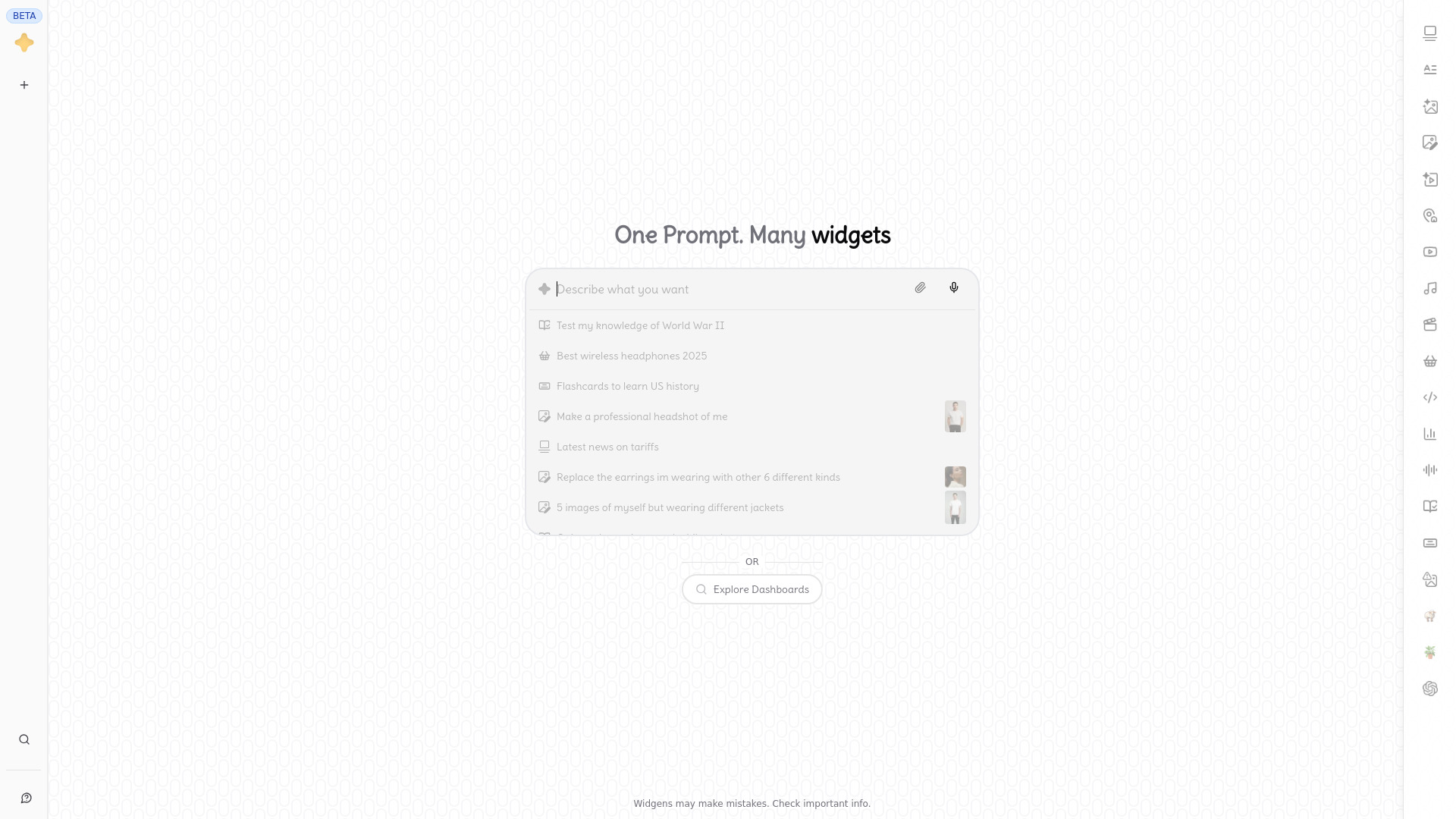
What Is Widgens?
Widgens is a free AI widget generator designed to turn simple written instructions into useful visual and interactive content. Instead of returning a long block of text, the platform organizes AI-generated results into widget-based layouts that are easier to explore and understand. You can use Widgens to create images, build flashcards, compare products, summarize information, develop learning materials, and experiment with creative ideas from one intuitive interface.
The platform brings together AI content generation and visual presentation, making it useful for people who want fast results without learning complicated software. A student can create a set of revision flashcards, a marketer can produce visual product concepts, and a designer can explore different image directions by entering natural language prompts. Widgens adapts the output to the task, helping users move from an idea to a practical result with less manual work.
How to Use the Widgens AI Widget Generator
Getting started with Widgens is straightforward. Enter a question, describe the content you want, or explain the result you are trying to create. The AI interprets your prompt and generates a selection of widgets suited to the request. Depending on the task, the result may include image variations, study cards, comparisons, summaries, or other interactive elements.
For the best results, include useful details in your prompt. When generating an image, mention the subject, visual style, colors, composition, and intended use. When creating flashcards, provide the topic, audience, difficulty level, and preferred question format. You can also refine the first result by asking Widgens to simplify the wording, add more examples, change the visual style, or focus on a particular part of the subject.
Widgens can support both quick requests and more detailed projects. Try prompts for a themed image collection, flashcards about programming concepts, a visual explanation of a complex topic, or a comparison table for several products. The widget format helps you review generated content quickly and select the parts that are most useful.
Widgens Features
- Free AI Widget Creation: Turn natural language prompts into organized widgets that present information in a clear, practical, and visually engaging way.
- AI Image Generation: Create original visuals from descriptions, experiment with different styles, and explore multiple concepts without needing advanced design software.
- Custom Flashcard Builder: Generate question-and-answer cards for revision, vocabulary practice, professional training, and a wide range of academic subjects.
- Flexible Content Formats: Ask for visual galleries, summaries, comparisons, quizzes, interactive ideas, or other formats that match the purpose of your request.
- Prompt-Based Editing: Improve or adjust generated content through follow-up instructions, including changes to tone, structure, style, difficulty, and level of detail.
- Visual Browsing Experience: Review several related outputs in a widget grid, making it easier to scan information and decide which result deserves a closer look.
These capabilities make Widgens useful for more than one type of task. Users can save time creating first drafts, produce study resources in minutes, explore design directions, and organize information in a way that is easier to review. The combination of image generation and flashcard creation also allows the platform to support both creative projects and structured learning.
Why Use Widgens for Images and Flashcards?
Widgens is useful when you need to transform an idea into a visual result or convert information into a format that supports active learning. Traditional workflows may require several separate tools for writing prompts, designing images, preparing study cards, and organizing the final materials. Widgens brings these steps into a single AI-powered workspace, allowing you to move between creative and educational tasks more efficiently.
The visual layout also helps reduce the effort required to evaluate AI output. Instead of reading through an extended response to locate the most relevant information, you can inspect separate widgets and focus on the content that matches your goal. This is especially helpful when you are comparing image concepts, reviewing a set of flashcards, or exploring several possible answers to an open-ended request.
Because Widgens works with everyday language, you do not need coding experience or specialist design knowledge to begin. A clear description is enough to generate a starting point, and additional prompts can guide the result toward your preferred outcome. This makes the tool approachable for beginners while still giving experienced users room to experiment with detailed instructions.
Practical Uses for Widgens
Students can use Widgens as a flexible study assistant. Enter a chapter topic, lecture summary, or list of key terms to create flashcards for review. You can request different card styles, ask for simple explanations, or generate practice questions that test definitions, processes, and applied knowledge. Flashcards can also support language learning by presenting vocabulary, translations, example sentences, and pronunciation-focused prompts.
Teachers and trainers can use the free AI widget generator to prepare learning activities and visual teaching materials. A prompt can produce introductory explanations, image-based examples, quiz questions, or revision cards for a particular group of learners. The generated content can then be reviewed and adjusted before it is used in a classroom, workshop, or training session.
Designers, creators, and marketing teams can explore image concepts without starting from a blank canvas. Widgens can help generate product scenes, campaign ideas, social media visuals, character concepts, or variations on an existing creative direction. By specifying the audience and purpose, users can guide the AI toward images that fit a particular brand, project, or communication goal.
Businesses can also use Widgens to organize research and create early content drafts. Product comparisons, customer-facing explanations, idea boards, and document summaries can be developed from straightforward prompts. The platform is suitable for brainstorming and preparation, while final materials should be checked for accuracy, tone, and alignment with the intended audience.
Tips for Better Widgens Prompts
Specific prompts generally produce more useful results. For image generation, describe the subject, setting, lighting, perspective, mood, and visual style. For flashcards, identify the topic, target learner, number of cards, question type, and desired difficulty. You can also ask for a particular organization, such as cards grouped by theme or images arranged from simple concepts to more advanced ones.
It can help to treat the first output as a draft. Review the widgets and identify what should change. Follow-up requests such as “make the flashcards more concise,” “add practical examples,” “use a friendly tone,” or “create three alternative image styles” give the AI clearer direction. Small prompt refinements can significantly improve the relevance and usability of the final result.