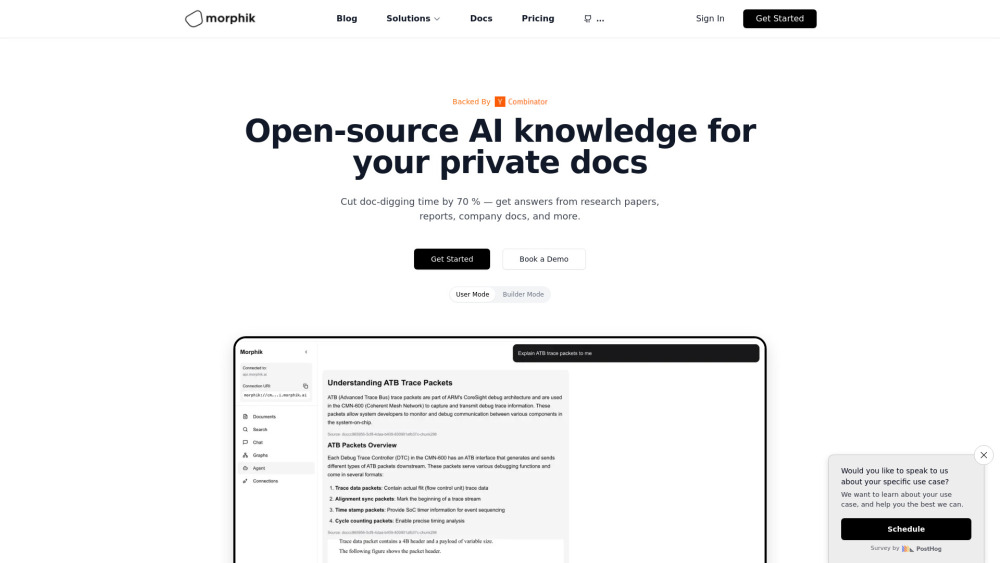
Morphik: Open-source AI knowledge base & research agent—turn enterprise data into actionable insights, fast.
Explore a specific workflow
Explore visual ai tools through the product profiles below. The collection groups applications around a shared task. Product scope can overlap, so compare the specific workflow each tool describes rather than the category name alone.
Identify the files, text or account connections your task needs. Confirm that the product accepts those inputs and offers controls for reviewing its work.
Test one representative task and inspect the result for accuracy and completeness. Record where manual corrections or extra tools are needed.
Morphik: Open-source AI knowledge base & research agent—turn enterprise data into actionable insights, fast.

Simplify your eco-conscious style with SHADE - Chrome Extension. Discover sustainable fashion options and stay stylish with every click!

Genji is an AI browser assistant that can complete any task in Chrome for you. He can handle both personal tasks like making a dinner reservation or professional ones like finding leads on LinkedIn. Best of all, he's free and doesn't require sign up!

Dioptify is a cloud-based suite that utilizes visual AI to effortlessly enhance images.

Visionati: Leading AI for Visual Analysis, Tagging & Insights. Unmatched image captioning, detailed descriptions, and smart tagging for superior digital marketing.

Discover Miros: Visual AI for effortless, wordless shopping. Uncover items you love and gain insights into shopper behavior without typing a single word.

Klipme: AI Video Editor for Automated and Easy Reel Making. Effortlessly create reels with our powerful visual AI that automates video editing.

Magai: Unlock your creativity with AI tools designed for next-gen content creators. Elevate your content effortlessly and innovate like never before!
FAQ
Practical answers to help you take the next step.
The collection groups applications around a shared task. Product scope can overlap, so compare the specific workflow each tool describes rather than the category name alone.
Identify the files, text or account connections your task needs. Confirm that the product accepts those inputs and offers controls for reviewing its work.
Test one representative task and inspect the result for accuracy and completeness. Record where manual corrections or extra tools are needed.
Choose one task with a clear success condition. Keep the input consistent, record the time spent reviewing and compare the complete workflow cost.
Morphik: Open-source AI knowledge base & research agent—turn enterprise data into actionable insights, fast.
Read about MorphikSimplify your eco-conscious style with SHADE - Chrome Extension. Discover sustainable fashion options and stay stylish with every click!
Read about SHADE - Chrome ExtensionGenji is an AI browser assistant that can complete any task in Chrome for you. He can handle both personal tasks like making a dinner reservation or professional ones like finding leads on LinkedIn. Best of all, he's free and doesn't require sign up!
Read about Genji - AI Browser AssistantDioptify is a cloud-based suite that utilizes visual AI to effortlessly enhance images.
Read about DioptifyVisionati: Leading AI for Visual Analysis, Tagging & Insights. Unmatched image captioning, detailed descriptions, and smart tagging for superior digital marketing.
Read about VisionatiDiscover Miros: Visual AI for effortless, wordless shopping. Uncover items you love and gain insights into shopper behavior without typing a single word.
Read about Miros