Veozon AI Video Generator: Text/Image-to-Video, AI Audio

Veozon AI Video Generator: Transform text or images into cinematic videos—with AI-powered audio. Stunning, professional, in seconds.

Visit Website
Veozon AI Video Generator: Text/Image-to-Video, AI Audio
Directory : Image to Video, Text to Video, AI Video Generator

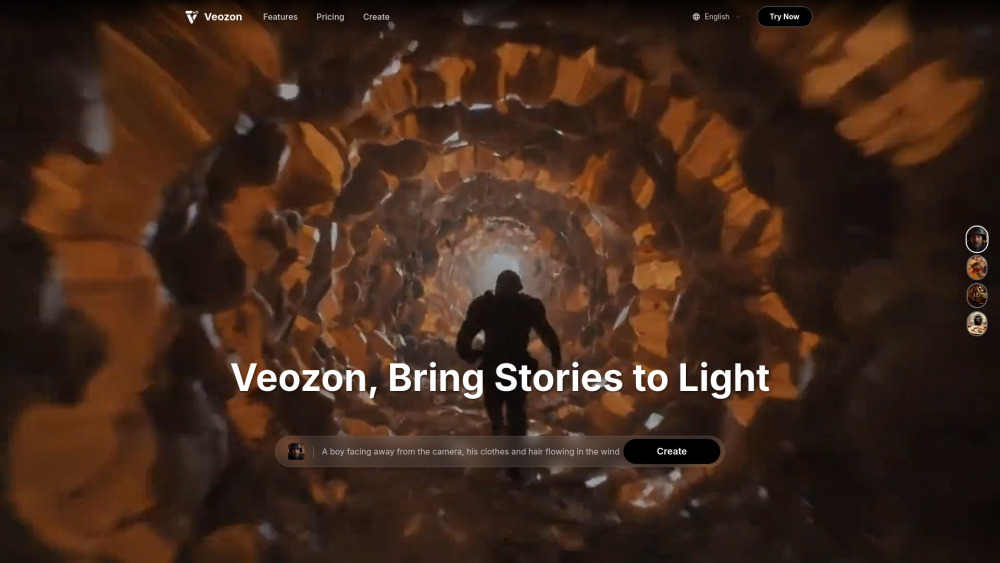
Veozon AI Video Generator Website screenshot

What Is Veozon AI Video Generator?

Veozon AI Video Generator is a next-generation creative platform built on Google DeepMind’s state-of-the-art Veo 3 foundation model. It empowers creators to turn simple text prompts or static images into cinematic 4K videos — complete with intelligently generated voiceovers, ambient soundscapes, and synchronized audio. With precise camera motion control, cross-frame character consistency, and style-preserving rendering, Veozon bridges the gap between AI automation and professional-grade storytelling — no editing suite, no crew, no compromise.

How to Use Veozon AI Video Generator

Getting started takes seconds: enter a descriptive prompt or upload a reference image, then fine-tune your vision using intuitive controls — adjust shot framing, motion intensity, duration, and audio tone. Veozon handles the rest: generating coherent scenes, matching visual continuity across frames, and embedding lifelike narration or layered sound design directly into the video file. Designed for marketers, educators, indie filmmakers, and social creators alike, it requires zero prior video expertise — just imagination and intent.

Veozon AI Video Generator’s Core Features

Text-to-Video Generation

Image-to-Video Conversion

AI-Powered Audio Synthesis (Voice + SFX + Music)

Cinematic Camera Direction Controls

Multi-Frame Character & Object Consistency

Style Transfer & Visual Cohesion Engine

Smooth First-to-Last Frame Transitions

Native 4K Output (4096×2160) with HDR Support

Advanced Prompt Interpretation & Fidelity

Real-World Use Cases for Veozon AI Video Generator

Film Previsualization & Storyboarding

High-Impact Digital Advertising & Brand Campaigns

Game Asset Prototyping & Cutscene Drafting

Short-Form Social Content (TikTok, Reels, YouTube Shorts)

Interactive E-Learning Modules & Explainer Videos

Retail Product Demos & E-Commerce Showcases

Architectural Walkthroughs & Design Presentations

Corporate Training Simulations & Internal Comms

Creative Agency Concept Development

Frequently Asked Questions (FAQ)

What is Veo 3 — and how does Veozon harness it for video creation?

How does Veozon compare to Sora, Pika, or Runway Gen-3 in terms of quality and workflow?

Which resolutions, aspect ratios, and export formats does Veozon support?

How fast can Veozon generate a 4K AI video from text or image?

Can Veozon generate videos with custom voices, branded music, or multilingual dialogue?

Does Veozon comply with copyright, privacy, and AI content safety standards?

Is Veozon accessible without a Google Cloud or Gemini Ultra subscription?

What are the current constraints around video length, motion complexity, or multi-subject scenes?

Can I cancel, pause, or modify my subscription at any time?

How are Veozon credits calculated — and what factors influence usage cost?

Are commercially licensed rights included with Pro and Enterprise plans?

Do you offer refunds — and under what conditions?

Do unused monthly credits expire — or do they carry forward?

Can I upgrade or downgrade my plan mid-cycle — and how is billing handled?

Where can I get priority technical assistance or API integration support?

What happens if I exhaust my credit balance before month-end?

  • Veozon AI Video Generator Support & Contact Information

    For customer service, technical queries, or refund requests, contact our team at: [email protected]. For faster assistance, visit our Contact Us page.

  • About Veozon AI Video Generator

    Company Name: Veozon Founded to democratize AI-powered video production, Veozon delivers enterprise-grade generative video tools through an intuitive, cloud-native interface. Learn more about our mission, team, and technology roadmap on the About Us page.

  • Veozon AI Video Generator Login

    Access your workspace instantly: Veozon Login Portal

  • Veozon AI Video Generator Sign Up

    Start creating in under 60 seconds: Free Account Registration

  • Veozon AI Video Generator Pricing

    Transparent, scalable plans — from creators to studios: View All Plans & Features

  • Veozon AI Video Generator on X (Twitter)

    Follow for product updates, tutorials, and AI video trends: @shipanyai on X

  • Veozon AI Video Generator GitHub

    Explore open integrations, SDKs, and developer resources: Veozon GitHub Repository

FAQ from Veozon AI Video Generator

What is Veozon AI Video Generator?

Veozon is a purpose-built AI video platform powered by Google’s Veo 3 architecture — transforming textual descriptions and visual inputs into high-fidelity, audio-integrated 4K videos. Unlike legacy tools that treat video and sound as separate outputs, Veozon unifies them natively: generating expressive dialogue, spatialized sound effects, and adaptive background scores — all synchronized to motion, timing, and emotional context.

How to use Veozon AI Video Generator?

Begin by typing a clear, vivid prompt (e.g., “A cyberpunk street market at dusk, neon reflections on wet pavement, slow dolly shot left to right”) or uploading a sketch, photo, or mood board image. Then select duration, resolution, and audio preferences. Veozon renders a seamless video — preserving object identity across frames, respecting physical realism, and embedding rich audio — delivered as a ready-to-publish MP4 file.

What is Veo 3 and how does this AI video generator work?

Veo 3 is Google DeepMind’s most advanced multimodal video foundation model — trained on vast datasets of video, audio, and text. Veozon integrates Veo 3 via secure, optimized APIs to deliver production-ready output: understanding temporal causality, simulating light physics, modeling material textures, and synthesizing speech with prosody, emotion, and language-specific phonetics — all within a single, streamlined workflow.

How does Veo 3 compare to other AI video generators like Sora?

Veo 3 stands apart with its native end-to-end audiovisual synthesis — eliminating post-production audio syncing. It supports longer durations (up to 32 seconds in early access), higher resolution (4K vs. Sora’s capped 1080p), superior temporal coherence, and deeper prompt adherence. Veozon further enhances Veo 3 with proprietary controls for camera logic, character anchoring, and audio layering — making it uniquely suited for commercial storytelling.

What video formats and resolutions does Veozon's AI video generator support?

Standard exports include MP4 (H.264/H.265) at 720p, 1080p, and full 4K (4096×2160). Aspect ratios supported: 16:9, 9:16 (vertical), 1:1 (square), and 4:3. Audio is embedded as AAC stereo or 5.1 surround — compatible with all major publishing platforms and broadcast workflows.

How long does it take to generate AI videos with Veo 3?

Typical turnaround: 2–5 minutes for 8-second 720p clips; 5–12 minutes for 16-second 4K outputs. Processing scales intelligently — complex prompts with multiple characters or dynamic lighting may require additional time. Veozon’s global CDN and GPU-optimized infrastructure ensures consistent, low-latency generation.

What are the main use cases for Veo 3 AI video generator?

From rapid ad concept testing and interactive training simulations to cinematic previs and viral short-form content — Veozon accelerates ideation, iteration, and delivery. Marketing teams cut production timelines by 70%; educators build immersive learning assets in minutes; game studios prototype environments before coding begins.

Is AI-generated content from Veo 3 safe and copyright compliant?

Yes. Every Veozon output includes Google’s SynthID watermark for provenance tracking. Training data excludes copyrighted media without explicit licensing, and all generations undergo real-time safety filtering for bias, violence, misinformation, and NSFW content. Commercial users receive full IP rights per license agreement.

How can I access Veo 3 AI video generator through Veozon?

Vezon provides exclusive, simplified access to Veo 3 — bypassing Google’s enterprise-only gatekeeping. No API keys, no cloud setup, no $249/month Gemini Ultra fee. Just sign up, choose a plan, and start creating — with dedicated support, usage analytics, and collaborative project spaces included.

What are the current limitations of Veo 3 AI video generator?

While rapidly evolving, Veo 3 currently caps single-segment output at ~32 seconds (with stitching support for longer sequences), may exhibit minor artifacts in ultra-fast motion or extreme close-ups, and benefits from well-structured prompts for optimal fidelity. Veozon continuously refines these boundaries through model updates and user feedback loops.

Can I cancel my subscription at any time?

Absolutely. Cancel anytime from your account dashboard. Your access remains active through the end of your paid period — no prorated charges or hidden fees.

How are credits calculated within the app?

Credits reflect computational intensity: longer duration, higher resolution, multi-character scenes, and voice customization increase consumption. A standard 8-second 1080p video uses ~10 credits; a 24-second 4K clip with custom voice may use ~45. Real-time credit estimates appear before generation.

Can I use generated videos for commercial purposes?

Yes — with Pro, Business, and Enterprise plans. These include unlimited commercial usage rights, royalty-free music/sound libraries, and white-label export options. Free and Plus tiers are for personal/non-commercial use only.

What is your refund policy?

We stand behind Veozon with a 7-day, no-questions-asked money-back guarantee. Request a full refund within one week of purchase — processed within 2 business days.

Do unused credits roll over to the next month or billing period?

Monthly and annual subscriptions reset credits each cycle. However, one-time credit packs never expire — buy once, use anytime, across any plan.

Can I change my plan later?

Yes. Upgrade instantly (prorated) or downgrade at renewal. Switching plans preserves all projects, settings, and history — no data loss or migration required.

How do I get technical support?

Pro users receive email + chat support (24h response); Business & Enterprise plans include SLA-backed priority support, dedicated account managers, and custom onboarding sessions.

What if I run out of credits mid-month?

Purchase supplemental credit packs instantly — starting at $9.99 for 100 credits — or upgrade to a higher-tier plan. Credits activate immediately and integrate seamlessly with your existing workflow.