AI Video Generator

V03AI

V03AI: Google Veo 3–powered AI video generator that creates stunningly realistic videos—with synced, lifelike audio—in seconds.

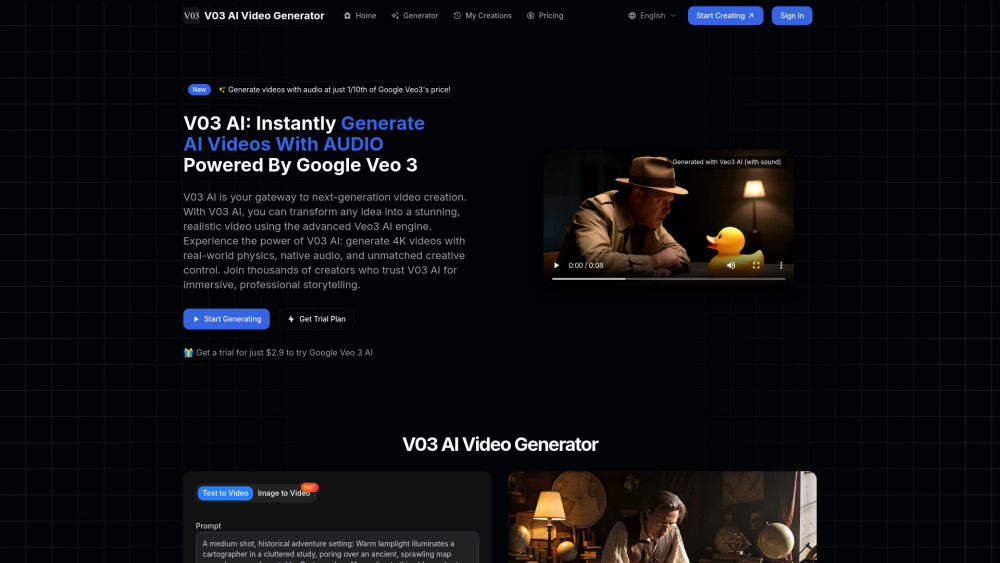
V03AI website preview

V03AI Website screenshot

Introducing V03AI: The Next-Gen AI Video Platform Powered by Google Veo 3

V03AI is a cutting-edge AI video generation platform built exclusively on Google’s state-of-the-art Veo 3 foundation model. Unlike conventional tools, V03AI unifies photorealistic motion, physics-aware simulation, and intelligently generated audio into a single seamless workflow—transforming prompts into broadcast-ready videos with native soundtracks, ambient layers, and lifelike dialogue—all in one click.

How V03AI Works: Simplicity Meets Sophistication

Start with a text description or upload a reference image—and let Veo 3 do the rest. V03AI interprets intent with unprecedented fidelity: simulating gravity, light refraction, material interactions, and spatial audio in real time. Every frame respects physical laws; every sound aligns precisely with on-screen action—no manual syncing, no post-production audio editing required.

Why V03AI Stands Apart: Key Capabilities

Text-to-Video with Semantic Precision

Image-to-Video with Depth & Continuity

Integrated Audio Generation (dialogue, foley, music beds, spatial audio)

True 4K Output — Available on Studio Plan

Physics-Driven Animation Engine (fluid dynamics, collision response, realistic inertia)

Granular Motion Control (customizable camera paths, object trajectories, timing curves)

Prompt Fidelity Engine (strict adherence to stylistic, temporal, and compositional instructions)

Real-Time Lip Sync (supported across all paid tiers)

Built on Google Veo 3 — Trained on Billions of Real-World Video Hours

Where V03AI Delivers Impact

From concept sketches to cinematic reels — ideate, iterate, and publish in minutes.

Elevate brand storytelling with emotionally resonant, audio-visual coherence.

Empower creators, educators, and marketers with studio-grade output—no crew, no budget constraints.

Accelerate commercial production: ads, product demos, social shorts, training modules, and more.

Product source: V03AI official website. Check the provider for current plans, limits and availability.

FAQ

V03AI questions and answers

Product context and practical checks for evaluating V03AI.

What is V03AI used for?

V03AI: Google Veo 3–powered AI video generator that creates stunningly realistic videos—with synced, lifelike audio—in seconds.

How do I get started with V03AI?

Start with a text description or upload a reference image—and let Veo 3 do the rest. V03AI interprets intent with unprecedented fidelity: simulating gravity, light refraction, material interactions, and spatial audio in real time. Every frame respects physical laws; every sound aligns precisely with on-screen action—no manual syncing, no post-production audio editing required.

Which capabilities are described for V03AI?

Text-to-Video with Semantic PrecisionImage-to-Video with Depth & ContinuityIntegrated Audio Generation (dialogue, foley, music beds, spatial audio)True 4K Output — Available on Studio PlanPhysics-Driven Animation Engine (fluid dynamics, collision response, realistic inertia)Granular Motion Control (customizable camera paths, object trajectories, timing curves)Prompt Fidelity Engine (strict adherence to stylistic, temporal, and compositional instructions)Real-Time Lip Sync (supported across all paid tiers)Built on Google Veo 3 — Trained on Billions of Real-World Video Hours

What should I compare before choosing a V03AI plan?

Compare features, credit allowances, and resolution tiers: https://v03ai.com/pricing Confirm current prices and allowances on the provider’s website before purchasing.

What inputs should I prepare for a V03AI trial?

Compare text prompts, reference frames, source footage and audio support. Check duration, aspect ratio and whether the tool lets you keep a subject consistent between shots.

How can I check the quality of a V03AI result?

Watch the entire clip for motion errors, distorted objects, changing identities, lip-sync problems and abrupt transitions. Inspect the downloaded file as well as the preview.

Which export options should I check in V03AI?

Check export resolution, frame rate, aspect ratio, audio tracks and watermark rules. A good preview is not a substitute for an export that fits your publishing channel.

What is a practical way to test V03AI against alternatives?

Use a short shot with one subject and one camera movement. Keep the prompt and duration constant, then compare usable seconds and the number of regenerations.

What should I review before uploading material to V03AI?

Read the provider’s rules on access, retention, deletion and use of uploaded material. Start with a non-confidential sample that you have permission to use.

Where is the official V03AI website?

The website linked from this profile is https://v03ai.com. Use the provider’s own documentation, account area and support channels to confirm current product details.

Visit V03AI