Table of contents
Unblurimage AI : Unblur, Sharpen, Upscale & Enhance Images
Unblurimage AI: Instantly unblur, sharpen, upscale & enhance images online—powered by cutting-edge AI. Fast, free, no install!
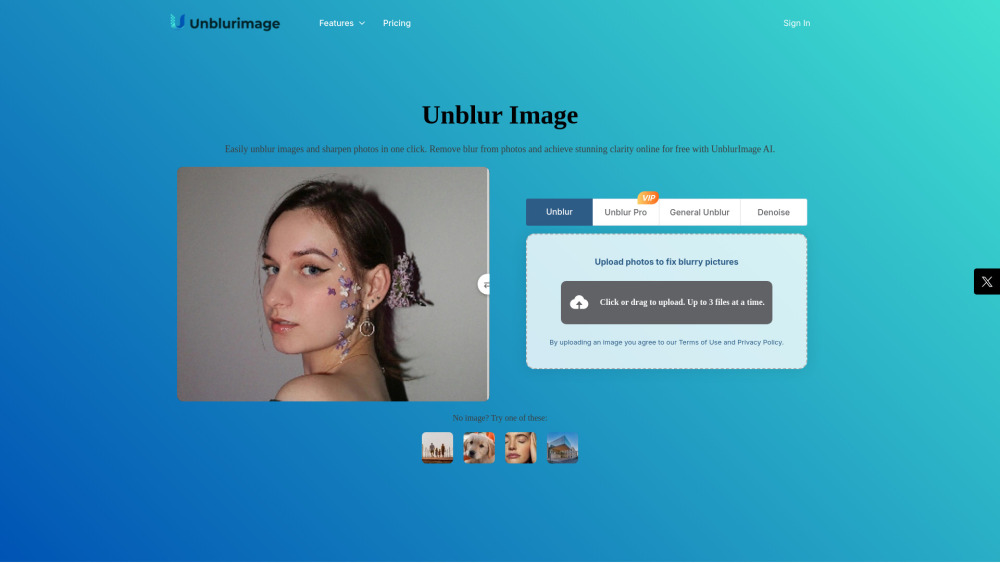
What Is Unblurimage AI?
Unblurimage AI is a next-generation AI imaging platform engineered to reverse common photo degradation—transforming soft, pixelated, or motion-blurred images into crisp, high-fidelity visuals in seconds. Leveraging state-of-the-art deep learning models, it intelligently reconstructs lost detail, restores edge definition, boosts color vibrancy, suppresses digital noise, and scales resolution without artifacts. Whether you're rescuing a shaky smartphone shot or preparing assets for print or web, Unblurimage AI delivers studio-grade enhancement—no expertise required.
How to Use Unblurimage AI — In 3 Simple Steps
Start instantly: drag and drop any supported image (JPG, PNG, HEIC, WEBP) from your phone, tablet, or desktop. Then select your preferred enhancement mode—choose “Smart Unblur” for automatic deconvolution, “Pro Sharpen” for fine-tuned clarity control, or “4K Upscale + Enhance” for maximum fidelity. Within seconds, preview your revitalized image—and download it in full quality. Zero registration needed for basic enhancements.
Core Capabilities of Unblurimage AI
Precision AI Deblurring — Motion, Defocus & Gaussian Blur Removal
Intelligent Resolution Scaling — Seamless 2x, 3x, and 4x Upscaling up to 4K (3840×2160)
Holistic Image Enhancement — Real-time line reinforcement, chromatic accuracy tuning, and texture preservation
Adaptive Noise Suppression — Reduces grain, JPEG compression artifacts, and sensor noise without oversmoothing
High-Fidelity Input Support — Accepts images up to 4000×4000 pixels with full output fidelity
Effortless Batch Processing — Process up to 5 images simultaneously (free tier: 3 per batch)
One-Click Auto-Optimize — Instantly applies balanced unblurring, sharpening, and enhancement with zero configuration
Who Uses Unblurimage AI?
E-commerce Sellers — Elevate product listings with crystal-clear, zoom-ready imagery that builds buyer trust
Photographers & Print Studios — Prepare low-res originals for large-format prints, billboards, or gallery displays
Graphic Designers & Marketers — Integrate enhanced visuals directly into social ads, presentations, and brand collateral
Content Creators — Optimize thumbnails, profile banners, and feed posts for maximum engagement on Instagram, TikTok, and X
Frequently Asked Questions (FAQ)
-
Is Unblurimage AI free to use?
-
Does it support ultra-high-resolution inputs?
-
Can I process multiple blurry images at once?
-
Will enhancing an image degrade its original quality?
-
Can Unblurimage AI enhance videos too?
-
What are Credits—and how many do different tasks consume?
-
Support & Contact Information
Reach our support team anytime via email: [email protected]. For faster assistance, visit our official Contact page.
-
About Unblurimage AI
Company Name: UnblurImage AI
Registered Address: 8, Watten Estate, 41 Watten View, Singapore 287203Learn more about our mission, technology, and team on the About Us page.
-
Unblurimage AI Login
Sign in to access premium features, history tracking, and extended batch limits: Login Portal
-
Unblurimage AI Sign Up
Create your free account in under 10 seconds: Get Started
-
Unblurimage AI Pricing Plans
Explore flexible subscription tiers—including free, Pro, and Business plans—with transparent credit bundles and priority processing: View Pricing
-
Follow Us on Social Media
Get tips, updates, and before/after showcases:
Twitter (X): https://x.com/unblurimagai
Instagram: https://www.instagram.com/unblurimagai/
FAQ — Expanded Answers
What is Unblurimage AI?
Unblurimage AI is a cloud-based AI imaging suite purpose-built to recover visual integrity from degraded photos. It goes beyond traditional sharpening by using convolutional neural networks trained on millions of blurred/sharp image pairs—reconstructing missing detail, correcting optical distortions, and delivering natural-looking results across diverse blur types.
How to use Unblurimage AI?
Upload → Select → Download. Upload your image directly from any device. Choose between preset modes (“Quick Fix”, “Portrait Clarity”, “Landscape Detail”) or customize intensity sliders for blur reduction, sharpness, and denoising. Your processed image renders in real time—ready for download as JPG or PNG with embedded metadata preserved.
Is UnblurImage AI really free?
Yes—fully functional for everyday use. All users receive 5 complimentary enhancements daily (no login required). Free credits reset every 24 hours. Premium features like video enhancement, batch mode expansion, and 4K+ export require a subscription—but the core unblurring engine remains accessible at no cost.
Can UnblurImage AI handle high-resolution images?
Absolutely. We accept uploads of any file size and dimension. While input resolution is unrestricted, output is capped at 4000×4000 pixels to ensure optimal speed and consistency—well above standard 4K (3840×2160) and sufficient for most professional workflows.
Does it support batch removal of image blur?
Yes—batch processing is built-in. Guests may upload up to 3 images per session; registered users unlock 5-image batches plus priority queueing and history sync across devices.
Will your program damage the image quality?
No—ever. Our AI is trained to preserve authenticity: no hallucinated textures, no color shifts, no edge halos. Every enhancement is non-destructive and reversible. Original files remain untouched on your device; only processed versions are generated server-side and deleted after 24 hours.
Can it remove blur from videos?
Yes—via our dedicated Video Enhancer tool. Upload MP4 or MOV clips (up to 1080p, 60 sec max for free tier) to stabilize motion blur, upscale frames, reduce compression noise, and improve temporal consistency—all frame-by-frame with AI interpolation.
What are Credits and how do they work?
Credits are your platform currency for advanced operations beyond the daily free allowance. Usage examples: • Standard Image Enhancement: 1 credit • Unblur Pro (multi-layer deconvolution): 3 credits • Restore Pro (old photo repair + colorization): 3 credits • Video Enhancement: 1 credit per second Credits renew monthly with subscriptions—or can be purchased à la carte.