Copywriting

Txt Muse

Txt Muse: Your AI-powered writing partner for top-notch content and endless inspiration. Elevate your writing with powerful brainstorming and editing tools.

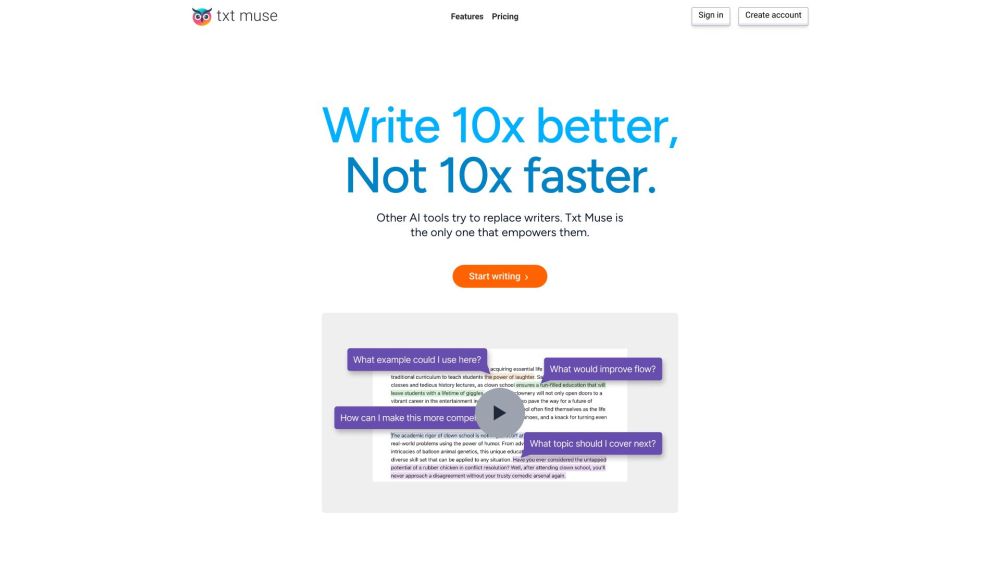
Txt Muse website preview
Title: Txt Muse: AI Editor for Enhanced Writing & Idea Generation

Txt Muse Website screenshot

Introducing Txt Muse

Txt Muse is an innovative AI-powered text editor that revolutionizes the writing process. With its advanced features, Txt Muse aims to elevate writing quality by providing comprehensive tools for generating ideas, crafting content, and refining copy.

Unlocking the Potential of Txt Muse

Embark on your writing journey with Txt Muse by signing up for a free trial or creating an account. Whether starting a new project or editing an existing one, Txt Muse offers a range of functionalities to enhance your writing experience. Overcome writer's block with the autocomplete feature, which provides valuable suggestions when your creativity pauses. Additionally, you can effortlessly explore alternative options by highlighting a phrase and utilizing the instant suggestion tool. Seeking feedback and guidance is made easy through the integrated chat feature, allowing you to refine your content with a second opinion.

Empowering Writers with Txt Muse's Key Features

Autocomplete for Overcoming Writer's Block

Instant Suggestions for Alternative Options

Feedback and Guidance through the Chat Feature

Txt Muse: A Versatile Tool for Various Writing Needs

Professionals Engaged in Content Creation and Idea Generation

Marketers Seeking to Elevate their Copywriting Skills

Writers Striving to Overcome Writer's Block and Refine their Writing

Product source: Txt Muse official website. Check the provider for current plans, limits and availability.

FAQ

Txt Muse questions and answers

Product context and practical checks for evaluating Txt Muse.

What is Txt Muse used for?

Txt Muse: Your AI-powered writing partner for top-notch content and endless inspiration. Elevate your writing with powerful brainstorming and editing tools.

How do I get started with Txt Muse?

Open the official Txt Muse website and identify the workflow that matches your task. Prepare a brief with a subject, composition, lighting and required output size. Test a first generation and a targeted revision to see how much control you retain.

Which capabilities are described for Txt Muse?

Autocomplete for Overcoming Writer's BlockInstant Suggestions for Alternative OptionsFeedback and Guidance through the Chat Feature

What should I compare before choosing a Txt Muse plan?

Explore Txt Muse's pricing details: https://www.txtmuse.com/pricing Confirm current prices and allowances on the provider’s website before purchasing.

What inputs should I prepare for a Txt Muse trial?

Look for text prompts, image references, masks or sketches as appropriate. Compare composition control, supported upload types and the ability to revise a selected area.

How can I check the quality of a Txt Muse result?

Inspect text, hands, edges, reflections and repeated objects at full size. Check that important product or brand details survive editing.

Which export options should I check in Txt Muse?

Compare pixel dimensions, transparency, file formats and any enlargement options. Confirm that the downloaded result works in your design or publishing software.

What is a practical way to test Txt Muse against alternatives?

Prepare a brief with a subject, composition, lighting and required output size. Test a first generation and a targeted revision to see how much control you retain.

What should I review before uploading material to Txt Muse?

Read the provider’s rules on access, retention, deletion and use of uploaded material. Start with a non-confidential sample that you have permission to use.

Where is the official Txt Muse website?

The website linked from this profile is https://txtmuse.com. Use the provider’s own documentation, account area and support channels to confirm current product details.

Visit Txt Muse