
Addy: AI Email Assistant for Personalized, Swift Drafting. Draft emails in seconds with your preferred style and tone. Perfect for business or personal use.
Explore a specific workflow
Explore drafting tools through the product profiles below. The collection groups applications around a shared task. Product scope can overlap, so compare the specific workflow each tool describes rather than the category name alone.
Identify the files, text or account connections your task needs. Confirm that the product accepts those inputs and offers controls for reviewing its work.
Test one representative task and inspect the result for accuracy and completeness. Record where manual corrections or extra tools are needed.
Addy: AI Email Assistant for Personalized, Swift Drafting. Draft emails in seconds with your preferred style and tone. Perfect for business or personal use.
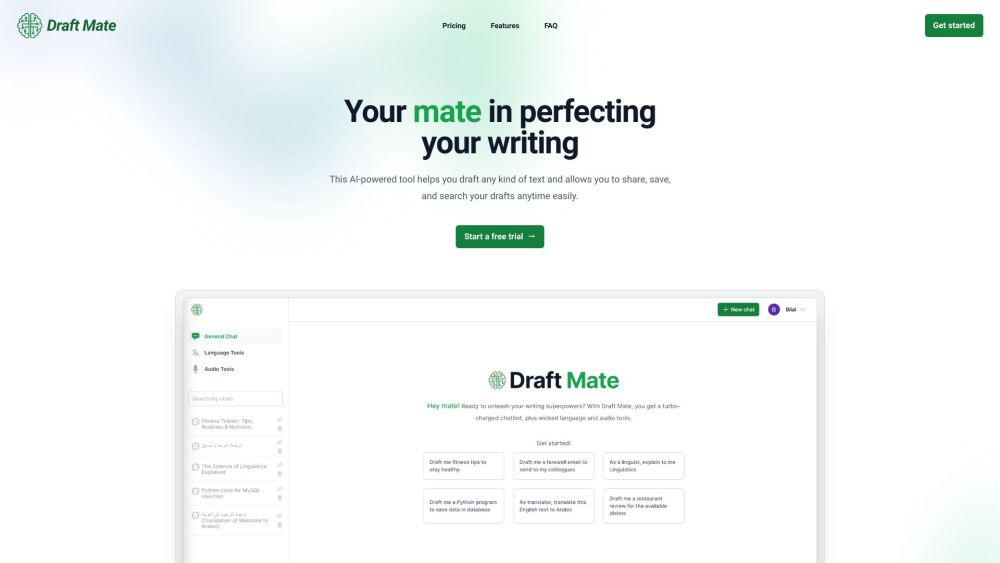
Elevate your writing game with DraftMate! This AI-powered tool offers advanced features, 24/7 support, and draft management.

Boost productivity with MAILE: the AI-powered iPhone app that drafts professional emails effortlessly. Just provide a prompt and let MAILE handle the rest!

Txt Muse: Your AI-powered writing partner for top-notch content and endless inspiration. Elevate your writing with powerful brainstorming and editing tools.

Samwell.ai revolutionizes academic writing with AI, simplifying research, drafting, and citations for students and professionals, enhancing productivity and accuracy.
FAQ
Practical answers to help you take the next step.
The collection groups applications around a shared task. Product scope can overlap, so compare the specific workflow each tool describes rather than the category name alone.
Identify the files, text or account connections your task needs. Confirm that the product accepts those inputs and offers controls for reviewing its work.
Test one representative task and inspect the result for accuracy and completeness. Record where manual corrections or extra tools are needed.
Choose one task with a clear success condition. Keep the input consistent, record the time spent reviewing and compare the complete workflow cost.
Addy: AI Email Assistant for Personalized, Swift Drafting. Draft emails in seconds with your preferred style and tone. Perfect for business or personal use.
Read about AddyElevate your writing game with DraftMate! This AI-powered tool offers advanced features, 24/7 support, and draft management.
Read about DraftMateBoost productivity with MAILE: the AI-powered iPhone app that drafts professional emails effortlessly. Just provide a prompt and let MAILE handle the rest!
Read about MAILETxt Muse: Your AI-powered writing partner for top-notch content and endless inspiration. Elevate your writing with powerful brainstorming and editing tools.
Read about Txt MuseSamwell.ai revolutionizes academic writing with AI, simplifying research, drafting, and citations for students and professionals, enhancing productivity and accuracy.
Read about Samwell.aiCheck export formats, integrations and whether you can keep using your work outside the service. Test a real export before committing to a longer plan.