AI Content Generator

The Drive AI

The Drive AI: Transform files into an intelligent knowledge base. Streamline ops, boost productivity, and auto-generate content effortlessly.

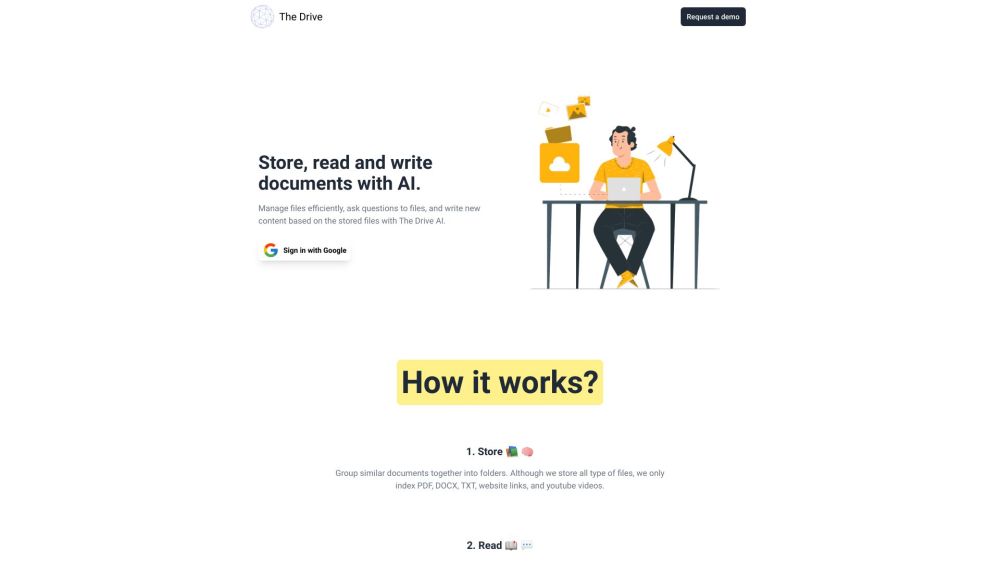
The Drive AI website preview

The Drive AI Website screenshot

What is The Drive AI?

The Drive AI is a cutting-edge platform that utilizes advanced artificial intelligence to transform your files into a smart knowledge base. It streamlines operations, enhances productivity, and auto-generates content from your uploaded files.

How to use The Drive AI?

To get started with The Drive AI, follow these steps: 1. Organize your files by categorizing similar documents into folders to create a comprehensive knowledge base. You can upload, link, or sync files from various platforms. 2. Interact by posing questions while reviewing your documents. The AI responds with answers derived from the file content. 3. Compose using the AI-enhanced editor that understands the context of your documents, aiding in the creation of drafts, paragraphs, lists, and more.

The Drive AI's Core Features

Streamlined file management and organization

AI-driven question-answering from file content

Context-sensitive document drafting and editing

The Drive AI's Use Cases

Students can utilize The Drive AI to store and inquire about their notes, textbooks, research papers, and videos.

Job seekers can upload their resumes, cover letters, and other documents, receiving AI assistance in drafting them.

Professionals can search for documents based on their content, simplifying the retrieval of specific files from large collections.

Researchers can ask questions about research papers and receive simplified explanations of complex concepts from the AI.

Product source: The Drive AI official website. Check the provider for current plans, limits and availability.

FAQ

The Drive AI questions and answers

Product context and practical checks for evaluating The Drive AI.

What is The Drive AI used for?

The Drive AI: Transform files into an intelligent knowledge base. Streamline ops, boost productivity, and auto-generate content effortlessly.

How do I get started with The Drive AI?

To get started with The Drive AI, follow these steps: 1. Organize your files by categorizing similar documents into folders to create a comprehensive knowledge base. You can upload, link, or sync files from various platforms. 2. Interact by posing questions while reviewing your documents. The AI responds with answers derived from the file content. 3. Compose using the AI-enhanced editor that understands the context of your documents, aiding in the creation of drafts, paragraphs, lists, and more.

Which capabilities are described for The Drive AI?

Streamlined file management and organizationAI-driven question-answering from file contentContext-sensitive document drafting and editing

What projects can I evaluate The Drive AI for?

Students can utilize The Drive AI to store and inquire about their notes, textbooks, research papers, and videos.Job seekers can upload their resumes, cover letters, and other documents, receiving AI assistance in drafting them.Professionals can search for documents based on their content, simplifying the retrieval of specific files from large collections.Researchers can ask questions about research papers and receive simplified explanations of complex concepts from the AI. The Drive AI Discord Join The Drive AI Discord here: https://discord.com/invite/mCnxKxyxPC. For more information, click here(/discord/mcnxkxyxpc). The Drive AI Support Email & Customer Service Contact The Drive AI support via email: [email protected]. For more details, visit the contact page(https://thedrive.ai/contact). The Drive AI Login Access The Drive AI login page: https://thedrive.ai/login The Drive AI Pricing Check The Drive AI pricing plans here: https://thedrive.ai/plans The Drive AI Twitter Follow The Drive AI on Twitter: https://twitter.com/thedriveAI

What should I compare before choosing a The Drive AI plan?

Check The Drive AI pricing plans here: https://thedrive.ai/plans Confirm current prices and allowances on the provider’s website before purchasing.

What inputs should I prepare for a The Drive AI trial?

Compare support for source documents, style instructions, outlines and length limits. Check whether citations link to real material rather than merely looking like references.

How can I check the quality of a The Drive AI result?

Verify names, dates, quotations and factual claims against the original sources. Edit tone, remove repetition and make sure the text answers the intended reader’s question.

Which export options should I check in The Drive AI?

Check export to plain text, Markdown, documents or your publishing system. Formatting, headings and working links matter when moving a draft into production.

What is a practical way to test The Drive AI against alternatives?

Use a real brief and a short source document. Compare factual accuracy, structure and editing time rather than accepting the longest or most confident draft.

Where is the official The Drive AI website?

The website linked from this profile is https://thedrive.ai. Use the provider’s own documentation, account area and support channels to confirm current product details.

Visit The Drive AI