Writing Assistants

Smodin

Smodin: Enhance writing with text rewriting, plagiarism check, auto citation, and multi-lingual translation. Perfect for students, writers, and internet workers worldwide.

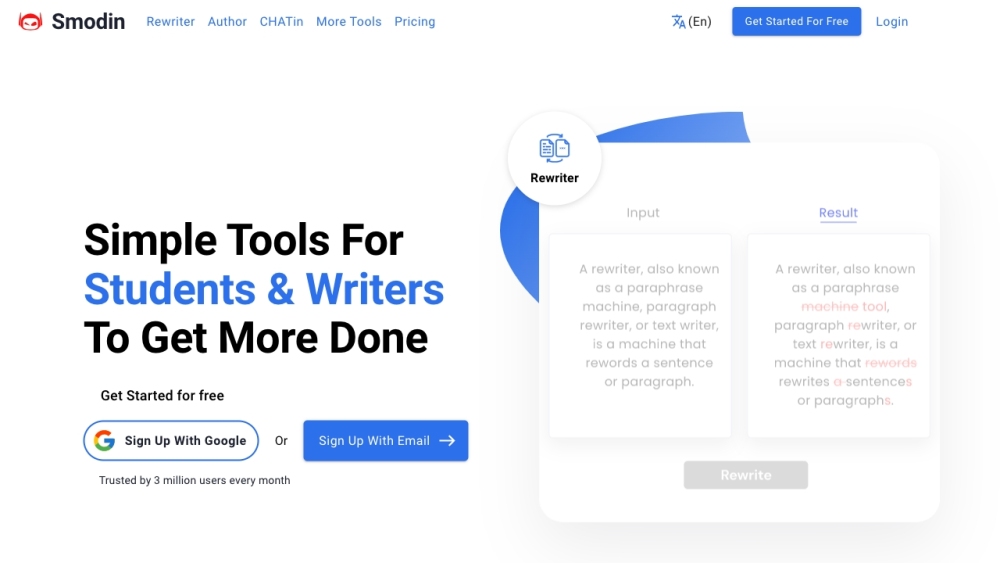
Smodin website preview
html

Smodin Website screenshot

What is Smodin?

Smodin is a comprehensive, multi-lingual writing support platform designed to enhance the writing experience for students, authors, and digital professionals globally. It offers an array of tools, including text rewriting, plagiarism detection, automatic citation generation, and translation services, aimed at improving the quality and efficiency of written content.

How to use Smodin?

Getting started with Smodin is simple. Users can register using a Google account or an email address. After logging in, a suite of tools becomes accessible, such as the text rewriter, plagiarism checker, AI writer, citation generator, and translator. Users can input their text or documents into any of these tools and follow the instructions to achieve the desired outcomes. Additionally, Smodin's AI companion, CHATin, allows for content generation through queries, integrating Smodin's capabilities with those of Google and ChatGPT.

Smodin's Core Features

Smodin offers essential tools that streamline the writing process:

  1. Text Rewriter: Enhances clarity and originality by rephrasing content.
  2. Plagiarism Checker: Detects any instances of copied content in text.
  3. AI Writer: Produces well-structured, high-quality text complete with references.
  4. Citation Machine: Automatically formats citations in MLA and APA styles.
  5. Multi-lingual Translator: Translates content into various languages, supporting global communication.

Smodin's Use Cases

Smodin is versatile and can be used in numerous contexts:

  1. Academic Writing: Students can leverage Smodin for plagiarism checks, text rewriting, and citation generation to improve essays and research papers.
  2. Content Creation: Writers and digital professionals can utilize Smodin's AI tools to generate high-quality content, receive immediate feedback, and ensure proper citations.
  3. Language Translation: The multi-lingual translator enables users to write and translate content for diverse audiences, making it a valuable tool for international communication.

Product source: Smodin official website. Check the provider for current plans, limits and availability.

FAQ

Smodin questions and answers

Product context and practical checks for evaluating Smodin.

What is Smodin used for?

Smodin: Enhance writing with text rewriting, plagiarism check, auto citation, and multi-lingual translation. Perfect for students, writers, and internet workers worldwide.

How do I get started with Smodin?

Getting started with Smodin is simple. Users can register using a Google account or an email address. After logging in, a suite of tools becomes accessible, such as the text rewriter, plagiarism checker, AI writer, citation generator, and translator. Users can input their text or documents into any of these tools and follow the instructions to achieve the desired outcomes. Additionally, Smodin's AI companion, CHATin, allows for content generation through queries, integrating Smodin's capabilities with those of Google and ChatGPT.

Which capabilities are described for Smodin?

Smodin offers essential tools that streamline the writing process: Text Rewriter: Enhances clarity and originality by rephrasing content. Plagiarism Checker: Detects any instances of copied content in text. AI Writer: Produces well-structured, high-quality text complete with references. Citation Machine: Automatically formats citations in MLA and APA styles. Multi-lingual Translator: Translates content into various languages, supporting global communication.

What projects can I evaluate Smodin for?

Smodin is versatile and can be used in numerous contexts: Academic Writing: Students can leverage Smodin for plagiarism checks, text rewriting, and citation generation to improve essays and research papers. Content Creation: Writers and digital professionals can utilize Smodin's AI tools to generate high-quality content, receive immediate feedback, and ensure proper citations. Language Translation: The multi-lingual translator enables users to write and translate content for diverse audiences, making it a valuable tool for international communication. Smodin Support Email & Customer Service Contact For more contact details, visit the contact us page. Smodin Company Company Name: Smodin LLC For more information, visit the about us page. Smodin Login Login here: https://app.smodin.io/login Smodin Pricing For pricing details, visit the pricing page.

What should I compare before choosing a Smodin plan?

For pricing details, visit the pricing page. Confirm current prices and allowances on the provider’s website before purchasing.

What inputs should I prepare for a Smodin trial?

Compare support for source documents, style instructions, outlines and length limits. Check whether citations link to real material rather than merely looking like references.

How can I check the quality of a Smodin result?

Verify names, dates, quotations and factual claims against the original sources. Edit tone, remove repetition and make sure the text answers the intended reader’s question.

Which export options should I check in Smodin?

Check export to plain text, Markdown, documents or your publishing system. Formatting, headings and working links matter when moving a draft into production.

What is a practical way to test Smodin against alternatives?

Use a real brief and a short source document. Compare factual accuracy, structure and editing time rather than accepting the longest or most confident draft.

Where is the official Smodin website?

The website linked from this profile is https://smodin.io. Use the provider’s own documentation, account area and support channels to confirm current product details.

Visit Smodin