What Is Shotva?
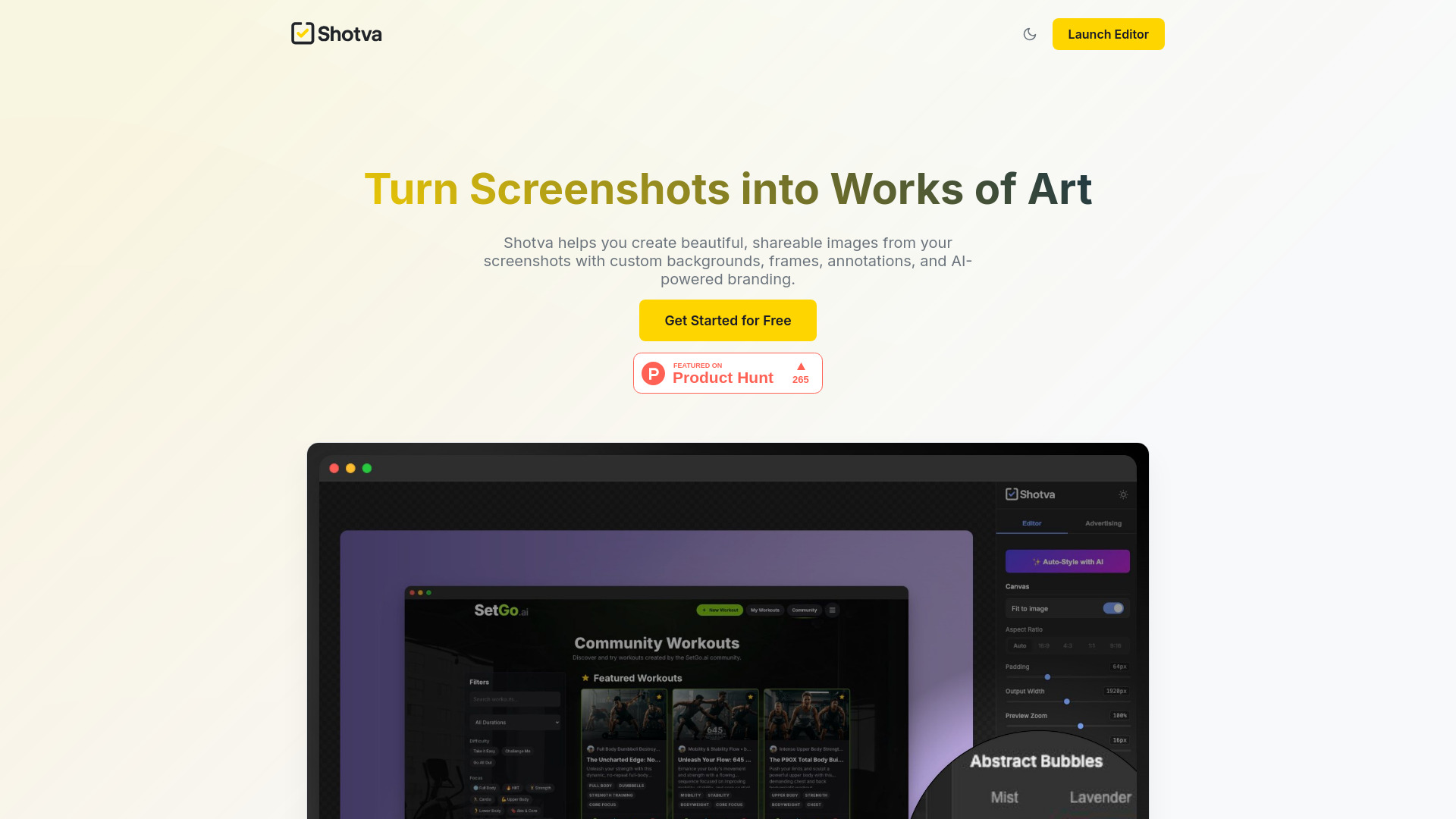
Shotva is a free, browser-based AI screenshot editor that helps turn everyday screen captures into polished visuals for work, marketing, and online sharing. With tools for backgrounds, frames, shadows, and branding, it gives screenshots a more deliberate presentation without requiring a complicated design workflow. Instead of sharing an image that feels unfinished, users can build a composition that draws attention to the content. From showcasing a new product feature to preparing a presentation slide, Shotva brings screenshot editing and visual styling into one accessible workspace.
How to Use Shotva
Start by opening the Shotva editor in your browser and uploading the screenshot you want to improve. Choose a background that suits the image, then refine the presentation with a frame, spacing, and shadow effects. Add your brand elements to give the finished graphic a recognizable identity. A simple background can keep the focus on interface details, while a more colorful treatment can help a screenshot stand out in a social media feed. Review the composition and make adjustments before preparing it for your intended channel.
For additional guidance, explore AI Auto-Styling to find combinations of backgrounds and visual effects that complement your screenshot. Use annotations to point out a feature, explain a step, or direct attention to an important detail. When creating promotional content, try Instant Ad Creation to develop screenshot-based graphics around your brand identity. Keeping a consistent approach to colors, framing, and emphasis can help individual images work together across a campaign, presentation, or product announcement.
Key Features of Shotva
- AI Auto-Styling: Get assistance choosing backgrounds, frames, and visual treatments that suit your screenshot. Suggested combinations provide a starting point for editing, helping you spend less time experimenting with individual settings while keeping control over the final appearance.
- Instant Ad Creation: Build promotional visuals from screenshots and brand elements. This feature supports the process of turning product imagery into advertising concepts, giving marketers a convenient way to explore creative directions and develop a consistent look for related promotional materials.
- Flexible Visual Customization: Adjust backgrounds, frame styles, shadows, and branding details to match the purpose of your image. Create a restrained composition for documentation or a more expressive design for a launch announcement, social post, or product showcase.
- Annotations and Highlights: Make screenshots easier to understand with callouts, highlights, and explanatory notes. These tools help guide viewers through interface details, draw attention to changes, and add context to images used in tutorials, demonstrations, or customer communications.
Together, these features bring styling and explanation into the same editing process. Users can improve how a screenshot looks while also making its message clearer. The result is a practical workflow for producing branded graphics without rebuilding each image from scratch in a general-purpose design application.
Why Choose Shotva?
Shotva suits people who regularly share screenshots and want more control over their presentation. Its browser-based editor makes it convenient to move from a raw capture to a styled visual without installing additional software. Combining AI-assisted styling with manual customization gives users a useful starting point and room to refine the details. This balance can help marketers, creators, and product teams prepare graphics that fit their audience, whether the goal is explaining a feature or introducing something new.
Another reason to consider Shotva is its focus on the elements that shape screenshot presentation. Backgrounds establish the setting, frames give the image structure, shadows add separation, and branding connects the graphic to a business or product. Annotations then help explain what viewers should notice. Bringing these options together makes Shotva useful for recurring content needs, especially when a recognizable visual style matters across product updates, educational resources, and marketing materials.
Use Cases and Applications
Social media managers can use Shotva to turn interface captures into branded posts for feature announcements, product tips, and customer education. Consistent backgrounds and framing help related posts feel connected, while highlights draw attention to the detail each image is meant to communicate. Marketing teams can develop screenshot-based advertising concepts that show a product in context and emphasize a particular benefit. Product managers and founders can prepare visuals for launch updates, stakeholder presentations, or feature walkthroughs. Sales and customer success teams can add callouts to explain a workflow or answer a common question. For tutorials and support documentation, a carefully annotated screenshot can make an instruction easier to follow, particularly when readers need to identify a specific button, setting, or interface section.