AI Content Generator

SheetAI App

SheetAI is a Google Sheets add-on that unlocks the power of AI in spreadsheets. It allows users to describe what they want in plain English and watch the magic happen in their spreadsheets.

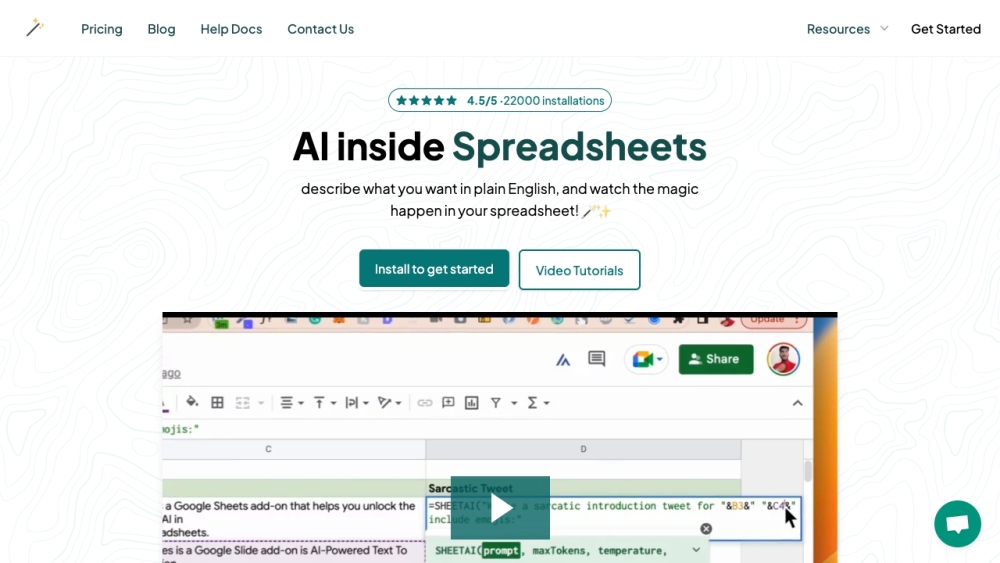
SheetAI App website preview

SheetAI App Website screenshot

What is SheetAI App?

SheetAI is a Google Sheets add-on designed to harness the capabilities of AI within spreadsheets. This tool empowers users to simply describe their desired tasks in plain English, and then watch as SheetAI seamlessly executes them.

How to use SheetAI App?

To start using SheetAI, follow these instructions:

  1. Install the SheetAI add-on for Google Sheets on your desktop or laptop.
  2. Generate an OpenAI key by following the step-by-step guide provided.
  3. Configure your OpenAI key within the SheetAI app.
  4. Specify your requirements in plain English.
  5. SheetAI will utilize AI algorithms to automate your tasks and provide insights within your spreadsheet.

SheetAI App's Core Features

Key features of SheetAI include:

  • SHEETAI_BRAIN: Enhances copywriting and content creation.
  • SHEETAI_LIST: Produces multiple AI-generated responses.
  • SHEETAI_FILL: Simplifies data population tasks.

SheetAI App's Use Cases

Typical applications for SheetAI:

  • Automating copywriting and creating taglines.
  • Generating varied insights and solutions.
  • Data sanitization and predictive analysis.
  • SheetAI App Support Email & Customer Service Contact & Refund Contact

    For more contact information, visit the contact us page.

  • SheetAI App Company

    Company name: IndianAppGuy Tech Pvt Ltd.

    For more details, please visit the about us page.

  • SheetAI App Pricing

    For pricing information, visit the pricing page.

  • SheetAI App Facebook

    Follow us on Facebook: SheetAI App Facebook

  • SheetAI App YouTube

    Subscribe to our YouTube channel: SheetAI YouTube

  • SheetAI App TikTok

    Follow us on TikTok: SheetAI TikTok

  • SheetAI App Twitter

    Follow us on Twitter: SheetAI Twitter

  • SheetAI App Instagram

    Follow us on Instagram: SheetAI Instagram

Product source: SheetAI App official website. Check the provider for current plans, limits and availability.

FAQ

SheetAI App questions and answers

Product context and practical checks for evaluating SheetAI App.

What is SheetAI App used for?

SheetAI is a Google Sheets add-on that unlocks the power of AI in spreadsheets. It allows users to describe what they want in plain English and watch the magic happen in their spreadsheets.

How do I get started with SheetAI App?

To start using SheetAI, follow these instructions: Install the SheetAI add-on for Google Sheets on your desktop or laptop. Generate an OpenAI key by following the step-by-step guide provided. Configure your OpenAI key within the SheetAI app. Specify your requirements in plain English. SheetAI will utilize AI algorithms to automate your tasks and provide insights within your spreadsheet.

Which capabilities are described for SheetAI App?

Key features of SheetAI include: SHEETAI_BRAIN: Enhances copywriting and content creation. SHEETAI_LIST: Produces multiple AI-generated responses. SHEETAI_FILL: Simplifies data population tasks.

What projects can I evaluate SheetAI App for?

Typical applications for SheetAI: Automating copywriting and creating taglines. Generating varied insights and solutions. Data sanitization and predictive analysis. SheetAI App Support Email & Customer Service Contact & Refund Contact For more contact information, visit the contact us page. SheetAI App Company Company name: IndianAppGuy Tech Pvt Ltd. For more details, please visit the about us page. SheetAI App Pricing For pricing information, visit the pricing page. SheetAI App Facebook Follow us on Facebook: SheetAI App Facebook SheetAI App YouTube Subscribe to our YouTube channel: SheetAI YouTube SheetAI App TikTok Follow us on TikTok: SheetAI TikTok SheetAI App Twitter Follow us on Twitter: SheetAI Twitter SheetAI App Instagram Follow us on Instagram: SheetAI Instagram

How does SheetAI App handle sheetai_brain?

SHEETAI_BRAIN: Enhances copywriting and content creation.

How does SheetAI App handle sheetai_list?

SHEETAI_LIST: Produces multiple AI-generated responses.

What should I compare before choosing a SheetAI App plan?

For pricing information, visit the pricing page. Confirm current prices and allowances on the provider’s website before purchasing.

What inputs should I prepare for a SheetAI App trial?

Identify the files, text or account connections your task needs. Confirm that the product accepts those inputs and offers controls for reviewing its work.

How can I check the quality of a SheetAI App result?

Test one representative task and inspect the result for accuracy and completeness. Record where manual corrections or extra tools are needed.

Where is the official SheetAI App website?

The website linked from this profile is https://sheetai.app. Use the provider’s own documentation, account area and support channels to confirm current product details.

Visit SheetAI App