AI Chatbot

Sharly AI

Sharly AI: Chat with Any Documents and PDFs Instantly - Effortlessly interact with documents and PDFs. Upload, ask, and get instant answers!

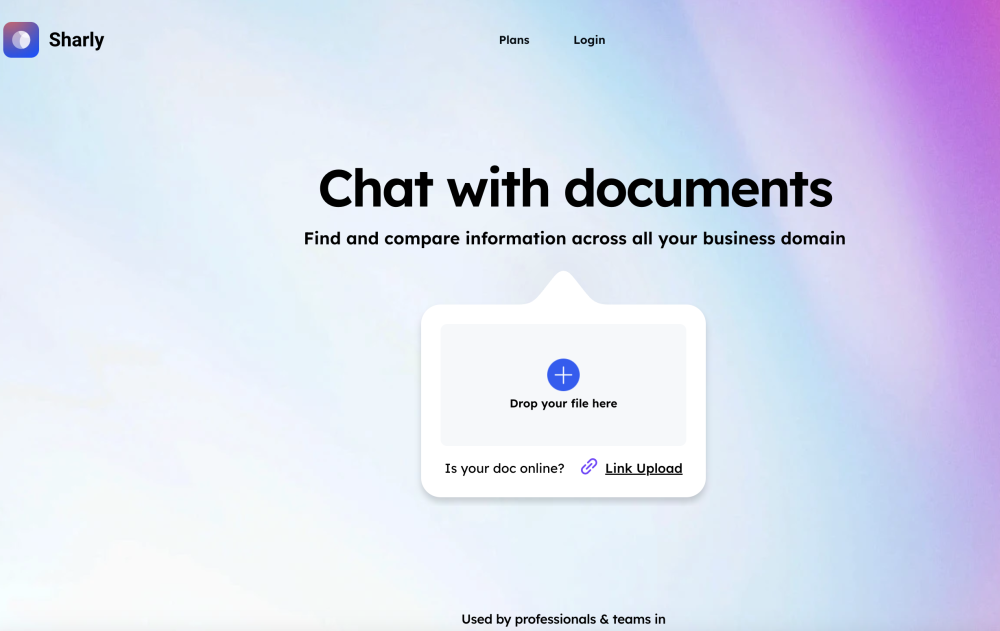
Sharly AI website preview

Sharly AI Website screenshot

What is Sharly AI?

Sharly AI is a cutting-edge platform that enables instant interaction with a variety of documents, including PDFs. By harnessing advanced AI technology, Sharly AI provides users with the ability to chat directly with their documents, extracting meaningful insights and answers on demand.

How to Use Sharly AI?

To get started with Sharly AI, simply upload any document or PDF. Once uploaded, you can immediately engage with the document by asking questions, receiving concise summaries, and retrieving specific information without delay.

Core Features of Sharly AI

Interactive PDF AI Chatbot

Comprehensive Cross-document Analysis

Automatic OCR for Enhanced PDF Interaction

Seamless Google Drive Integration

AI-powered Summaries and Citations

Customizable AI Behavior for Tailored Responses

Robust and Secure Infrastructure

Applications of Sharly AI

Efficient Information Retrieval Across Business Domains

Collaborative Knowledge Management

Enhanced Research and Reading Experience

Interactive Conversations with PDFs and Documents

Personalized AI Behavior for Specific Use Cases

Streamlined Legal Document Management and Analysis

Project Management Document Analysis and Data Insights

Automated Content Summarization

Product source: Sharly AI official website. Check the provider for current plans, limits and availability.

FAQ

Sharly AI questions and answers

Product context and practical checks for evaluating Sharly AI.

What is Sharly AI used for?

Sharly AI: Chat with Any Documents and PDFs Instantly - Effortlessly interact with documents and PDFs. Upload, ask, and get instant answers!

How do I get started with Sharly AI?

To get started with Sharly AI, simply upload any document or PDF. Once uploaded, you can immediately engage with the document by asking questions, receiving concise summaries, and retrieving specific information without delay.

Which capabilities are described for Sharly AI?

Interactive PDF AI ChatbotComprehensive Cross-document AnalysisAutomatic OCR for Enhanced PDF InteractionSeamless Google Drive IntegrationAI-powered Summaries and CitationsCustomizable AI Behavior for Tailored ResponsesRobust and Secure Infrastructure

What projects can I evaluate Sharly AI for?

Efficient Information Retrieval Across Business DomainsCollaborative Knowledge ManagementEnhanced Research and Reading ExperienceInteractive Conversations with PDFs and DocumentsPersonalized AI Behavior for Specific Use CasesStreamlined Legal Document Management and AnalysisProject Management Document Analysis and Data InsightsAutomated Content Summarization Sharly AI Support & Customer Service For customer support, you can reach out to Sharly AI via email: [email protected]. For additional contact details, visit the contact us page(mailto:[email protected]). Sharly AI Company Information Sharly AI is operated by VOX AI Inc. Sharly AI Login Access your Sharly AI account via the following link: https://app.sharly.ai/?access=sign-in. Sharly AI Pricing For detailed pricing information, visit: https://sharly.ai/pricing. Sharly AI on LinkedIn Connect with Sharly AI on LinkedIn: https://www.linkedin.com/company/sharly-ai/. Sharly AI on Twitter Follow Sharly AI on Twitter: https://twitter.com/SharlyAI.

What should I compare before choosing a Sharly AI plan?

For detailed pricing information, visit: https://sharly.ai/pricing. Confirm current prices and allowances on the provider’s website before purchasing.

What inputs should I prepare for a Sharly AI trial?

Identify the files, text or account connections your task needs. Confirm that the product accepts those inputs and offers controls for reviewing its work.

How can I check the quality of a Sharly AI result?

Test one representative task and inspect the result for accuracy and completeness. Record where manual corrections or extra tools are needed.

Which export options should I check in Sharly AI?

Check export formats, integrations and whether you can keep using your work outside the service. Test a real export before committing to a longer plan.

What is a practical way to test Sharly AI against alternatives?

Choose one task with a clear success condition. Keep the input consistent, record the time spent reviewing and compare the complete workflow cost.

Where is the official Sharly AI website?

The website linked from this profile is https://. Use the provider’s own documentation, account area and support channels to confirm current product details.

Visit Sharly AI