AI Content Generator

revid.ai

revid.ai: AI-powered tool that transforms content into viral short videos—fast. Explore use cases, pricing, reviews, features & top alternatives.

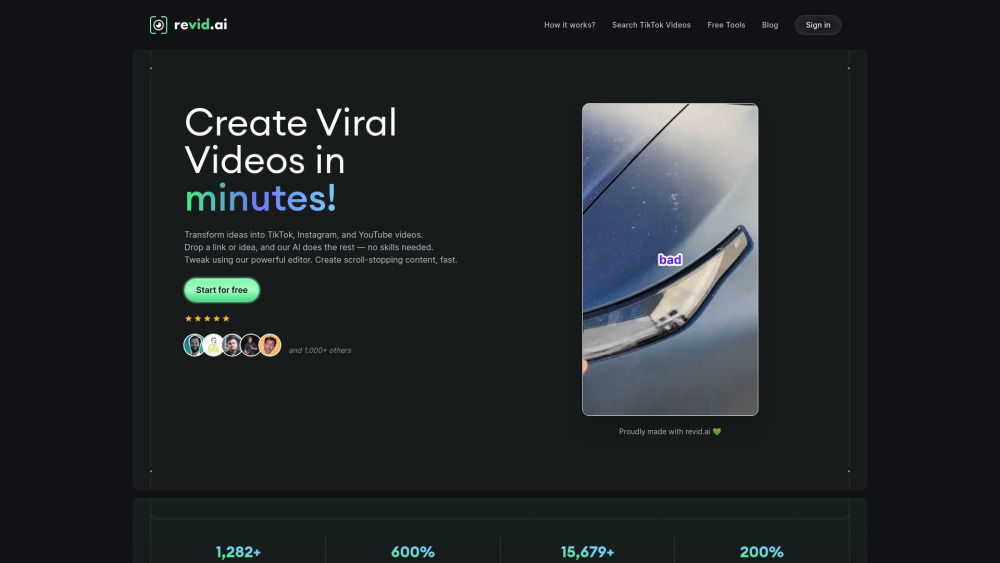
revid.ai website preview

revid.ai Website screenshot

What is revid.ai?

revid.ai is a next-generation AI video studio built for creators, marketers, and small businesses who want to produce scroll-stopping short-form videos—fast. By turning simple text inputs into polished, platform-optimized clips in seconds, it eliminates traditional editing bottlenecks and empowers users to scale content output without hiring editors or learning complex software.

How Does revid.ai Work?

Using revid.ai is intuitive: choose your target platform (TikTok, Instagram Reels, YouTube Shorts), enter your script or paste a blog post, select a tone and voice, then click “Generate.” The AI handles scene segmentation, visual matching, motion graphics, auto-captions, and even smart pacing—all while preserving brand consistency and engagement hooks.

Key Capabilities of revid.ai

Text-to-video generation with intelligent scene-aware visuals

Platform-specific templates with native aspect ratios & trending formats

One-click voice cloning, multilingual dubbing, and AI-powered caption styling

Real-World Use Cases for revid.ai

Turn blog articles, newsletters, or Reddit threads into viral-ready video summaries

Accelerate social media workflows for agencies, e-commerce brands, and educators

Product source: revid.ai official website. Check the provider for current plans, limits and availability.

FAQ

revid.ai questions and answers

Product context and practical checks for evaluating revid.ai.

What is revid.ai used for?

revid.ai: AI-powered tool that transforms content into viral short videos—fast. Explore use cases, pricing, reviews, features & top alternatives.

How do I get started with revid.ai?

Using revid.ai is intuitive: choose your target platform (TikTok, Instagram Reels, YouTube Shorts), enter your script or paste a blog post, select a tone and voice, then click “Generate.” The AI handles scene segmentation, visual matching, motion graphics, auto-captions, and even smart pacing—all while preserving brand consistency and engagement hooks.

Which capabilities are described for revid.ai?

Text-to-video generation with intelligent scene-aware visualsPlatform-specific templates with native aspect ratios & trending formatsOne-click voice cloning, multilingual dubbing, and AI-powered caption styling

What projects can I evaluate revid.ai for?

Turn blog articles, newsletters, or Reddit threads into viral-ready video summariesAccelerate social media workflows for agencies, e-commerce brands, and educators

How does revid.ai handle typeframes?

About the Company Behind revid.ai revid.ai is developed by Typeframes, an AI-native product studio focused on democratizing professional-grade video creation.

What should I compare before choosing a revid.ai plan?

Explore flexible tiers—including free trial, Creator, Pro, and Team plans—with transparent feature breakdowns: https://www.revid.ai/pricing Confirm current prices and allowances on the provider’s website before purchasing.

What inputs should I prepare for a revid.ai trial?

Compare text prompts, reference frames, source footage and audio support. Check duration, aspect ratio and whether the tool lets you keep a subject consistent between shots.

How can I check the quality of a revid.ai result?

Watch the entire clip for motion errors, distorted objects, changing identities, lip-sync problems and abrupt transitions. Inspect the downloaded file as well as the preview.

Which export options should I check in revid.ai?

Check export resolution, frame rate, aspect ratio, audio tracks and watermark rules. A good preview is not a substitute for an export that fits your publishing channel.

Where is the official revid.ai website?

The website linked from this profile is https://. Use the provider’s own documentation, account area and support channels to confirm current product details.

Visit revid.ai