AI Content Generator

RAGDrive

RAGDrive: No-code on-device AI with voice & RAG. Explore use cases, pricing, reviews, features, and alternatives—all in one smart solution.

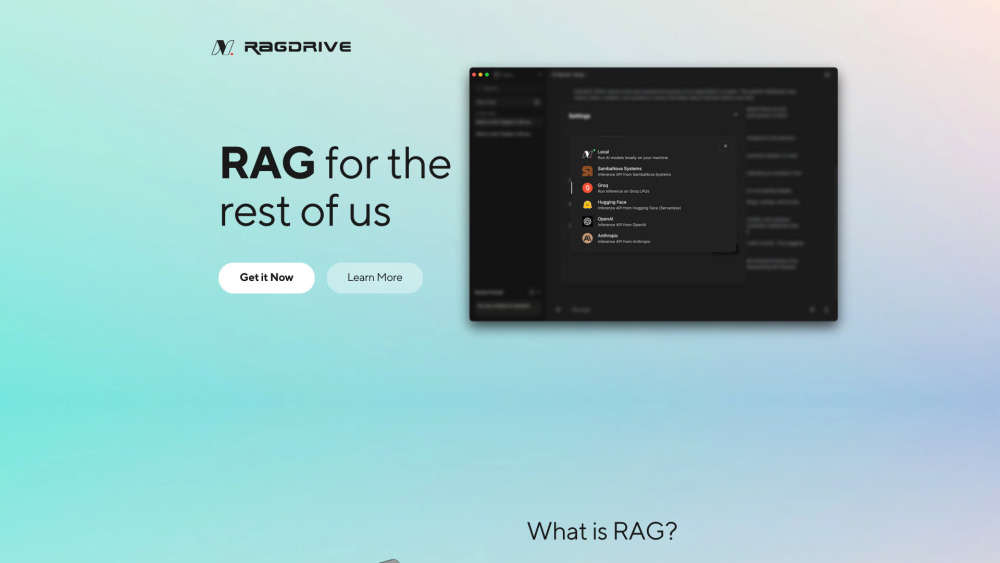
RAGDrive website preview

RAGDrive Website screenshot

Introducing RAGDrive: Your Personal On-Device AI Assistant

RAGDrive.com revolutionizes personal AI interaction by offering a no-code, on-device platform that combines voice-enabled commands with retrieval-augmented generation (RAG). This secure, offline-capable solution brings powerful AI inference directly to your device—no technical skills required.

Getting Started with RAGDrive

Begin using RAGDrive in seconds: visit the website, configure your AI settings through an intuitive setup flow, and start speaking. The system instantly responds to voice input, delivering accurate, context-aware results powered by local processing.

Key Features of RAGDrive

Intuitive No-Code Design

Anyone can use RAGDrive—no programming knowledge needed. Customize your AI experience with simple clicks and voice inputs.

On-Device AI Processing

All data is processed locally on your device, ensuring privacy, speed, and independence from cloud servers or internet connectivity.

Voice-Activated Interaction

Control your AI assistant hands-free. Speak naturally and receive real-time responses without typing or tapping.

Retrieval-Augmented Generation (RAG)

Leverage advanced RAG technology to enhance AI outputs with relevant, up-to-date information retrieved directly from your personal documents or databases.

Real-World Applications

Smart Voice-Powered Personal Assistants

Use RAGDrive as a private digital assistant for managing tasks, answering questions, and retrieving personal data—all through natural voice dialogue.

Offline-Capable Local Data Intelligence

Ideal for environments with limited connectivity, RAGDrive enables intelligent search and summarization of local files without relying on external networks.

Product source: RAGDrive official website. Check the provider for current plans, limits and availability.

FAQ

RAGDrive questions and answers

Product context and practical checks for evaluating RAGDrive.

What is RAGDrive used for?

RAGDrive: No-code on-device AI with voice & RAG. Explore use cases, pricing, reviews, features, and alternatives—all in one smart solution.

How do I get started with RAGDrive?

Begin using RAGDrive in seconds: visit the website, configure your AI settings through an intuitive setup flow, and start speaking. The system instantly responds to voice input, delivering accurate, context-aware results powered by local processing.

Which capabilities are described for RAGDrive?

Intuitive No-Code DesignAnyone can use RAGDrive—no programming knowledge needed. Customize your AI experience with simple clicks and voice inputs.On-Device AI ProcessingAll data is processed locally on your device, ensuring privacy, speed, and independence from cloud servers or internet connectivity.Voice-Activated InteractionControl your AI assistant hands-free. Speak naturally and receive real-time responses without typing or tapping.Retrieval-Augmented Generation (RAG)Leverage advanced RAG technology to enhance AI outputs with relevant, up-to-date information retrieved directly from your personal documents or databases.

What projects can I evaluate RAGDrive for?

Smart Voice-Powered Personal AssistantsUse RAGDrive as a private digital assistant for managing tasks, answering questions, and retrieving personal data—all through natural voice dialogue.Offline-Capable Local Data IntelligenceIdeal for environments with limited connectivity, RAGDrive enables intelligent search and summarization of local files without relying on external networks.

What should I compare before choosing a RAGDrive plan?

Check RAGDrive’s current pricing page for included usage, renewal terms and any credit charges. Compare the cost of a usable result, including retries, rather than assuming that account registration includes free usage.

What inputs should I prepare for a RAGDrive trial?

Look for text prompts, image references, masks or sketches as appropriate. Compare composition control, supported upload types and the ability to revise a selected area.

How can I check the quality of a RAGDrive result?

Inspect text, hands, edges, reflections and repeated objects at full size. Check that important product or brand details survive editing.

Which export options should I check in RAGDrive?

Compare pixel dimensions, transparency, file formats and any enlargement options. Confirm that the downloaded result works in your design or publishing software.

What is a practical way to test RAGDrive against alternatives?

Prepare a brief with a subject, composition, lighting and required output size. Test a first generation and a targeted revision to see how much control you retain.

Where is the official RAGDrive website?

The website linked from this profile is https://ragdrive.com. Use the provider’s own documentation, account area and support channels to confirm current product details.

Visit RAGDrive