AI Content Generator

Presentations.AI

Create PPTs in seconds with Presentations.AI! Just type a prompt and let AI build your presentation effortlessly. Get Presentations.AI now!

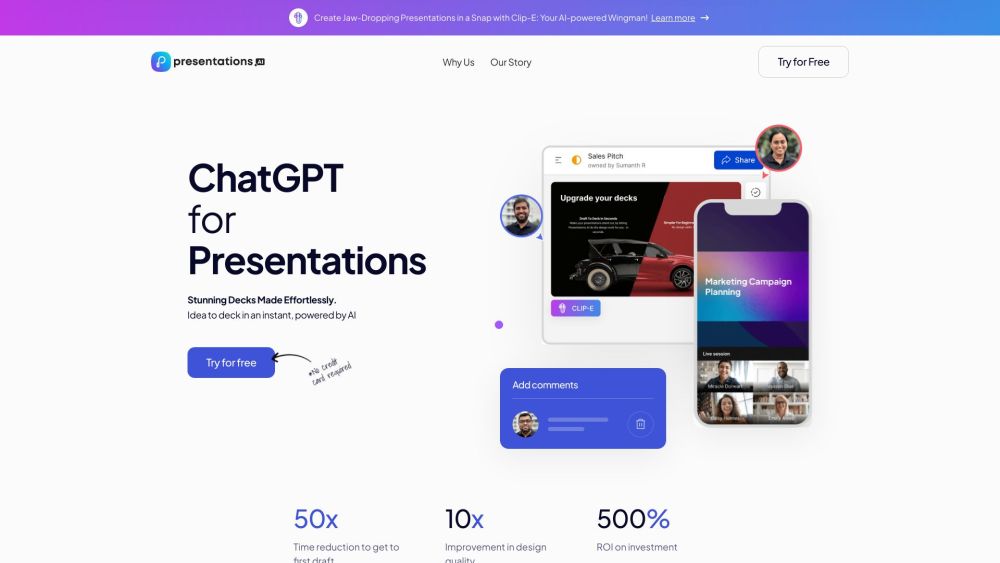
Presentations.AI website preview

Presentations.AI Website screenshot

What is Presentations.AI?

Presentations.AI is a cutting-edge AI-powered application designed to streamline the creation of stunning presentations. By simply entering a prompt, users can generate entire PowerPoint (PPT) presentations within seconds, thanks to the power of artificial intelligence.

How to Use Presentations.AI?

To utilize Presentations.AI, input a prompt or concept for your presentation. The AI will swiftly create a full PPT presentation based on your input. You can then personalize the design, maintain brand consistency, and effortlessly share and collaborate on the presentation. It's an intuitive and rapid way to produce beautiful presentations.

Presentations.AI's Core Features

Effortless creation of presentations

Personalized design

Anti-fragile templates

Seamless sharing

Analytics & tracking

Responsive design

Multi-device compatibility

Live collaboration

Presentations.AI's Use Cases

Creating professional and engaging presentations

Saving time and reducing effort in creating presentations

Ensuring brand consistency

Collaborating with teams in real-time

Allowing sales teams to focus on high-value tasks instead of designing decks

Enabling teams to dedicate more time to ideation and implementation

  • Presentations.AI Support Email & Customer Service Contact

    For customer support, reach out to Presentations.AI at [email protected].

  • Presentations.AI Company

    Learn more about Presentations.AI by visiting our about page.

  • Presentations.AI Login

    Log in to Presentations.AI here: Login Page

  • Presentations.AI Pricing

    View our pricing plans here: Pricing Page

  • Presentations.AI Facebook

    Follow us on Facebook: Presentations.AI Facebook

  • Presentations.AI Twitter

    Stay updated with us on Twitter: Presentations.AI Twitter

  • Presentations.AI Instagram

    See our latest posts on Instagram: Presentations.AI Instagram

Product source: Presentations.AI official website. Check the provider for current plans, limits and availability.

FAQ

Presentations.AI questions and answers

Product context and practical checks for evaluating Presentations.AI.

What is Presentations.AI used for?

Create PPTs in seconds with Presentations.AI! Just type a prompt and let AI build your presentation effortlessly. Get Presentations.AI now!

How do I get started with Presentations.AI?

To utilize Presentations.AI, input a prompt or concept for your presentation. The AI will swiftly create a full PPT presentation based on your input. You can then personalize the design, maintain brand consistency, and effortlessly share and collaborate on the presentation. It's an intuitive and rapid way to produce beautiful presentations.

Which capabilities are described for Presentations.AI?

Effortless creation of presentationsPersonalized designAnti-fragile templatesSeamless sharingAnalytics & trackingResponsive designMulti-device compatibilityLive collaboration

What projects can I evaluate Presentations.AI for?

Creating professional and engaging presentationsSaving time and reducing effort in creating presentationsEnsuring brand consistencyCollaborating with teams in real-timeAllowing sales teams to focus on high-value tasks instead of designing decksEnabling teams to dedicate more time to ideation and implementation Presentations.AI Support Email & Customer Service Contact For customer support, reach out to Presentations.AI at [email protected]. Presentations.AI Company Learn more about Presentations.AI by visiting our about page. Presentations.AI Login Log in to Presentations.AI here: Login Page Presentations.AI Pricing View our pricing plans here: Pricing Page Presentations.AI Facebook Follow us on Facebook: Presentations.AI Facebook Presentations.AI Twitter Stay updated with us on Twitter: Presentations.AI Twitter Presentations.AI Instagram See our latest posts on Instagram: Presentations.AI Instagram

What should I compare before choosing a Presentations.AI plan?

View our pricing plans here: Pricing Page Confirm current prices and allowances on the provider’s website before purchasing.

What inputs should I prepare for a Presentations.AI trial?

Identify the files, text or account connections your task needs. Confirm that the product accepts those inputs and offers controls for reviewing its work.

How can I check the quality of a Presentations.AI result?

Test one representative task and inspect the result for accuracy and completeness. Record where manual corrections or extra tools are needed.

Which export options should I check in Presentations.AI?

Check export formats, integrations and whether you can keep using your work outside the service. Test a real export before committing to a longer plan.

What is a practical way to test Presentations.AI against alternatives?

Choose one task with a clear success condition. Keep the input consistent, record the time spent reviewing and compare the complete workflow cost.

Where is the official Presentations.AI website?

The website linked from this profile is https://presentations.ai. Use the provider’s own documentation, account area and support channels to confirm current product details.

Visit Presentations.AI