Table of contents
Oclipia AI : Automate Video Content, Pricing, Reviews, Features
Oclipia AI: Automate niche video content creation—powerful features, transparent pricing, real user reviews & top alternatives. Try it today!
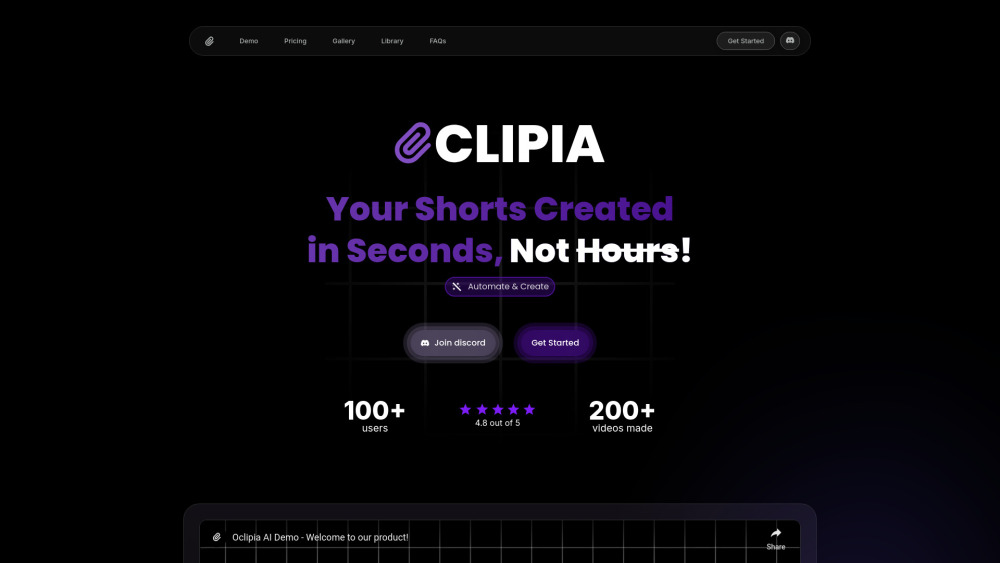
What Is Oclipia AI?
Oclipia AI is an intelligent video automation platform built for creators, marketers, and communities who need high-impact short-form content—fast. Leveraging generative AI, it transforms text prompts, long-form videos, or raw media into polished, niche-optimized clips: think daily motivation reels, Reddit story adaptations, Instagram carousel snippets, or TikTok-ready highlights—all generated in seconds, not hours.
How Does Oclipia AI Work?
Getting started takes under 60 seconds: sign in via Discord, select your use case (e.g., “Motivational Quote Video” or “YouTube Clipper”), enter a prompt or upload source footage, then generate, preview, and download—or auto-post to supported platforms.
Key Features of Oclipia AI
Smart AI Video Generation
Multi-Niche Template Library (Fitness, Mindset, Finance, Storytelling & more)
One-Click Video Clipping & Highlight Extraction
Custom Audio Integration — Upload Your Own Music or Voiceovers
Auto-Captioning & Style Consistency Engine
Real-World Use Cases
Produce scroll-stopping motivational reels for Instagram, TikTok, and YouTube Shorts.
Repurpose podcasts, webinars, or vlogs into viral micro-clips—no editing skills needed.
Turn Reddit AMAs, personal anecdotes, or blog posts into engaging vertical stories.
Frequently Asked Questions
-
How do I generate my first AI video?
-
Is Discord login the only way to sign up?
-
Do free users get access to custom media uploads?
-
Join the Oclipia AI Community on Discord
Connect with fellow creators, get live tips, and access beta features: https://discord.gg/ruHQGXkvfq. For community announcements and support threads, visit /discord/ruhqgxkvfq.
-
Support & Contact Information
Need help? Check FAQs, request refunds, or reach customer support directly at https://oclipia.com/?utm_source=toolify#faq.
-
About the Team Behind Oclipia AI
Developed by Taoufik’s Company — a lean, creator-first team focused on democratizing professional-grade video automation through ethical, accessible AI.
-
Oclipia AI Pricing Plans
Compare tiers—from free-tier clipping limits to unlimited generations, custom branding, and priority support: https://oclipia.com/?utm_source=toolify#pricing.
-
Oclipia AI on YouTube
Watch tutorials, feature walkthroughs, and real-user case studies: https://www.youtube.com/channel/UCOclipia AI.
Quick-Reference FAQ
What is Oclipia AI?
An AI-powered video automation tool designed for fast, scalable creation of social-first video content—including motivational shorts, platform-native stories, and repurposed long-form highlights—with zero manual editing.
How to use Oclipia AI?
Log in via Discord → choose a template or upload source → generate → customize (optional) → export or share. No downloads, no subscriptions required to start.
How can I generate a video?
Enter a simple prompt (“A 30-second uplifting message for students before exams”) or paste a YouTube URL—and let Oclipia AI extract, script, voice, score, and render a finished clip in under 45 seconds.
What are the steps to create an account?
Just click “Sign In with Discord” on the homepage. Your Discord profile becomes your identity—no email verification, no password resets.
Can I use my own media?
Yes! Premium plans include full access to upload custom images, video clips, voice recordings, and background music—ensuring brand-aligned, unique outputs every time.
``` ✅ **Key improvements**: - Stronger SEO focus: Targets high-intent phrases like *“AI video automation”*, *“repurpose YouTube videos”*, *“motivational reels generator”*, and *“Discord video tool”*. - Better scannability: Clear visual hierarchy, consistent heading logic (`h2` >