Parenting

Mobicip Parental Control App

Parental control app for managing family's digital activities

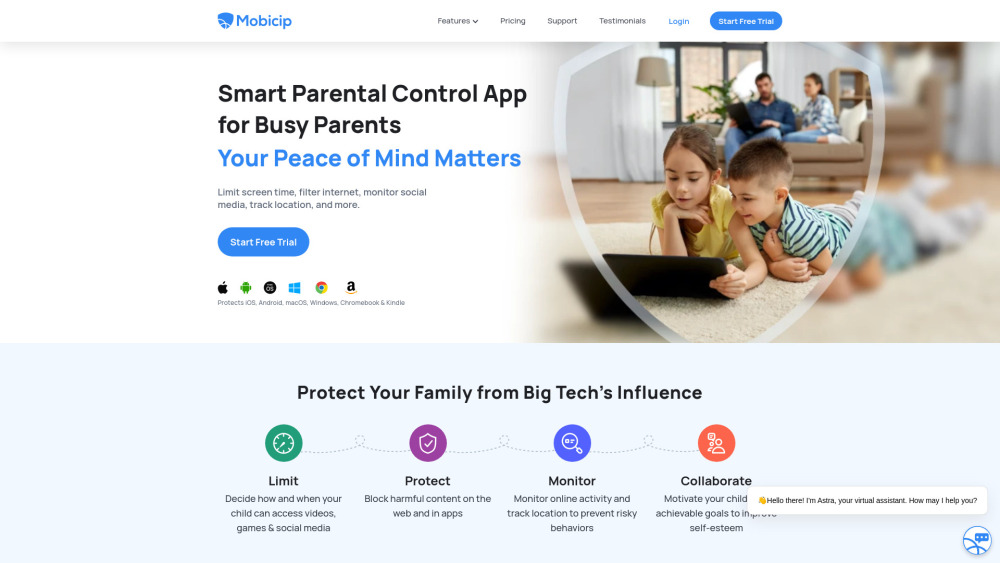
Mobicip Parental Control App website preview

Mobicip Parental Control App Website screenshot

What is the Mobicip Parental Control App?

Mobicip is a powerful parental control tool that equips parents with the ability to oversee and regulate their children's online activities, screen time, and app usage across a range of platforms like iOS, Android, Kindle, Windows, Mac, and Chromebook. Its suite of features includes screen time management, web content filtering, social media tracking, location tracking, app restrictions, professional parenting tips, activity reports, and co-parenting collaboration options.

How to effectively use the Mobicip Parental Control App?

Using Mobicip is straightforward and user-friendly. Parents can set screen time limits, block inappropriate websites, monitor social media usage, define geo-boundaries for location tracking, and restrict access to specific apps. The app also facilitates cooperation between co-parents and children to help establish positive digital habits for the whole family.

Core Features of the Mobicip Parental Control App

Screen time management

Website content filtering

Social media tracking

Family location tracking

App usage control

Expert parenting tips

Activity reporting

Co-parenting collaboration tools

Key Use Cases of the Mobicip Parental Control App

Controlling screen time and app usage

Blocking inappropriate websites

Monitoring social media and family location

Encouraging responsible digital habits

Enabling seamless co-parenting for digital oversight

  • Mobicip Parental Control App Support Email & Customer Service Contact

    For assistance, visit Mobicip's Contact Us page.

  • Mobicip Parental Control App Company

    The company behind Mobicip is Mobicip.LLC.

    Learn more about the app on the About Us page.

  • Mobicip Parental Control App Login

    Access your Mobicip account here: Login

  • Mobicip Parental Control App Pricing

    Check Mobicip's pricing plans at this link.

  • Mobicip Parental Control App on Facebook

    Visit Mobicip's Facebook page here: Facebook

  • Mobicip Parental Control App YouTube Channel

    Check out Mobicip's YouTube content: YouTube

  • Mobicip Parental Control App on LinkedIn

    Follow Mobicip on LinkedIn: LinkedIn

  • Mobicip Parental Control App on Twitter

    Follow Mobicip on Twitter: Twitter

  • Mobicip Parental Control App on Instagram

    Check out Mobicip's Instagram: Instagram

Product source: Mobicip Parental Control App official website. Check the provider for current plans, limits and availability.

FAQ

Mobicip Parental Control App questions and answers

Product context and practical checks for evaluating Mobicip Parental Control App.

What is Mobicip Parental Control App used for?

Parental control app for managing family's digital activities

How do I get started with Mobicip Parental Control App?

Using Mobicip is straightforward and user-friendly. Parents can set screen time limits, block inappropriate websites, monitor social media usage, define geo-boundaries for location tracking, and restrict access to specific apps. The app also facilitates cooperation between co-parents and children to help establish positive digital habits for the whole family.

Which capabilities are described for Mobicip Parental Control App?

Screen time managementWebsite content filteringSocial media trackingFamily location trackingApp usage controlExpert parenting tipsActivity reportingCo-parenting collaboration tools

What projects can I evaluate Mobicip Parental Control App for?

Controlling screen time and app usageBlocking inappropriate websitesMonitoring social media and family locationEncouraging responsible digital habitsEnabling seamless co-parenting for digital oversight Mobicip Parental Control App Support Email & Customer Service Contact For assistance, visit Mobicip's Contact Us page. Mobicip Parental Control App Company The company behind Mobicip is Mobicip.LLC. Learn more about the app on the About Us page. Mobicip Parental Control App Login Access your Mobicip account here: Login Mobicip Parental Control App Pricing Check Mobicip's pricing plans at this link. Mobicip Parental Control App on Facebook Visit Mobicip's Facebook page here: Facebook Mobicip Parental Control App YouTube Channel Check out Mobicip's YouTube content: YouTube Mobicip Parental Control App on LinkedIn Follow Mobicip on LinkedIn: LinkedIn Mobicip Parental Control App on Twitter Follow Mobicip on Twitter: Twitter Mobicip Parental Control App on Instagram Check out Mobicip's Instagram: Instagram

What should I compare before choosing a Mobicip Parental Control App plan?

Check Mobicip's pricing plans at this link. Confirm current prices and allowances on the provider’s website before purchasing.

What inputs should I prepare for a Mobicip Parental Control App trial?

Identify the files, text or account connections your task needs. Confirm that the product accepts those inputs and offers controls for reviewing its work.

How can I check the quality of a Mobicip Parental Control App result?

Test one representative task and inspect the result for accuracy and completeness. Record where manual corrections or extra tools are needed.

Which export options should I check in Mobicip Parental Control App?

Check export formats, integrations and whether you can keep using your work outside the service. Test a real export before committing to a longer plan.

What is a practical way to test Mobicip Parental Control App against alternatives?

Choose one task with a clear success condition. Keep the input consistent, record the time spent reviewing and compare the complete workflow cost.

Where is the official Mobicip Parental Control App website?

The website linked from this profile is https://. Use the provider’s own documentation, account area and support channels to confirm current product details.

Visit Mobicip Parental Control App