Table of contents
Midjourney Video: AI Image-to-Video Generator, 5-Second Clips
Midjourney Video: Turn any image into stunning 5-second AI videos—powered by cutting-edge Image-to-Video technology. Create in seconds.
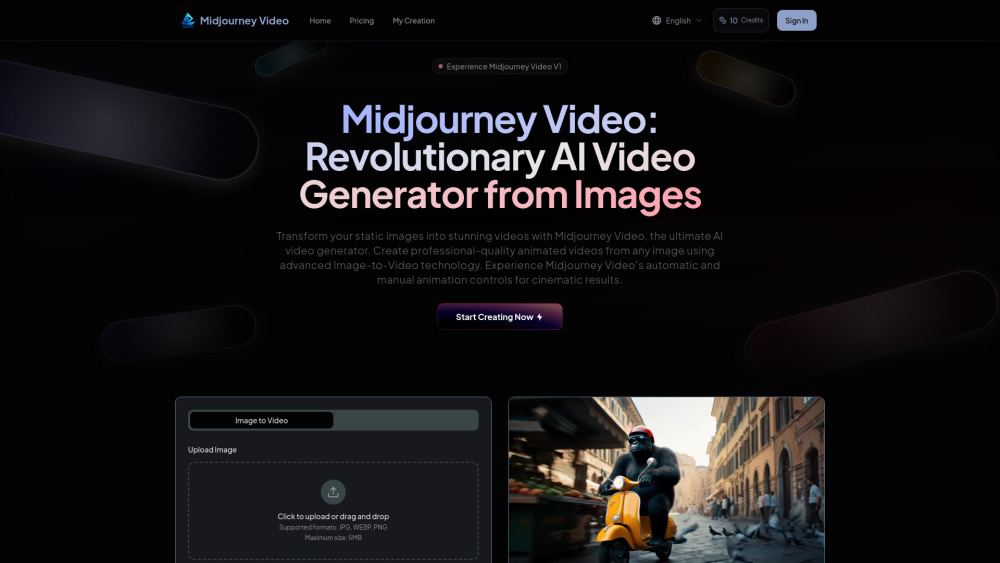
What Is Midjourney Video?
Midjourney Video is a next-generation AI image-to-video generator that converts still images into expressive, cinematic 5-second clips — no video editing skills required. Leveraging cutting-edge diffusion-based motion modeling, it bridges the gap between static art and fluid storytelling. With intuitive automatic animation and granular manual motion controls, creators can fine-tune camera movement, subject dynamics, and pacing. Built for speed, accessibility, and creative fidelity, Midjourney Video delivers professional-grade short-form video at unprecedented affordability — positioning itself as both a powerful creative tool and a foundational step toward immersive, real-time generative worlds.
How to Use Midjourney Video in 3 Simple Steps
Getting started takes under a minute. First, either upload your own high-resolution image (JPG, PNG, or WEBP; up to 5MB) or generate a fresh one directly in-app using Midjourney’s image synthesis engine. Second, choose your animation approach: opt for *Smart Auto Mode* for instant, stylistically coherent motion — or switch to *Precision Motion Mode*, where you define directional prompts (e.g., “pan left slowly”, “zoom in gently”, “rotate clockwise”) to guide every frame. You can also toggle between *Low Motion* (ideal for elegant transitions, product reveals, or atmospheric scenes) and *High Motion* (perfect for energetic social posts, character animations, or fast-paced storytelling). Third, click ‘Animate’ — and within seconds, download your polished, ready-to-share 5-second MP4 clip.
Core Capabilities of Midjourney Video
One-Click Image-to-Video Conversion
Intelligent Auto Animation Engine
Prompt-Driven Manual Motion Control
Dual Motion Profiles: Low & High Intensity
Sub-30-Second Video Generation (Typical)
Drag-and-Drop External Image Support
Crisp 5-Second MP4 Output (1080p Optimized)
Real-World Applications
Elevating static posts into scroll-stopping short videos for Instagram Reels, TikTok, and X
Accelerating ad production — turning concept mockups into animated campaign assets in minutes
Enhancing portfolios, presentations, and pitch decks with dynamic visual storytelling
Animating AI-generated characters, illustrations, or NFT art for interactive experiences
Prototyping motion concepts before full-scale video production or game development
Frequently Asked Questions
-
What is Midjourney Video — and why focus on 5-second clips?
-
How does the AI interpret my image and motion prompt?
-
Can I use Midjourney Video for commercial projects?
-
Do I need prior experience with video tools or AI models?
-
How does pricing compare for generating 5-second videos vs. longer durations?
-
Is batch processing supported for multiple images?
-
Support & Contact
For assistance, billing inquiries, or refund requests, visit our contact us page.
-
About Midjourney Video
Company Name: Midjourney Video
Mission: Democratizing cinematic AI video generation — one 5-second clip at a time.
Learn more on our about us page. -
Midjourney Video Login
Sign in here: https://midjourneyvideo.ai/en/Login
-
Get Started — Sign Up
Create your free account: Sign up now
-
Transparent Pricing
View plans and credits: https://midjourneyvideo.ai/en/#pricing
FAQ from Midjourney Video
What is Midjourney Video?
Midjourney Video is an AI-powered image-to-video generator designed to produce high-fidelity, 5-second animated clips from static inputs. It combines intelligent motion prediction with user-guided control — making professional short-form video creation faster, simpler, and significantly more affordable.
How to use Midjourney Video?
Upload or generate an image → select motion intensity and mode (auto or prompt-driven) → click ‘Animate’. Your 5-second MP4 is ready in seconds — optimized for social sharing, marketing, and creative experimentation.
What is Midjourney Video and how does it work?
It uses temporal diffusion models trained on motion semantics to extrapolate plausible frame sequences from a single image. Unlike traditional video synthesis, it prioritizes coherence, aesthetic consistency, and creator intent — especially within its focused 5-second output window.
How does Midjourney Video's Image-to-Video workflow function?
You supply the start frame and motion intent — the AI handles timing, interpolation, and stabilization. No keyframes, timelines, or rendering queues. Just image + intention = cinematic 5-second result.
What's the difference between low motion and high motion in Midjourney Video?
Low motion emphasizes subtlety — gentle pans, slow zooms, ambient drift — ideal for mood, elegance, or realism. High motion enables bold camera sweeps, rapid subject shifts, and kinetic energy — perfect for engagement and impact.
What video formats does Midjourney Video support?
All outputs are delivered as MP4 files (H.264 encoded, 1080p resolution), compatible with iOS, Android, desktop editors, and all major social platforms.
How affordable is Midjourney Video compared to other AI video generators?
At ~1/25th the cost per second of leading competitors, Midjourney Video redefines value — enabling creators to experiment freely without budget constraints.
Can I upload external images to Midjourney Video for animation?
Absolutely. Drag any supported image into the interface, designate it as your start frame, then describe desired motion in plain language. Your vision becomes motion — instantly.