Table of contents
Magic Eraser: AI Photo Editor, Remove Objects Instantly & Free
Magic Eraser: AI-powered photo editor—remove unwanted objects instantly. Free, no login, no hassle. Perfect edits in seconds! 🚀
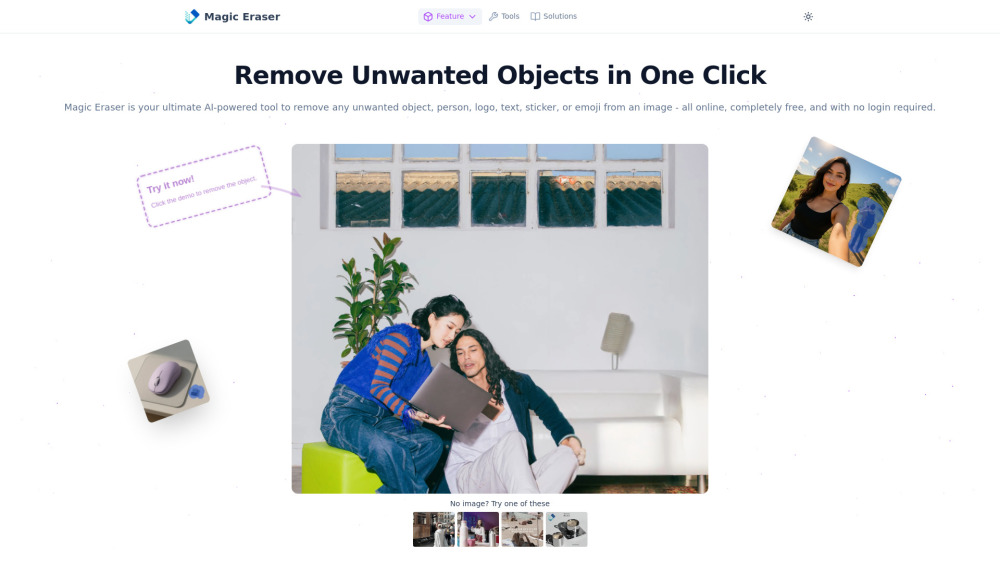
What Is Magic Eraser?
Magic Eraser is a lightning-fast, browser-based AI photo editor that removes unwanted elements from your images in seconds — no software install, no learning curve, and absolutely no cost. Whether it’s an accidental photobomber, a distracting watermark, stray text, a logo, emoji, sticker, or cluttered background detail, our intelligent neural engine erases it cleanly and reconstructs the surrounding area with photorealistic precision. Designed for real-world use, it maintains full resolution and fidelity — never blurring, stretching, or degrading your original file. Compatible with JPG, PNG, and WEBP, Magic Eraser empowers creators, marketers, influencers, and everyday users to perfect photos on demand.
How Does Magic Eraser Work?
Editing has never been this intuitive: Upload your image with one click. Paint over the object you want gone — whether it’s a person, sign, watermark, or glitch — using the responsive brush tool. In under two seconds, AI analyzes texture, lighting, and context to erase the selection and generate a natural, seamless fill. Review your result instantly, make adjustments if needed, then download the polished image in original quality — all for free, with zero registration required.
Why Users Love Magic Eraser
One-click AI removal — people, logos, text, watermarks, emojis, stickers, and visual noise
Truly free forever — no trials, no paywalls, no forced accounts
Pixel-perfect output — preserves sharpness, color accuracy, and resolution
Universal format support — optimized for JPG, PNG, and modern WEBP files
Fully responsive — works flawlessly on smartphones, tablets, and desktops
Real-World Magic Eraser Use Cases
Clean up portrait sessions: Remove stray hair, skin blemishes, or background intruders.
Enhance travel photography: Delete power lines, trash bins, or tourists from scenic shots.
Professionalize product visuals: Eliminate props, labels, or studio reflections before e-commerce upload.
Revive memes and social posts: Strip overlays, captions, or outdated branding without losing vibe.
Rescue social media assets: Remove third-party watermarks or platform-specific UI elements.
Fix wedding & event photos: Say goodbye to photobombers, misplaced hands, or awkward gestures.
Restore vintage memories: Repair scanned family photos by erasing stains, creases, or unwanted figures.
Optimize YouTube thumbnails: Remove distractions and sharpen focus on your headline subject.
Prepare Shopify & Amazon listings: Deliver clean, branded product imagery in minutes.
Repurpose stock photos: Erase generic logos or watermarks for custom marketing campaigns.
Curate design inspiration: Clean watermarked references for mood boards and creative briefs.
Elevate food & lifestyle blogs: Remove utensils, napkins, or messy backgrounds from plated dishes.
Polish concert or festival photos: Extract crowds or signage to spotlight performers or moments.
Frequently Asked Questions
-
Is Magic Eraser really 100% free?
-
Do I need to sign up or log in?
-
Does Magic Eraser lower image resolution or quality?
-
Which image formats does it accept?
-
Can I use Magic Eraser on my iPhone or Android device?
-
How well does it handle complex textures or busy backgrounds?
-
What’s the maximum file size allowed?
-
Support & Contact
For help, feedback, or urgent requests: visit our Contact Us page.
-
About Magic Eraser
Magic Eraser Company name: [To be completed]
Magic Eraser Company address: [To be completed]
Learn more about our mission and technology: explore the About Us page.
-
Magic Eraser Login
-
Magic Eraser Sign Up
-
Pricing & Plans
All core features are free — forever. Optional premium tiers (if introduced) will be clearly listed at: https://magiceraser.org/pricing
FAQ from Magic Eraser
What is Magic Eraser?
Magic Eraser is a next-generation AI photo editor that removes unwanted objects from images instantly — powered by advanced diffusion models trained on millions of visual contexts. It requires no installation, no account, and delivers studio-grade edits in seconds, all at zero cost.
How to use Magic Eraser?
Three effortless steps: (1) Upload your image, (2) Brush over what you’d like erased, (3) Download your refined image — high-res, watermark-free, and ready to share.
Is MagicEraser really free?
Yes — completely free, with no hidden subscriptions, usage caps, or feature restrictions. We believe powerful AI tools should be universally accessible.
Do I need to create an account?
No. Magic Eraser runs entirely in your browser. No email, no password, no tracking — just pure, private editing.
Will MagicEraser reduce my image quality?
Never. Our AI preserves EXIF data, resolution, and dynamic range. Edits are rendered at native pixel density — no compression artifacts or generative blur.
What image formats are supported?
JPG, PNG, and WEBP — including transparent backgrounds and lossless variants.
Can I use it on my phone?
Absolutely. Fully optimized for iOS Safari and Chrome on Android — touch-friendly brushes, fast uploads, and instant results.
What if the object is complicated or in a detailed background?
Our multi-layer contextual AI excels in complexity. For optimal outcomes, zoom in and outline carefully — the system auto-refines edges and matches grain, shadows, and perspective.
Is there a size limit on the images?
We support images up to 10MB — enough for crisp 4K+ photos while ensuring rapid processing and responsiveness.