Table of contents
Magic Animator: AI Animation Generator, Lottie/GIF/MP4 Export
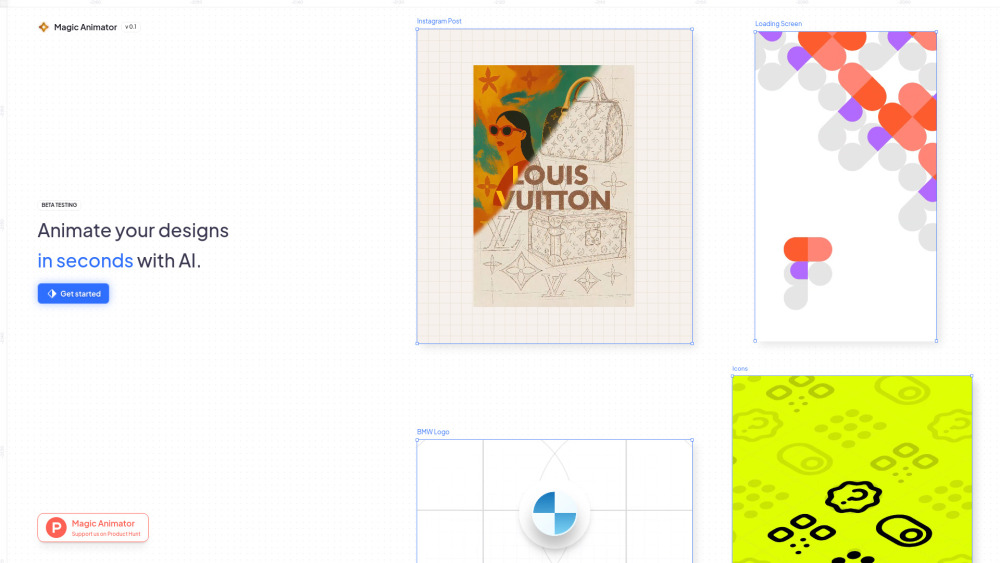
Magic Animator: AI-powered tool that transforms designs into smooth animations—export instantly to Lottie, GIF, or MP4. Effortless. Professional. Stunning.
Directory : AI Animated Video, Image to Video, AI Video Generator, AI Animation Generator, AI Social Media Post Generator
Introducing Magic Animator: Where AI Meets Motion Design
Magic Animator is a next-generation AI animation platform built for designers, developers, and marketers who need fast, high-fidelity motion—without deep animation expertise. By intelligently interpreting vector assets (SVGs, Lotties from Figma), it transforms static designs into expressive, performant animations in seconds. With intuitive timeline controls, collaborative project spaces, and native support for web-optimized formats—including Lottie for lightweight interactivity, GIF for social sharing, and MP4 for universal playback—it bridges the gap between design and dynamic experience.
Getting Started with Magic Animator
Launch your animation workflow in under 30 seconds: import an SVG or Lottie file from Figma, Canva, or Adobe Express—or start fresh in the canvas. Choose from intelligent AI presets or describe your vision in plain language using the Animation Assistant (e.g., “bounce logo on hover with smooth easing”). Refine timing, easing curves, and layer behavior via the visual timeline, then export with one click to Lottie (JSON), GIF (looping & transparent), or MP4 (H.264, 1080p-ready). No rendering queues. No plugin dependencies. Just motion, made magical.
Why Creatives Choose Magic Animator
AI Animation Engine — Understands intent, not just pixels
Drag-and-drop timeline with real-time preview and layer-based controls
Seamless import: SVG, Lottie (.json), and direct Figma sync
Multi-format export: Lottie (web/mobile), GIF (social), MP4 (ads, presentations)
Shared workspaces with version history and comment threads
One-click auto-animation — ideal for rapid prototyping and A/B testing
Conversational Animation Assistant — generate, iterate, and refine via natural language
Precision keyframe editor — fine-tune motion paths, opacity, scale, and rotation
Real-World Applications
Animated brand assets: logos, mascots, and identity elements that reinforce recognition
Engaging short-form content: Reels, TikTok ads, and Instagram Stories with zero frame-by-frame work
Interactive UI components: animated buttons, loading states, and transitions for websites and apps
Micro-interactions: hover effects, icon states, and feedback animations that elevate UX
Scalable ad production: generate dozens of animated variants from a single design source
Frequently Asked Questions
-
Which file types does Magic Animator support for import?
-
What output formats are available—and which should I use when?
-
How does AI reduce animation time without sacrificing quality?
-
Does Magic Animator integrate with my current design stack?
-
Can I customize AI-generated animations—or train styles over time?
-
Behind the Platform
Magic Animator is developed by Lottielab—a team of motion designers, frontend engineers, and AI researchers united by a mission: democratize professional-grade animation for every creative professional.
FAQ from Magic Animator
What is Magic Animator?
Magic Animator is an intelligent, browser-based animation studio that uses generative AI to convert vector designs into polished, production-ready motion—optimized for performance, accessibility, and cross-platform delivery. Built for speed and precision, it empowers teams to animate faster, iterate smarter, and ship more engaging digital experiences.
How to use Magic Animator?
Start by uploading an SVG or Lottie file—or connect your Figma account for instant asset sync. Use the AI Animation Assistant to generate motion ideas through conversational prompts, apply one-click presets for common interactions (fade, slide, pulse), then adjust timing, layers, and easing in the responsive timeline. Export instantly to Lottie (for React, iOS, Android), GIF (for email and social), or MP4 (for video editors and ad platforms).
What file formats can I import into Magic Animator?
Magic Animator accepts SVG files, Lottie JSON (.json) exports, and supports direct import from Figma via plugin or copy-paste. You can also create vector shapes natively within the editor—no external tools required.
What are the export options for my animations?
Export as Lottie (lightweight, scalable, interactive), GIF (widely compatible, supports transparency), or MP4 (high-res, silent or audio-enabled, ideal for ads and presentations). Each format includes customizable settings—resolution, frame rate, loop behavior, and color profile—to match your delivery context.
How does Magic Animator speed up the animation process?
By combining AI-powered motion suggestion, semantic understanding of design hierarchy, and smart defaults for timing/easing, Magic Animator cuts typical animation setup time by up to 80%. The AI learns from your edits—so the more you use it, the more aligned its suggestions become with your style.
Can I use Magic Animator with my existing design tools?
Absolutely. Magic Animator integrates natively with Figma (via plugin), Canva (export → import), and Adobe Express (SVG export). It’s designed as a complementary step—not a replacement—so your design workflow stays intact while motion becomes effortless.
Can I generate custom animations with AI?
Yes. The Animation Assistant lets you describe motion in everyday language (“spin the icon clockwise, then scale up 20% on hover”), and Magic Animator generates editable keyframes in real time. You can regenerate, tweak parameters, or combine multiple AI suggestions—all within the same timeline.