AI Reply Assistant

Macha

Boost your Shopify store with Macha—an AI-powered chat tool delivering exceptional customer support with natural language responses and instant, context-rich answers.

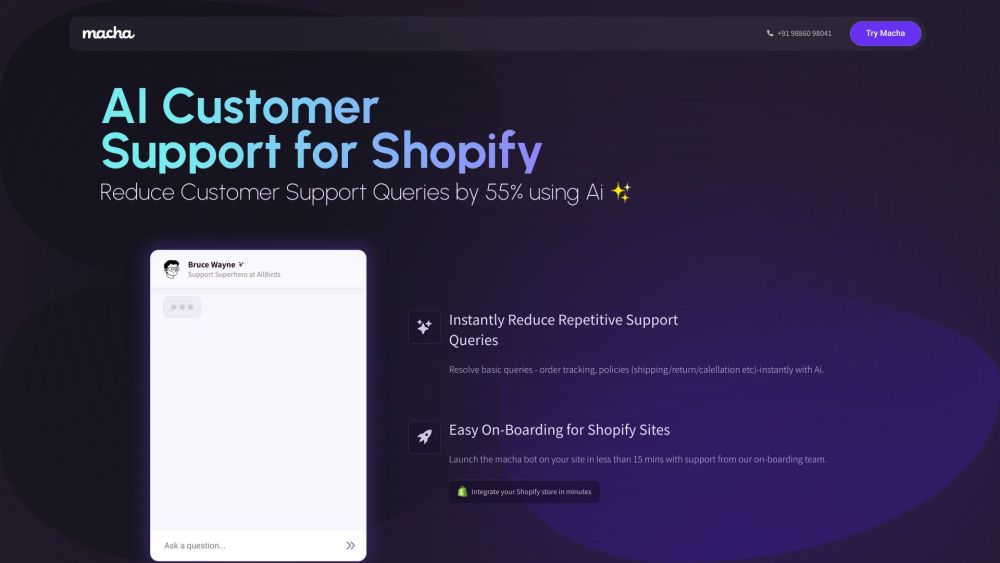
Macha website preview

Macha Website screenshot

What is Macha?

Macha is an innovative AI chat tool designed to elevate Shopify stores by offering intelligent, AI-driven support. It empowers Shopify site owners to provide outstanding customer service with natural language interactions, and enhances support agents' efficiency with pre-prepared, contextually relevant responses.

How to use Macha?

To start using Macha, follow these steps: 1. Register for Macha and fill out the required information. 2. Integrate your Shopify products with Macha for the most current data. 3. Deploy the Macha bot on your site with the guidance of the onboarding team (this takes less than 15 minutes). 4. Experience a reduction in customer support inquiries as Macha instantly addresses basic questions, easing the burden on your support staff. 5. Achieve higher customer satisfaction and more efficient support operations for your Shopify store.

Macha's Core Features

Key features of Macha include: - AI-driven chat tool for superior customer support - Natural language interaction - Pre-prepared, contextually relevant responses - Easy integration with Shopify products - Instant resolution of many customer queries - Reduction in repetitive support queries by 55% - Simple onboarding process - 40% decrease in customer support workload

Macha's Use Cases

Macha is ideal for: 1. Shopify site owners aiming to offer exceptional customer support. 2. Businesses looking to minimize repetitive support queries and lighten their support team’s workload. 3. Shopify store owners seeking seamless integration of AI-powered chat support. 4. Anyone wanting to improve customer satisfaction and streamline support for their Shopify store.

Product source: Macha official website. Check the provider for current plans, limits and availability.

FAQ

Macha questions and answers

Product context and practical checks for evaluating Macha.

What is Macha used for?

Boost your Shopify store with Macha—an AI-powered chat tool delivering exceptional customer support with natural language responses and instant, context-rich answers.

How do I get started with Macha?

To start using Macha, follow these steps: 1. Register for Macha and fill out the required information. 2. Integrate your Shopify products with Macha for the most current data. 3. Deploy the Macha bot on your site with the guidance of the onboarding team (this takes less than 15 minutes). 4. Experience a reduction in customer support inquiries as Macha instantly addresses basic questions, easing the burden on your support staff. 5. Achieve higher customer satisfaction and more efficient support operations for your Shopify store.

Which capabilities are described for Macha?

Key features of Macha include: - AI-driven chat tool for superior customer support - Natural language interaction - Pre-prepared, contextually relevant responses - Easy integration with Shopify products - Instant resolution of many customer queries - Reduction in repetitive support queries by 55% - Simple onboarding process - 40% decrease in customer support workload

What projects can I evaluate Macha for?

Macha is ideal for: 1. Shopify site owners aiming to offer exceptional customer support. 2. Businesses looking to minimize repetitive support queries and lighten their support team’s workload. 3. Shopify store owners seeking seamless integration of AI-powered chat support. 4. Anyone wanting to improve customer satisfaction and streamline support for their Shopify store. Macha Support Email & Customer Service Contact & Refund Contact, etc. For more contact information, visit the contact us page (https://www.getmacha.com/contact) Macha Company Macha is a product of AGZ Technologies Private Limited. Macha Pricing For pricing details, visit https://www.getmacha.com/pricing

What should I compare before choosing a Macha plan?

For pricing details, visit https://www.getmacha.com/pricing Confirm current prices and allowances on the provider’s website before purchasing.

What inputs should I prepare for a Macha trial?

Compare support for source documents, style instructions, outlines and length limits. Check whether citations link to real material rather than merely looking like references.

How can I check the quality of a Macha result?

Verify names, dates, quotations and factual claims against the original sources. Edit tone, remove repetition and make sure the text answers the intended reader’s question.

Which export options should I check in Macha?

Check export to plain text, Markdown, documents or your publishing system. Formatting, headings and working links matter when moving a draft into production.

What is a practical way to test Macha against alternatives?

Use a real brief and a short source document. Compare factual accuracy, structure and editing time rather than accepting the longest or most confident draft.

Where is the official Macha website?

The website linked from this profile is . Use the provider’s own documentation, account area and support channels to confirm current product details.