Text&ampWriting

Illustro

Create editable, on-brand illustrations in seconds with Illustro AI. Choose flat or line art, customize colors, and export SVG, PNG or JPG

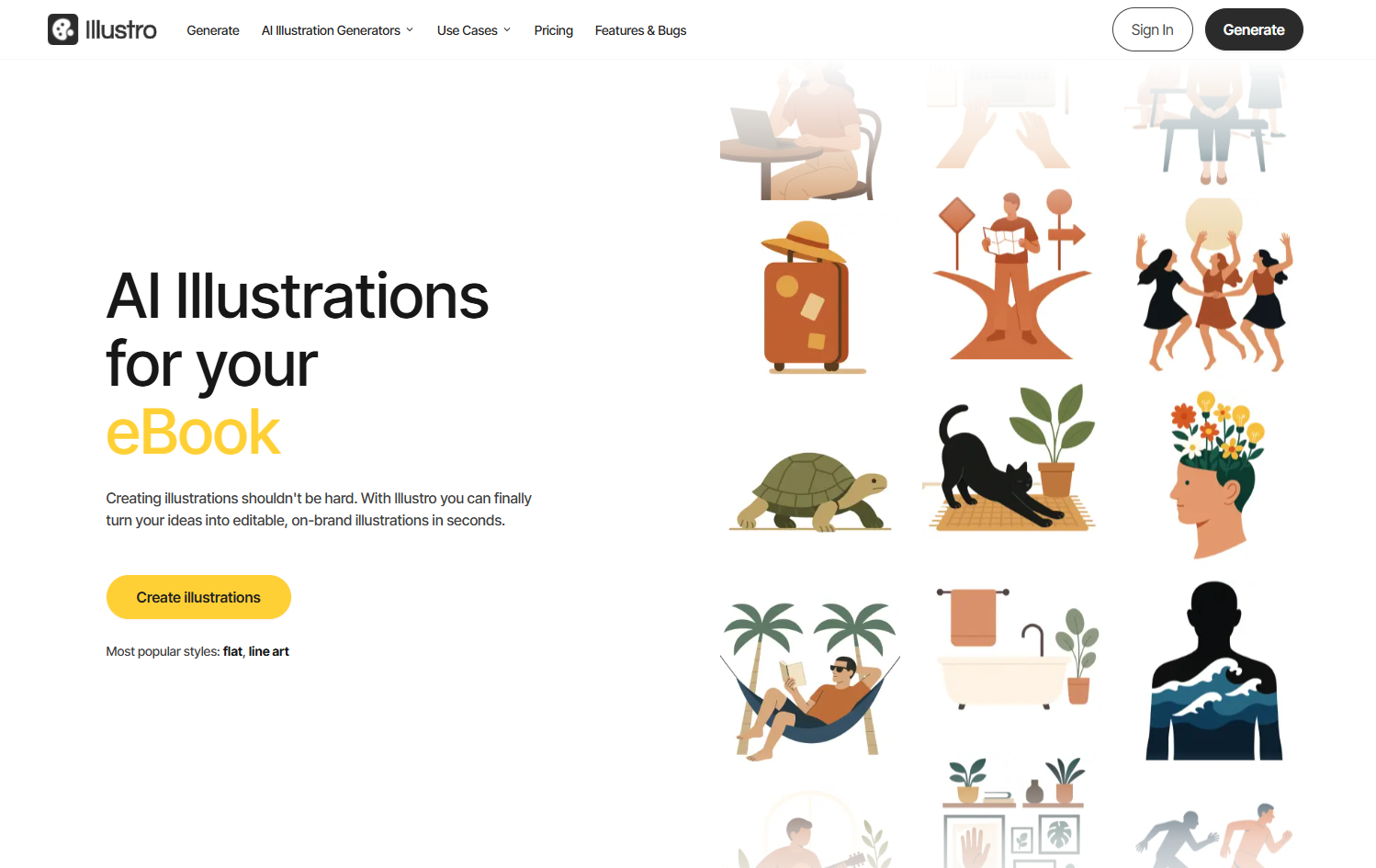
Illustro website preview

What Is Illustro? AI Illustrations, Editable SVG & Custom Brand Art

Illustro is an AI illustration generator that turns written ideas into customizable artwork for digital projects, marketing campaigns, and branded content. Built for creators, startups, and agencies, it offers a straightforward way to produce illustrations without starting from a blank canvas or learning complex design software. Its illustration-focused workflow brings together text prompts, preset visual styles, color customization, and flexible downloads.

Whether you need flat artwork for a landing page or line-art graphics for a presentation, Illustro helps you move from concept to usable visual content quickly. Editable SVG exports give you room to refine and scale your artwork, while PNG and JPG downloads support everyday publishing needs. Commercial-use rights also make the platform relevant for teams producing client work, product assets, and promotional materials.

How to Create Custom Illustrations with Illustro

Begin by describing the illustration you want to generate. Include the main subject, setting, and intended purpose to give the AI a clearer creative direction. For example, you might request a flat illustration of a small team planning a product launch or a line-art graphic showing an online learning session. Next, choose a preset style that suits your website, campaign, or brand identity.

Once your illustration is generated, use the built-in editor to adjust its colors and bring the result closer to your preferred palette. This makes it easier to prepare artwork that complements existing brand assets rather than introducing an unrelated visual style. When the design is ready, download it in the format your project requires: SVG for scalable vector artwork, PNG for digital content, or JPG for widely supported image sharing. The prompt-to-export process keeps routine illustration tasks accessible, even without extensive design experience.

Key Features of Illustro

  • Text-to-Illustration Creation: Describe a concept in plain language and generate original illustration options without manually drawing each element. This approach helps turn early ideas into visual assets for practical projects.
  • Preset Illustration Styles: Explore styles such as flat design and line-art to establish a recognizable visual direction. Using a consistent preset can help related graphics feel more cohesive across multiple pages or campaigns.
  • Brand-Focused Color Editing: Adjust illustration colors through the built-in editor to coordinate artwork with your brand palette. This provides a convenient way to personalize generated visuals before publishing.
  • Editable SVG and Image Downloads: Export illustrations as SVG, PNG, or JPG. SVG supports scalable vector workflows, while raster formats provide convenient options for websites, presentations, and other content channels.
  • Commercial-Use Rights: Create illustrations for business materials, client deliverables, and promotional projects with the platform's stated commercial licensing. Review the current terms for any conditions that apply to your intended use.

Together, these features simplify the path from a written brief to a finished visual asset. Rather than switching between separate generation, customization, and export tools, users can handle the core steps in one illustration-focused workflow.

Why Choose Illustro for AI-Generated Brand Art?

Illustro is designed around a specific need: producing illustrations that can be adapted for real creative and business projects. Its combination of preset styles and color controls helps users build a coordinated visual direction instead of treating every generated image as a standalone experiment. For teams creating a series of landing-page graphics, presentation slides, or editorial illustrations, that focus can make the production process more manageable.

Editable SVG output is another practical advantage. Vector illustrations can be resized for different layouts without the pixelation associated with enlarging raster images, and compatible design tools offer opportunities for further refinement. Alongside PNG and JPG exports, this gives users flexibility across different publishing environments. Illustro can support fast-moving content work while leaving room for a professional designer or illustrator to handle projects that require detailed art direction or highly specialized artwork.

Use Cases and Applications

Marketers and content creators can use Illustro to develop supporting artwork for blog articles, email newsletters, social posts, and campaign pages. A shared illustration style and coordinated palette can help connect these assets across channels. Startups can create visuals for pitch decks, onboarding screens, product explanations, and early-stage websites, making abstract ideas easier to communicate.

Agencies can use AI-generated illustrations to explore creative directions, prepare draft concepts, and produce branded assets for suitable client projects. Educators and authors may find the tool useful for lesson materials, explanatory graphics, and story-related visuals. Product teams can also generate illustrations for interface states, help content, and feature announcements. In each case, the ability to customize colors and choose an appropriate export format helps adapt the artwork to its final setting.

Product source: Illustro official website. Check the provider for current plans, limits and availability.

FAQ

Illustro questions and answers

Product context and practical checks for evaluating Illustro.

What is Illustro used for?

Create editable, on-brand illustrations in seconds with Illustro AI. Choose flat or line art, customize colors, and export SVG, PNG or JPG

How do I get started with Illustro?

Begin by describing the illustration you want to generate. Include the main subject, setting, and intended purpose to give the AI a clearer creative direction. For example, you might request a flat illustration of a small team planning a product launch or a line-art graphic showing an online learning session. Next, choose a preset style that suits your website, campaign, or brand identity.Once your illustration is generated, use the built-in editor to adjust its colors and bring the result closer to your preferred palette. This makes it easier to prepare artwork that complements existing brand assets rather than introducing an unrelated visual style. When the design is ready, download it in the format your project requires: SVG for scalable vector artwork, PNG for digital content, or JPG for widely supported image sharing. The prompt-to-export process keeps routine illustration tasks accessible, even without extensive design experience.

Which capabilities are described for Illustro?

Text-to-Illustration Creation: Describe a concept in plain language and generate original illustration options without manually drawing each element. This approach helps turn early ideas into visual assets for practical projects. Preset Illustration Styles: Explore styles such as flat design and line-art to establish a recognizable visual direction. Using a consistent preset can help related graphics feel more cohesive across multiple pages or campaigns. Brand-Focused Color Editing: Adjust illustration colors through the built-in editor to coordinate artwork with your brand palette. This provides a convenient way to personalize generated visuals before publishing. Editable SVG and Image Downloads: Export illustrations as SVG, PNG, or JPG. SVG supports scalable vector workflows, while raster formats provide convenient options for websites, presentations, and other content channels. Commercial-Use Rights: Create illustrations for business materials, client deliverables, and promotional projects with the platform's stated commercial licensing. Review the current terms for any conditions that apply to your intended use. Together, these features simplify the path from a written brief to a finished visual asset. Rather than switching between separate generation, customization, and export tools, users can handle the core steps in one illustration-focused workflow.

What projects can I evaluate Illustro for?

Marketers and content creators can use Illustro to develop supporting artwork for blog articles, email newsletters, social posts, and campaign pages. A shared illustration style and coordinated palette can help connect these assets across channels. Startups can create visuals for pitch decks, onboarding screens, product explanations, and early-stage websites, making abstract ideas easier to communicate.Agencies can use AI-generated illustrations to explore creative directions, prepare draft concepts, and produce branded assets for suitable client projects. Educators and authors may find the tool useful for lesson materials, explanatory graphics, and story-related visuals. Product teams can also generate illustrations for interface states, help content, and feature announcements. In each case, the ability to customize colors and choose an appropriate export format helps adapt the artwork to its final setting.

How does Illustro handle text-to-illustration creation?

Text-to-Illustration Creation: Describe a concept in plain language and generate original illustration options without manually drawing each element. This approach helps turn early ideas into visual assets for practical projects.

How does Illustro handle preset illustration styles?

Preset Illustration Styles: Explore styles such as flat design and line-art to establish a recognizable visual direction. Using a consistent preset can help related graphics feel more cohesive across multiple pages or campaigns.

What should I compare before choosing a Illustro plan?

Check Illustro’s current pricing page for included usage, renewal terms and any credit charges. Compare the cost of a usable result, including retries, rather than assuming that account registration includes free usage.

What inputs should I prepare for a Illustro trial?

Look for text prompts, image references, masks or sketches as appropriate. Compare composition control, supported upload types and the ability to revise a selected area.

How can I check the quality of a Illustro result?

Inspect text, hands, edges, reflections and repeated objects at full size. Check that important product or brand details survive editing.

Where is the official Illustro website?

The website linked from this profile is https://illustro.app. Use the provider’s own documentation, account area and support channels to confirm current product details.

Visit Illustro