Table of contents
Heynds : AI Writing & Speech Assistant for Effortless Content
Heynds: AI-powered desktop app for effortless writing & speech—create high-quality content faster, smarter, and stress-free.
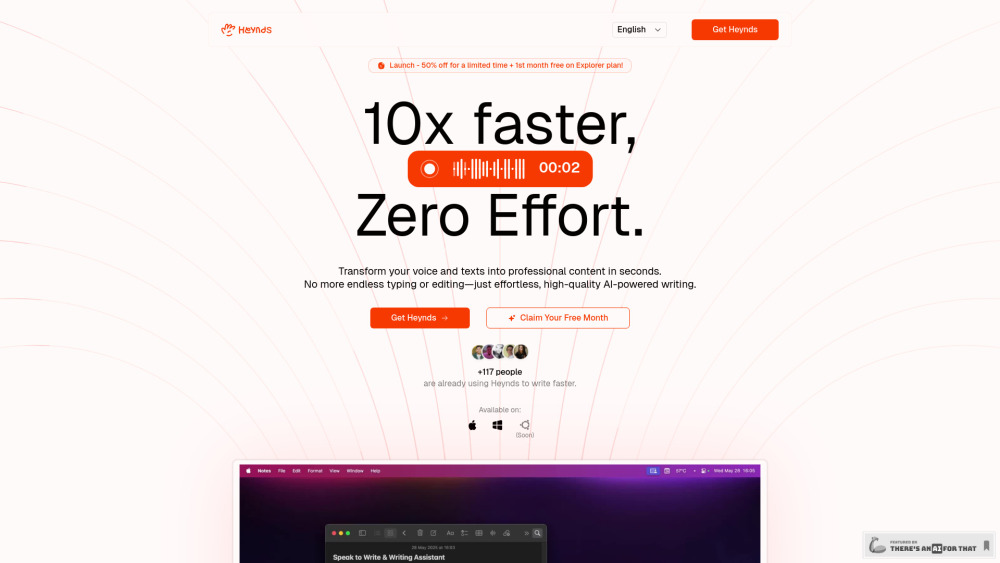
Introducing Heynds: Your AI Writing & Speech Assistant for Effortless Content Creation
Heynds redefines how professionals write, speak, and think — transforming raw ideas into polished, purpose-driven content in real time. As a native desktop application built for macOS and Windows (with Linux support on the horizon), Heynds unifies high-fidelity speech recognition with intelligent, context-aware AI writing—so you spend less time editing and more time creating. Whether you're drafting an email, brainstorming product copy, or transcribing a meeting, Heynds adapts to your voice, style, and workflow—delivering clarity, consistency, and confidence across every word.
How Heynds Fits Into Your Daily Flow
Simply press a hotkey—or start speaking—and Heynds begins listening, thinking, and refining instantly. No switching between apps, no manual pasting, no waiting for cloud processing. It works *with* your existing tools: compose directly in Slack, refine docs in Notion, dictate emails in Outlook, or polish code comments in VS Code—all without leaving your flow. Ask questions, apply tone adjustments, convert bullet points into narratives, or translate on-the-fly. Heynds doesn’t just hear you—it understands your intent.
Power Built In, Privacy Built In
Real-Time Voice-to-Text with Contextual Awareness
Adaptive AI Writing Engine (Fine-Tuned for Clarity & Tone)
Smart Text Transformation—Rewrite, Summarize, Expand, Simplify
Prompt Studio: Save, Organize & Reuse Custom AI Instructions
Truly Global: Native Support for 100+ Languages & Dialects
Cross-Platform Native Apps (macOS, Windows, Linux Beta Coming)
Zero-Data-Storage Architecture—Your Words Stay Local
Universal App Integration—Works Everywhere You Type or Speak
Who Thrives With Heynds?
Startup Founders: Turn quick voice notes into investor decks, pitch scripts, and user-facing copy—without losing momentum.
Product Teams: Rapidly draft PRDs, user stories, and release notes while keeping technical accuracy intact.
Marketing Leaders: Generate SEO-optimized blog drafts, social captions, and campaign briefs—aligned with brand voice in seconds.
Sales Professionals: Convert call insights into follow-up emails, proposal snippets, and objection-handling scripts—on the move.
Academic Researchers & Students: Structure arguments, paraphrase sources ethically, and proofread with precision—no grammar surprises.
Content Strategists: Break through creative fatigue with AI-assisted ideation, outline generation, and multi-format repurposing.
UX & Product Designers: Document flows, annotate wireframes, and articulate design rationale—naturally and concisely.
Engineers & DevOps Teams: Voice-dictate commit messages, generate documentation stubs, and translate complex logic into plain-language explanations.
Frequently Asked Questions
-
What makes Heynds different from other AI writing tools?
-
How does Heynds handle background noise or accented speech?
-
Can Heynds integrate with my team’s internal tools or LLMs?
-
Does Heynds require internet connectivity to function?
-
Is there a free version I can test before committing?
-
How do custom prompts enhance my productivity in Heynds?
-
What’s the best way to train Heynds to match my writing style?
-
Does Heynds support rich formatting and export options?
-
How does Heynds ensure enterprise-grade security and compliance?
-
Where does processing happen—on-device or in the cloud?
-
Are my voice recordings ever stored or transmitted?
-
What’s included in the Eternal Plan—and what’s optional?
-
Do I need technical expertise to set up custom API integrations?
-
Can I use Heynds offline after initial setup?
-
How often are new features and language models updated?
-
What support channels are available for Enterprise customers?
-
How do I migrate existing templates or prompt libraries to Heynds?
-
Where can I access tutorials, community forums, or advanced workflows?
Heynds FAQ Highlights
What is Heynds?
Heynds is an intelligent, privacy-first AI assistant engineered for professionals who demand speed, precision, and control over their written and spoken communication. Unlike browser-based tools, it runs natively—blending real-time speech transcription, adaptive rewriting, and deep customization—so your words land exactly as intended.
How to use Heynds?
Launch the app, activate with a system-wide shortcut (or click the mic icon), and begin speaking naturally—or paste text and command transformations like “Make this more concise,” “Convert to bullet points,” or “Translate to Spanish and adjust formality.” Your edits sync instantly across all active applications—no copy-paste friction, no context switching.
What makes Heynds different from other AI writing tools?
Heynds merges speech intelligence with contextual writing intelligence—in one local-first, cross-app experience. While others rely solely on chat interfaces or cloud-only transcription, Heynds operates at the OS level: hearing *you*, understanding *your document*, and adapting *to your goals*—all while keeping sensitive inputs private and performant.
How does Heynds handle background noise or accented speech?
Leveraging Groq Whisper Large V3 Turbo—fine-tuned for real-world environments—Heynds delivers robust accuracy even with ambient noise, overlapping speakers, or regional pronunciation. Adaptive speaker modeling improves over time, and users can fine-tune sensitivity via in-app settings.
Can Heynds integrate with my team’s internal tools or LLMs?
Yes. The Eternal Plan supports bring-your-own-API-key integration with OpenAI, Anthropic, Google Gemini, and compatible self-hosted models. Developers can extend functionality via Heynds’ Plugin SDK—enabling custom actions, internal knowledge base linking, and SSO-enabled team deployments.
Does Heynds require internet connectivity to function?
Core voice-to-text and basic rewriting work offline after initial model download. Advanced AI features (e.g., long-context summarization, multilingual translation) require connection—but Heynds caches recent interactions locally to maintain continuity during brief outages.
Is there a free version I can test before committing?
A fully functional web-based demo is available instantly—no sign-up needed. For full desktop capabilities, the Explorer Plan offers 30 days of unlimited access. All paid plans include a 30-day satisfaction guarantee—cancel anytime, no questions asked.
How do custom prompts enhance my productivity in Heynds?
Prompts act as reusable “thinking templates”: define your brand voice, legal compliance rules, technical jargon preferences, or audience personas once—and apply them globally with one click. Heynds learns from your prompt usage to suggest smarter variations over time.
What’s the best way to train Heynds to match my writing style?
Start by feeding it 3–5 samples of your strongest writing (emails, reports, scripts). Use the “Style Match” feature to analyze tone, syntax, and structure—then apply that profile across future outputs. Refine iteratively using inline feedback (“More formal,” “Shorter sentences,” “Add data points”).
Does Heynds support rich formatting and export options?
Absolutely. The built-in editor supports Markdown, headings, tables, code blocks, and semantic formatting. Export to DOCX, PDF, HTML, plain text, or clipboard—with consistent styling preserved. For developers, JSON and YAML exports enable seamless pipeline integration.
How does Heynds ensure enterprise-grade security and compliance?
Heynds follows zero-data-retention principles by default: no audio is stored, no text leaves your device unless explicitly routed via your own API. SOC 2-aligned infrastructure, end-to-end encryption in transit, and GDPR/CCPA-ready deployment options are available for teams under strict regulatory requirements.
Where does processing happen—on-device or in the cloud?
Voice transcription occurs locally using optimized ONNX models. AI writing assistance routes only anonymized, minimal-context requests to your selected LLM provider—unless you opt for Heynds’ upcoming on-premise inference server (coming Q4 2025).
Are my voice recordings ever stored or transmitted?
No. Audio is processed in real time and discarded immediately after conversion. Heynds never saves, uploads, or logs microphone input—even when using third-party LLMs, only the resulting text (not source audio) may be sent, and only with explicit user consent per session.
What’s included in the Eternal Plan—and what’s optional?
The Eternal Plan grants perpetual license to Heynds’ core platform—including all updates, security patches, and new OS compatibility releases for life. Optional annual update fees (10–20%) unlock priority access to experimental AI models, enterprise APIs, and early-beta features—fully transparent, fully opt-in.
Do I need technical expertise to set up custom API integrations?
No. Heynds provides guided setup wizards, pre-configured templates for major providers, and secure credential vaulting. For advanced users, CLI tools and REST API documentation empower deeper automation—without requiring engineering overhead.
Can I use Heynds offline after initial setup?
Yes. Once installed and models downloaded, Heynds functions entirely offline for speech-to-text, grammar correction, basic rewriting, and formatting—ideal for travel, secure environments, or low-connectivity scenarios.
How often are new features and language models updated?
Minor enhancements ship biweekly; major AI upgrades (e.g., new transcription models or multimodal capabilities) roll out quarterly. All updates are delivered silently and automatically—no restarts required.
What support channels are available for Enterprise customers?
Enterprise plans include dedicated Slack support, SLA-backed response times (<1 hour for P1 issues), custom onboarding sessions, admin dashboards, SAML/SSO provisioning, and quarterly roadmap briefings with the Heynds product team.
How do I migrate existing templates or prompt libraries to Heynds?
Import CSV or JSON files containing prompts, variables, and metadata—or paste them directly into the Prompt Studio. Heynds auto-tags, categorizes, and suggests optimizations based on usage patterns and performance metrics.
Where can I access tutorials, community forums, or advanced workflows?
Visit heynds.com/learn for video walkthroughs, certified workflows (e.g., “From Meeting Notes to Executive Summary”), and our public GitHub repo for community-contributed prompt packs and integrations.