AI Content Generator

Gimme Summary AI

Summarize web articles instantly with Gimme Summary AI, a free Chrome extension powered by ChatGPT. Get concise summaries using advanced neural networks.

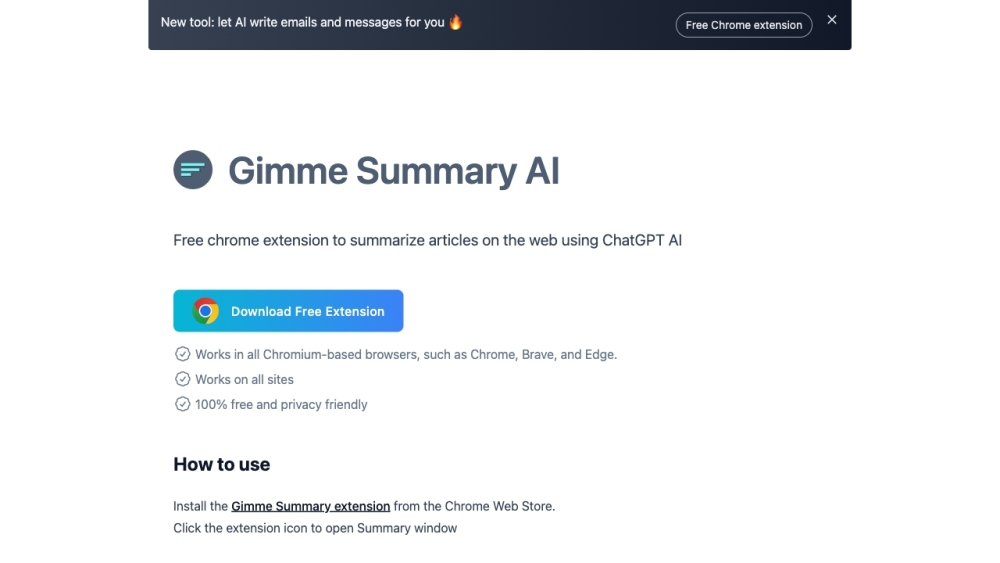
Gimme Summary AI website preview

Gimme Summary AI Website screenshot

Introducing Gimme Summary AI

Gimme Summary AI is a cutting-edge, free Chrome extension designed to summarize web articles efficiently using advanced AI technology powered by ChatGPT. By leveraging neural networks, it can distill complex articles into concise summaries, making it easier for users to grasp key points quickly.

How to Utilize Gimme Summary AI

Getting started with Gimme Summary AI is straightforward. Download the extension from the Chrome Web Store and click on the extension icon to open the Summary window. Hit the 'Generate Summary' button to receive a summary of the current webpage. First-time users need to sign up for a free account at chat.openai.com to start summarizing effortlessly.

Key Features of Gimme Summary AI

Gimme Summary AI boasts several core features, including:

  • Generating summaries using ChatGPT's AI technology
  • Compatibility with all Chromium-based browsers
  • Completely free to use
  • Privacy-friendly with no user data collection

Practical Applications of Gimme Summary AI

This extension is ideal for:

  • Quickly summarizing articles across various websites
  • Helping users extract essential information without reading the full text
  • Saving time and enhancing productivity by allowing users to skim through multiple articles efficiently
  • Customer Support

    For support, contact us at: [email protected].

  • About the Company

    Gimme Summary AI is developed by ChatGPT Writer AI.

  • Login

    Access your account here: Login.

  • Sign Up

    Create your free account here: Sign Up.

  • Pricing Information

    View our pricing details: Pricing.

  • GitHub Discussions

    Join the conversation on GitHub: GitHub.

Product source: Gimme Summary AI official website. Check the provider for current plans, limits and availability.

FAQ

Gimme Summary AI questions and answers

Product context and practical checks for evaluating Gimme Summary AI.

What is Gimme Summary AI used for?

Summarize web articles instantly with Gimme Summary AI, a free Chrome extension powered by ChatGPT. Get concise summaries using advanced neural networks.

How do I get started with Gimme Summary AI?

Getting started with Gimme Summary AI is straightforward. Download the extension from the Chrome Web Store and click on the extension icon to open the Summary window. Hit the 'Generate Summary' button to receive a summary of the current webpage. First-time users need to sign up for a free account at chat.openai.com to start summarizing effortlessly.

Which capabilities are described for Gimme Summary AI?

Gimme Summary AI boasts several core features, including: Generating summaries using ChatGPT's AI technology Compatibility with all Chromium-based browsers Completely free to use Privacy-friendly with no user data collection

What projects can I evaluate Gimme Summary AI for?

This extension is ideal for: Quickly summarizing articles across various websites Helping users extract essential information without reading the full text Saving time and enhancing productivity by allowing users to skim through multiple articles efficiently Customer Support For support, contact us at: [email protected]. About the Company Gimme Summary AI is developed by ChatGPT Writer AI. Login Access your account here: Login. Sign Up Create your free account here: Sign Up. Pricing Information View our pricing details: Pricing. GitHub Discussions Join the conversation on GitHub: GitHub.

What should I compare before choosing a Gimme Summary AI plan?

View our pricing details: Pricing. Confirm current prices and allowances on the provider’s website before purchasing.

What inputs should I prepare for a Gimme Summary AI trial?

Look for text prompts, image references, masks or sketches as appropriate. Compare composition control, supported upload types and the ability to revise a selected area.

How can I check the quality of a Gimme Summary AI result?

Inspect text, hands, edges, reflections and repeated objects at full size. Check that important product or brand details survive editing.

Which export options should I check in Gimme Summary AI?

Compare pixel dimensions, transparency, file formats and any enlargement options. Confirm that the downloaded result works in your design or publishing software.

What is a practical way to test Gimme Summary AI against alternatives?

Prepare a brief with a subject, composition, lighting and required output size. Test a first generation and a targeted revision to see how much control you retain.

Where is the official Gimme Summary AI website?

The website linked from this profile is https://gimmesummary.ai. Use the provider’s own documentation, account area and support channels to confirm current product details.

Visit Gimme Summary AI