AI Ad Generator

FastCut

FastCut: Generate engaging captions for reels, shorts, and TikToks in 1 click. Auto-transcribes and styles like top creators Alex Hormozi, Ali Abdaal, and MrBeast.

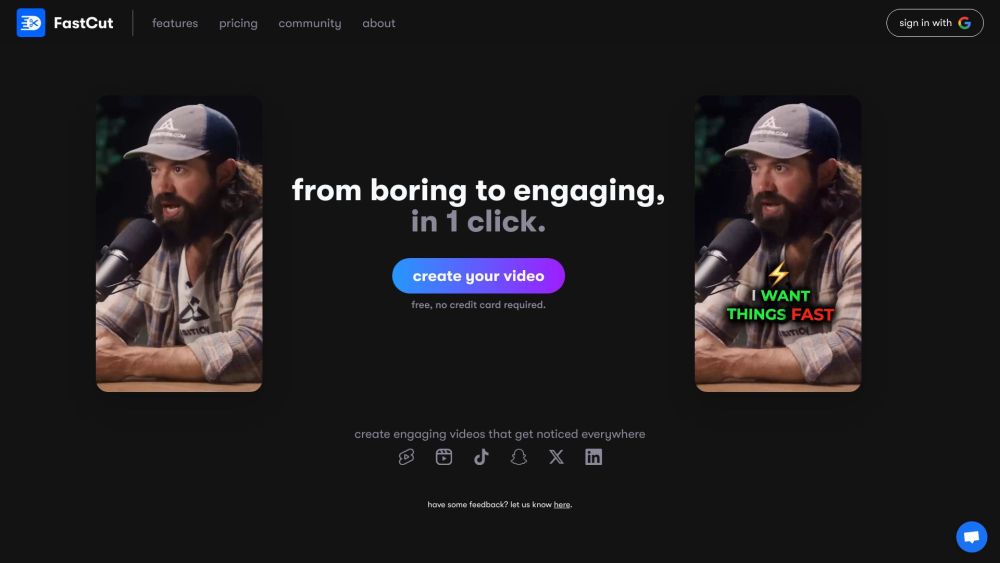
FastCut website preview

FastCut Website screenshot

What is FastCut?

FastCut is a cutting-edge AI tool designed to generate captivating captions for reels, shorts, and TikToks with a single click. It effortlessly transcribes your video and integrates relevant emojis and trendy captions, mimicking the styles of top influencers like Alex Hormozi, Ali Abdaal, and MrBeast.

How to use FastCut?

Creating engaging reels is as easy as one click. Simply upload your video, and FastCut will automatically handle the transcription, captioning, and emoji addition, emulating the style of popular creators. No editing expertise required.

FastCut's Core Features

Auto captions: Provides precise automatic captions in over 40 languages, including Hinglish.

Trendy templates: Comes with pre-built popular caption styles.

Keyword highlight: Highlights key points intelligently.

Auto emojis: Automatically adds relevant emojis to boost retention.

FastCut's Use Cases

Create engaging content for reels, shorts, and TikToks.

Transform mundane videos into captivating content.

Emulate the video style of top influencers.

Product source: FastCut official website. Check the provider for current plans, limits and availability.

FAQ

FastCut questions and answers

Product context and practical checks for evaluating FastCut.

What is FastCut used for?

FastCut: Generate engaging captions for reels, shorts, and TikToks in 1 click. Auto-transcribes and styles like top creators Alex Hormozi, Ali Abdaal, and MrBeast.

How do I get started with FastCut?

Creating engaging reels is as easy as one click. Simply upload your video, and FastCut will automatically handle the transcription, captioning, and emoji addition, emulating the style of popular creators. No editing expertise required.

Which capabilities are described for FastCut?

Auto captions: Provides precise automatic captions in over 40 languages, including Hinglish.Trendy templates: Comes with pre-built popular caption styles.Keyword highlight: Highlights key points intelligently.Auto emojis: Automatically adds relevant emojis to boost retention.

What projects can I evaluate FastCut for?

Create engaging content for reels, shorts, and TikToks.Transform mundane videos into captivating content.Emulate the video style of top influencers. FastCut Discord Join the FastCut Discord community here: https://discord.gg/eZFfhAJwRq. For more Discord messages, click here(/discord/ezffhajwrq). FastCut Support Email & Customer Service Contact For customer support, reach out to us at: [email protected]. FastCut Company Learn more about FastCut on our About Us page (https://fastcutai.co/about). FastCut Pricing Discover our pricing options here: https://fastcutai.co/pricing. FastCut LinkedIn Connect with us on LinkedIn: https://www.linkedin.com/company/fastcutai.FastCut Twitter Follow us on Twitter: https://twitter.com/FastCutAI.FastCut Instagram Find us on Instagram: https://www.instagram.com/fastcutai.

What should I compare before choosing a FastCut plan?

Discover our pricing options here: https://fastcutai.co/pricing. Confirm current prices and allowances on the provider’s website before purchasing.

What inputs should I prepare for a FastCut trial?

Compare recording length, file types, language support and speaker handling. For voice generation, check pronunciation controls and permission to use any reference voice.

How can I check the quality of a FastCut result?

Listen for mispronounced names, unnatural pauses, clipped words and noise. For transcripts, compare the text with the recording and correct speaker labels.

Which export options should I check in FastCut?

Check audio format, sample rate, separate tracks, captions and timestamp exports. Confirm that the result works in your editing or accessibility workflow.

What is a practical way to test FastCut against alternatives?

Use a short recording with names, numbers and more than one speaker, or a script with difficult pronunciation. Review the exported audio or transcript in full.

Where is the official FastCut website?

The website linked from this profile is https://www.fastcutai.co. Use the provider’s own documentation, account area and support channels to confirm current product details.

Visit FastCut