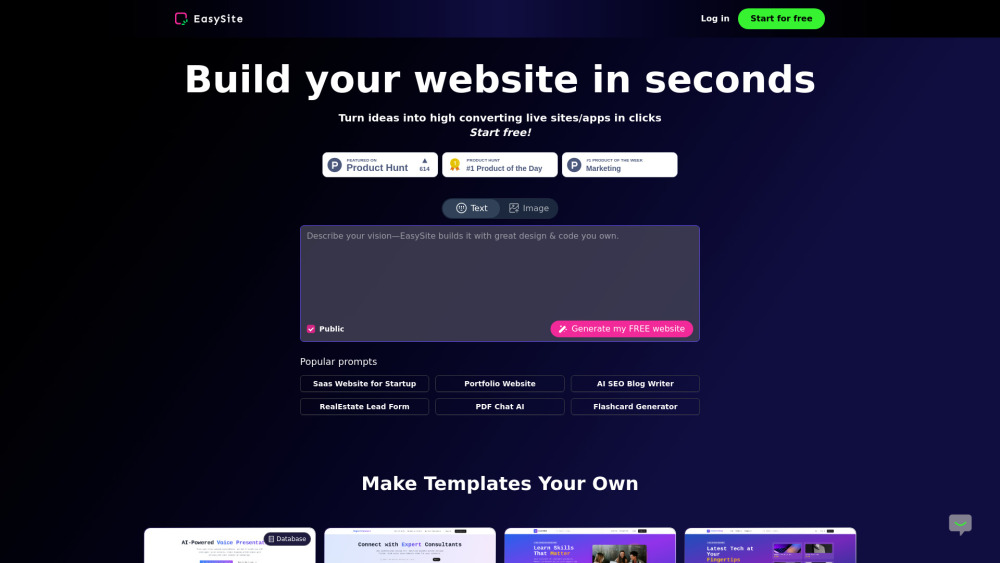
Introducing EasySite: The AI-Powered No-Code Platform for Full-Stack Web & App Creation
Launch intelligent, database-backed websites and native mobile apps — no coding required. EasySite combines generative AI, an embedded relational database, real-time collaboration tools, and one-click deployment to WordPress, Netlify, and Hostinger. From idea to live site in under a minute. Start building — free forever.
Getting Started with EasySite — In Under 60 Seconds
Step 1: Visit easysite.ai and sign up with your email or GitHub account — no credit card needed. Step 2: After verification, you’ll land directly in the intuitive dashboard — your command center for all projects. Step 3: Type a natural-language prompt like *“A fitness studio booking site with class schedule, instructor bios, and online reservation form”* — and watch EasySite generate a fully functional, database-connected website instantly. Your Dashboard at a Glance: • Launch new projects via prompt, template, or community starter kits • Manage all active and archived projects in one unified view • Personalize your workspace: adjust themes, notifications, and default preferences • Toggle experimental AI Labs (e.g., Voice-to-UI, Auto-SEO mode, or Data Schema Assistant) • Upgrade seamlessly between Free, Pro, and Team plans — billing adjusts automatically Inside Every Project: • Chat-First Editing: Refine layouts, copy, and logic using conversational AI — no modal fatigue • Visual + Contextual Editing: Click any element to tweak styling, behavior, or data bindings — or drag & drop media to guide AI refinements • Dual-Mode Workflow: Switch fluidly between visual canvas and contextual chat for precision control • Smart Versioning: Auto-saved snapshots let you compare, revert, or fork versions with one click • Real-Time Preview: See changes instantly across desktop, tablet, and mobile breakpoints • Supabase Backend Sync: Connect, query, and manage your database visually — no SQL required • One-Click Publish: Deploy to a shareable preview link, or export directly to WordPress (via ZIP), Netlify (via Git), or Hostinger (via SFTP) • Mobile-First Export: Convert your responsive site into a production-ready PWA or iOS/Android app — no SDKs, no devops
Why EasySite Stands Apart: Intelligent Features, Built In
Embedded PostgreSQL-Compatible Database
AI-Powered Customer Engagement Suite (Chat + Lead Capture + Analytics)
One-Click Mobile App Generation (PWA + Native Build)
No-Code Analytics Studio — Describe insights, not queries (Retool alternative with conversational UX)
Zero-Config Hosting Integrations: WordPress, Netlify, Hostinger, Vercel & Custom Domains
Who’s Building With EasySite?
🚀 Solo Founders & Early-Stage Startups** Validate ideas fast: ship a data-rich MVP with user auth, forms, and dashboards — before your first investor call.
🏪 Local Businesses & Service Providers** Build a branded website with live inventory, appointment scheduling, customer portals, and SMS-enabled notifications — all editable by non-technical staff.
👨💻 Professional Developers** Cut boilerplate time by 80%. Use EasySite for frontend scaffolding, internal tooling, client demos, or full-stack prototypes — then extend with custom code when needed.
🎨 Designers & Product Teams** Turn Figma files or wireframes into interactive, data-connected sites in minutes — test flows with real CRUD operations, not static mocks.
📊 Analysts & Operations Leaders** Build self-serve dashboards connected to Postgres, BigQuery, or Airtable. Ask questions like *“Show monthly churn by region”* — get charts, tables, and exportable reports.
💼 Freelancers & Digital Agencies** Deliver pixel-perfect, database-driven websites to clients — with built-in SEO, analytics, and white-label deployment options. Scale without hiring junior devs.
📱 Mobile-First Brands (Restaurants, Salons, E-commerce)** Go from web landing page to installable mobile app in one click — complete with push notifications, offline caching, and app store-ready assets.
📈 Marketing & Growth Teams** Launch high-converting, A/B-testable landing pages with integrated lead capture, live chat, UTM tracking, and conversion heatmaps — all managed in one place.
-
Need Help? We’re Here For You
Reach our support team at [email protected]. For documentation, tutorials, and community forums, visit https://www.easysite.ai/support.
-
About EasySite
Company Name: EasySite Inc. Founded: 2024 | HQ: Remote-first, globally distributed Mission: Democratize full-stack development through ethical, transparent AI — empowering builders of all backgrounds. Learn more on our About Us page.
-
Log In to Your Workspace
Access your projects anytime: https://www.easysite.ai/login
-
Start Building — Free Forever
No trial period. No feature gates. Get started now: https://www.easysite.ai/project