AI Builder

DesignCode UI

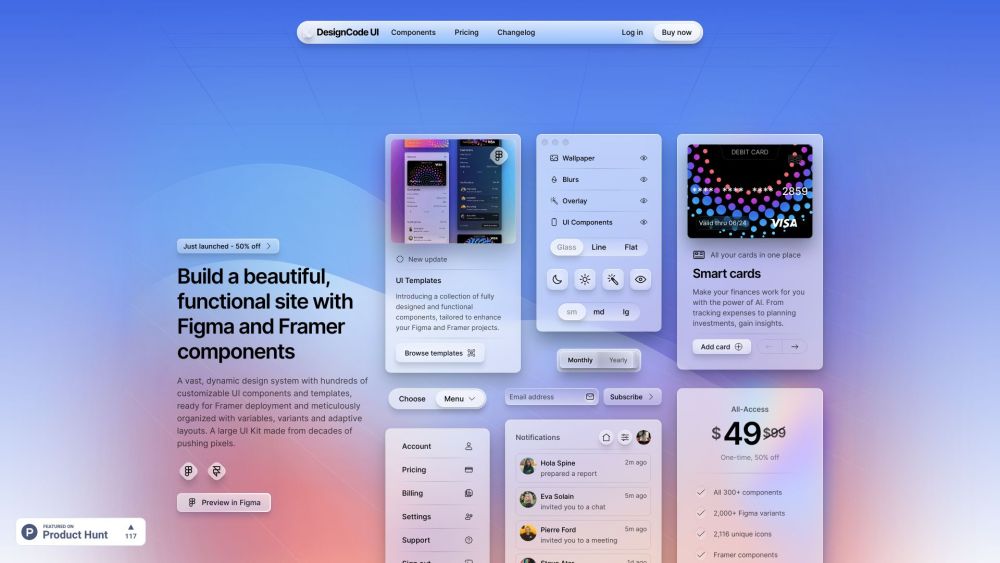
DesignCode UI: A vast, customizable design system with hundreds of dynamic UI components, adaptive layouts, and templates—ready for Framer deployment.

DesignCode UI website preview

DesignCode UI Website screenshot

What is DesignCode UI?

DesignCode UI is an extensive design framework featuring a multitude of adjustable UI components and templates, specifically crafted for seamless integration with Framer. This system is expertly structured with variables, variants, and responsive layouts, drawing from years of design expertise.

How to use DesignCode UI?

Start by previewing in Figma, where you can tweak every aspect, from layouts and styles to icons and breakpoints. Figma's Variables and Framer's robust implementation ensure design consistency throughout your project.

DesignCode UI's Core Features

300+ customizable UI components

Optimized for Framer deployment

Systematically organized with variables, variants, and adaptive layouts

DesignCode UI's Use Cases

Creating stunning and practical websites

Enhancing projects in Figma and Framer

Developing flexible design systems

Product source: DesignCode UI official website. Check the provider for current plans, limits and availability.

FAQ

DesignCode UI questions and answers

Product context and practical checks for evaluating DesignCode UI.

What is DesignCode UI used for?

DesignCode UI: A vast, customizable design system with hundreds of dynamic UI components, adaptive layouts, and templates—ready for Framer deployment.

How do I get started with DesignCode UI?

Start by previewing in Figma, where you can tweak every aspect, from layouts and styles to icons and breakpoints. Figma's Variables and Framer's robust implementation ensure design consistency throughout your project.

Which capabilities are described for DesignCode UI?

300+ customizable UI componentsOptimized for Framer deploymentSystematically organized with variables, variants, and adaptive layouts

What projects can I evaluate DesignCode UI for?

Creating stunning and practical websitesEnhancing projects in Figma and FramerDeveloping flexible design systems DesignCode UI Support Email & Customer Service Contact our support team at: [email protected] . DesignCode UI Login Login here: https://designcodeui.com/login DesignCode UI Pricing Check our pricing plans: https://designcodeui.com/pricing DesignCode UI Youtube Visit our YouTube channel: https://youtube.com/designcodeteam DesignCode UI Twitter Follow us on Twitter: http://twitter.com/mengto

What should I compare before choosing a DesignCode UI plan?

Check our pricing plans: https://designcodeui.com/pricing Confirm current prices and allowances on the provider’s website before purchasing.

What inputs should I prepare for a DesignCode UI trial?

Look for text prompts, image references, masks or sketches as appropriate. Compare composition control, supported upload types and the ability to revise a selected area.

How can I check the quality of a DesignCode UI result?

Inspect text, hands, edges, reflections and repeated objects at full size. Check that important product or brand details survive editing.

Which export options should I check in DesignCode UI?

Compare pixel dimensions, transparency, file formats and any enlargement options. Confirm that the downloaded result works in your design or publishing software.

What is a practical way to test DesignCode UI against alternatives?

Prepare a brief with a subject, composition, lighting and required output size. Test a first generation and a targeted revision to see how much control you retain.

Where is the official DesignCode UI website?

The website linked from this profile is . Use the provider’s own documentation, account area and support channels to confirm current product details.