No-Code&ampLow-Code

Canvas Builders Program

Launch production-ready AI agents in just 2 weeks! The Canvas Builders Program turns your ideas into deployable AI agents—fast, focused, and frictionless.

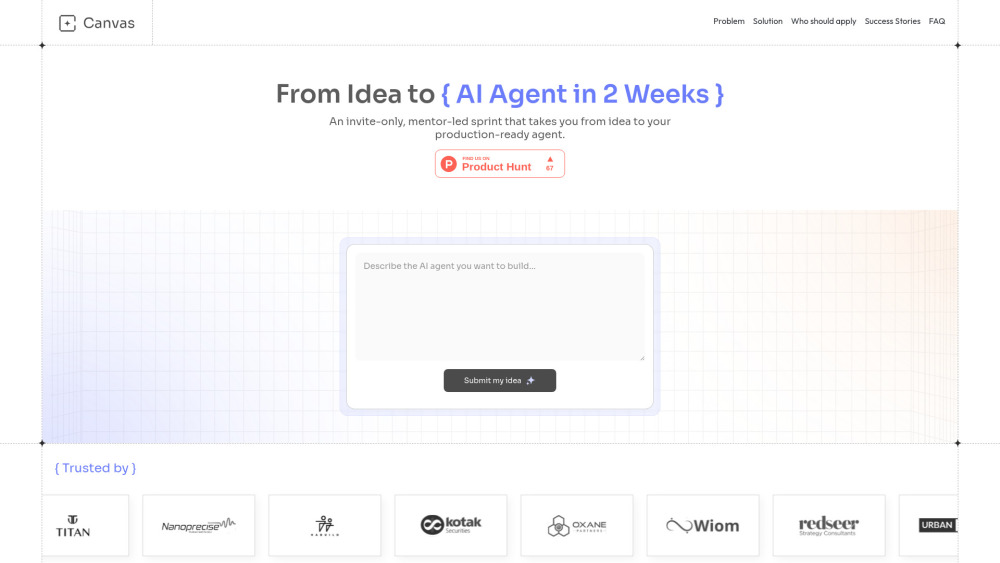
Canvas Builders Program website preview

Canvas Builders Program Website screenshot

Introducing the Canvas Builders Program

The Canvas Builders Program is a high-intensity, 2-week sprint engineered for speed, clarity, and real-world impact—inspired by Y Combinator’s execution-first ethos. It’s not another theory-heavy workshop: it’s a tightly choreographed launchpad where founders, product leads, and technical builders turn fuzzy AI ambitions into live, monitored, production-deployed agents—in just 14 days. With daily mentor syncs, battle-tested agent blueprints, and live coding sprints, the program eliminates ambiguity, accelerates iteration, and bridges the chasm between prototype and performance.

How It Works: From Idea to Live Agent

Entry begins with a concise use-case pitch—no decks, no fluff. Within 48 hours, our evaluation team responds with an invitation or actionable feedback. Accepted builders commit $50, converted instantly into Canvas platform credits to cover inference, tool integrations, and deployment during the sprint. That’s it: no long applications, no hidden tiers—just focused access to expert guidance and infrastructure, ready to ship.

What Makes This Sprint Different

A disciplined 2-week rhythm—no scope creep, no open-ended timelines

Live mentor pairing: one-on-one architecture reviews and debugging sessions

Foundational fluency in modern agentic patterns: RAG pipelines, dynamic tool orchestration, memory-aware loops, and guardrail design

The Objective Canvas™—a proven framework to distill business intent into testable, agent-ready outcomes

One-click deployment to Canvas Cloud—with built-in observability, latency tracking, and user feedback hooks

Post-launch flywheel: usage analytics → insight → iteration, all guided by your cohort mentor

Lifetime access to sprint recordings, agent templates (WhatsApp, CRM, Docs, Finance), and alumni-only Slack

Ongoing support via monthly Office Hours—live troubleshooting, new pattern deep dives, and peer-led show-and-tell

Real-World Agents Built in the Sprint

AI-native customer success agents that triage, escalate, and resolve across WhatsApp, email, and helpdesk APIs.

Investment research co-pilots that synthesize SEC filings, earnings calls, and market sentiment—delivered as plain-language briefs.

Multi-agent intelligence layers for executive teams—orchestrating data retrieval, analysis, visualization, and decision framing in real time.

Vertical-specific agents—from clinical trial matching for biotech to compliance-aware contract reviewers for legal ops.

Product source: Canvas Builders Program official website. Check the provider for current plans, limits and availability.

FAQ

Canvas Builders Program questions and answers

Product context and practical checks for evaluating Canvas Builders Program.

What is Canvas Builders Program used for?

Launch production-ready AI agents in just 2 weeks! The Canvas Builders Program turns your ideas into deployable AI agents—fast, focused, and frictionless.

How do I get started with Canvas Builders Program?

Entry begins with a concise use-case pitch—no decks, no fluff. Within 48 hours, our evaluation team responds with an invitation or actionable feedback. Accepted builders commit $50, converted instantly into Canvas platform credits to cover inference, tool integrations, and deployment during the sprint. That’s it: no long applications, no hidden tiers—just focused access to expert guidance and infrastructure, ready to ship.

What should I compare before choosing a Canvas Builders Program plan?

Check Canvas Builders Program’s current pricing page for included usage, renewal terms and any credit charges. Compare the cost of a usable result, including retries, rather than assuming that account registration includes free usage.

What inputs should I prepare for a Canvas Builders Program trial?

Compare repository access, context limits, supported languages and tool permissions. Check whether the assistant can read relevant files and run your existing checks.

How can I check the quality of a Canvas Builders Program result?

Review the diff, run tests and inspect error handling and dependency changes. Generated code should meet the same review standard as a human contribution.

Which export options should I check in Canvas Builders Program?

Prefer changes you can inspect and keep in version control. Check whether code, tests and configuration can be exported without depending on a hosted preview.

What is a practical way to test Canvas Builders Program against alternatives?

Choose a small reproducible bug with an existing failing check. Measure whether the tool fixes the cause, preserves behavior and produces a reviewable change.

What should I review before uploading material to Canvas Builders Program?

Read the provider’s rules on access, retention, deletion and use of uploaded material. Start with a non-confidential sample that you have permission to use.

How can I check whether Canvas Builders Program fits my existing workflow?

List the steps before and after using Canvas Builders Program, including preparation, review and export. Test that complete sequence and check whether handoffs require manual conversion or another paid service.

Where is the official Canvas Builders Program website?

The website linked from this profile is https://www.canvasx.ai. Use the provider’s own documentation, account area and support channels to confirm current product details.

Visit Canvas Builders Program