AI Content Generator

Beatoven.ai

Elevate your content with Beatoven.ai: the ultimate AI music generator for videos, games, and podcasts. Create unique, mood-based, royalty-free tracks effortlessly.

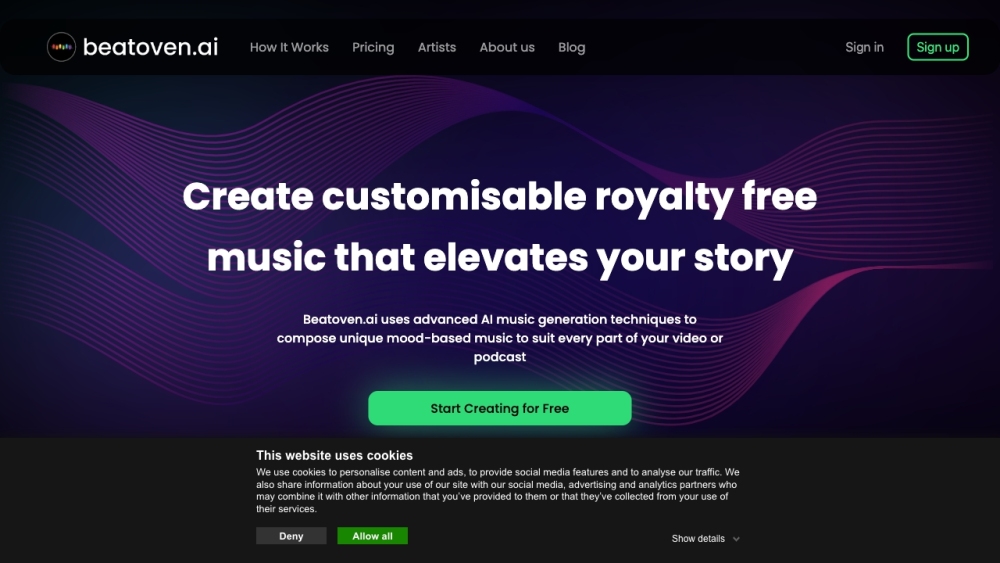
Beatoven.ai website preview

Beatoven.ai Website screenshot

Introducing Beatoven.ai

Beatoven.ai is an innovative AI-driven music generator that offers royalty-free, mood-based music creation tailored for content creators. This tool leverages cutting-edge AI techniques to craft unique music pieces for videos, podcasts, games, and more, enhancing the overall storytelling experience.

Getting Started with Beatoven.ai

Using Beatoven.ai is simple and intuitive: 1. Pick a Genre/Style: Upload your video or podcast, or start with a track. Choose from 8 diverse genres that best fit your theme. 2. Make Some Cuts: Enhance your content by making multiple cuts, each reflecting a different mood. 3. Change Mood: Select from 16 distinct moods to perfectly complement each segment. 4. Compose: Click 'compose' and let the AI generate a unique track that aligns seamlessly with your content.

Key Features of Beatoven.ai

Sophisticated AI Music Generation

Variety of Genres and Styles

Mood Customization for Different Content Segments

Wide Range of Moods

Custom Tracks Created for Your Needs

Applications of Beatoven.ai

Ideal for Video and Podcast Production

Perfect for YouTube Creators Seeking Unique Sounds

Great for Podcast Intros and Outros

Indie Game Developers Crafting Game Music

Enhancing Audiobooks with Atmospheric Music

Suitable for Web3 and Metaverse Experiences

Product source: Beatoven.ai official website. Check the provider for current plans, limits and availability.

FAQ

Beatoven.ai questions and answers

Product context and practical checks for evaluating Beatoven.ai.

What is Beatoven.ai used for?

Elevate your content with Beatoven.ai: the ultimate AI music generator for videos, games, and podcasts. Create unique, mood-based, royalty-free tracks effortlessly.

How do I get started with Beatoven.ai?

Using Beatoven.ai is simple and intuitive: 1. Pick a Genre/Style: Upload your video or podcast, or start with a track. Choose from 8 diverse genres that best fit your theme. 2. Make Some Cuts: Enhance your content by making multiple cuts, each reflecting a different mood. 3. Change Mood: Select from 16 distinct moods to perfectly complement each segment. 4. Compose: Click 'compose' and let the AI generate a unique track that aligns seamlessly with your content.

Which capabilities are described for Beatoven.ai?

Sophisticated AI Music GenerationVariety of Genres and StylesMood Customization for Different Content SegmentsWide Range of MoodsCustom Tracks Created for Your Needs

What projects can I evaluate Beatoven.ai for?

Ideal for Video and Podcast ProductionPerfect for YouTube Creators Seeking Unique SoundsGreat for Podcast Intros and OutrosIndie Game Developers Crafting Game MusicEnhancing Audiobooks with Atmospheric MusicSuitable for Web3 and Metaverse Experiences Join the Beatoven.ai Community Connect with us on Discord: https://discord.gg/8nXq56wwJM. For more details, click here. Contact Beatoven.ai Support For support, visit our contact page. About Beatoven.ai Learn more about us at our about page. Access Your Account Login here: https://sync.beatoven.ai/ Sign Up for Beatoven.ai Create an account here: https://sync.beatoven.ai/?action=signup View Pricing Check our pricing plans: https://www.beatoven.ai/pricing Follow Us on Social Media Facebook: https://www.facebook.com/BeatovenAI YouTube: https://www.youtube.com/channel/UC7g8H9kQDvSska-H2tg0Y7A LinkedIn: https://in.linkedin.com/company/beatovenai Twitter: https://www.twitter.com/beatovenai Instagram: https://www.instagram.com/beatovenai

What should I compare before choosing a Beatoven.ai plan?

Check our pricing plans: https://www.beatoven.ai/pricing Confirm current prices and allowances on the provider’s website before purchasing.

What inputs should I prepare for a Beatoven.ai trial?

Compare text prompts, reference frames, source footage and audio support. Check duration, aspect ratio and whether the tool lets you keep a subject consistent between shots.

How can I check the quality of a Beatoven.ai result?

Watch the entire clip for motion errors, distorted objects, changing identities, lip-sync problems and abrupt transitions. Inspect the downloaded file as well as the preview.

Which export options should I check in Beatoven.ai?

Check export resolution, frame rate, aspect ratio, audio tracks and watermark rules. A good preview is not a substitute for an export that fits your publishing channel.

What is a practical way to test Beatoven.ai against alternatives?

Use a short shot with one subject and one camera movement. Keep the prompt and duration constant, then compare usable seconds and the number of regenerations.

Where is the official Beatoven.ai website?

The website linked from this profile is https://www.beatoven.ai. Use the provider’s own documentation, account area and support channels to confirm current product details.

Visit Beatoven.ai