AI Content Generator

AutomaticShorts

Automate short-form video creation & posting with AutomaticShorts. Discover use cases, pricing, reviews, core features, and top alternatives.

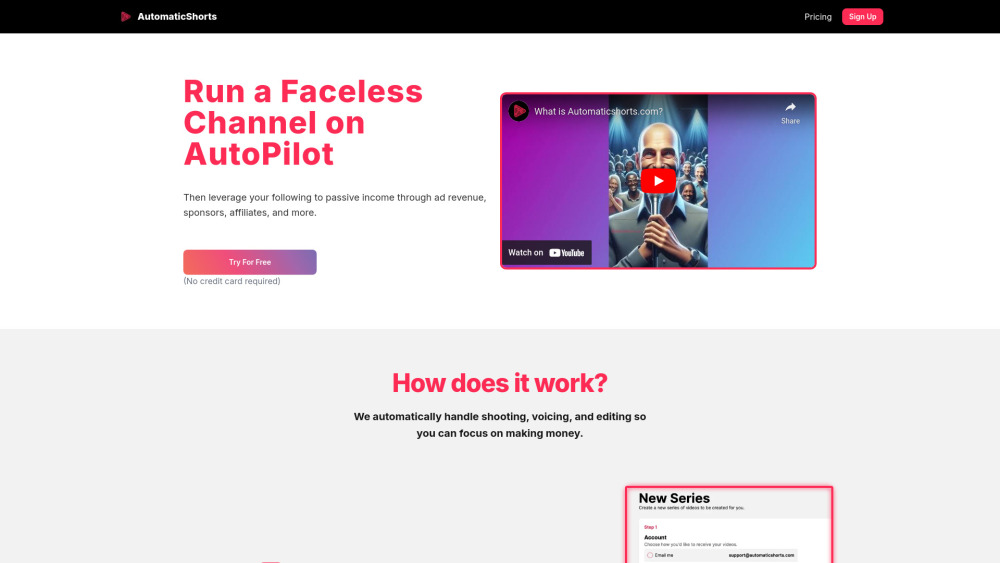
AutomaticShorts website preview

AutomaticShorts Website screenshot

What Is AutomaticShorts?

AutomaticShorts is an AI-powered tool designed to automate the creation and publishing of short-form video content across platforms like YouTube Shorts, TikTok, and Instagram Reels—eliminating the need for hands-on production.

How Does AutomaticShorts Work?

Simply choose a niche or topic for your video series, link your social media channel, and allow the platform’s intelligent system to generate, schedule, and publish engaging videos on autopilot.

Key Features of AutomaticShorts

AI-Crafted Original Content

Every video is generated from scratch using advanced AI, ensuring unique scripts, visuals, and voiceovers tailored to your chosen theme.

Seamless Channel Integration & Auto-Posting

Connect your YouTube or social accounts and let AutomaticShorts handle the upload process automatically on a consistent schedule.

Full Creative Control

Customize titles, descriptions, background music, and even tweak scripts before final publication to match your brand tone.

Performance Tracking & Analytics Dashboard

Monitor views, engagement rates, and audience growth with real-time analytics to optimize your content strategy over time.

Who Can Benefit from AutomaticShorts?

Build Passive Income Streams

Generate monetizable content around trending topics without filming or editing—ideal for creators seeking low-effort revenue through ads and affiliate marketing.

Grow Your Audience & Attract Sponsorships

Maintain consistent posting to boost visibility, grow followers, and increase opportunities for brand partnerships and sponsorships.

Product source: AutomaticShorts official website. Check the provider for current plans, limits and availability.

FAQ

AutomaticShorts questions and answers

Product context and practical checks for evaluating AutomaticShorts.

What is AutomaticShorts used for?

Automate short-form video creation & posting with AutomaticShorts. Discover use cases, pricing, reviews, core features, and top alternatives.

How do I get started with AutomaticShorts?

Simply choose a niche or topic for your video series, link your social media channel, and allow the platform’s intelligent system to generate, schedule, and publish engaging videos on autopilot.

Which capabilities are described for AutomaticShorts?

AI-Crafted Original ContentEvery video is generated from scratch using advanced AI, ensuring unique scripts, visuals, and voiceovers tailored to your chosen theme.Seamless Channel Integration & Auto-PostingConnect your YouTube or social accounts and let AutomaticShorts handle the upload process automatically on a consistent schedule.Full Creative ControlCustomize titles, descriptions, background music, and even tweak scripts before final publication to match your brand tone.Performance Tracking & Analytics DashboardMonitor views, engagement rates, and audience growth with real-time analytics to optimize your content strategy over time.

What should I compare before choosing a AutomaticShorts plan?

View subscription options: https://www.automaticshorts.com/#pricing Confirm current prices and allowances on the provider’s website before purchasing.

What inputs should I prepare for a AutomaticShorts trial?

Compare text prompts, reference frames, source footage and audio support. Check duration, aspect ratio and whether the tool lets you keep a subject consistent between shots.

How can I check the quality of a AutomaticShorts result?

Watch the entire clip for motion errors, distorted objects, changing identities, lip-sync problems and abrupt transitions. Inspect the downloaded file as well as the preview.

Which export options should I check in AutomaticShorts?

Check export resolution, frame rate, aspect ratio, audio tracks and watermark rules. A good preview is not a substitute for an export that fits your publishing channel.

What is a practical way to test AutomaticShorts against alternatives?

Use a short shot with one subject and one camera movement. Keep the prompt and duration constant, then compare usable seconds and the number of regenerations.

What should I review before uploading material to AutomaticShorts?

Read the provider’s rules on access, retention, deletion and use of uploaded material. Start with a non-confidential sample that you have permission to use.

Where is the official AutomaticShorts website?

The website linked from this profile is https://. Use the provider’s own documentation, account area and support channels to confirm current product details.

Visit AutomaticShorts