AI Content Generator

Airparser

Revolutionize data extraction with Airparser. Use GPT-4 to parse PDFs, emails, and documents, and export data in real time to Google Sheets, CRM, and 5000+ apps.

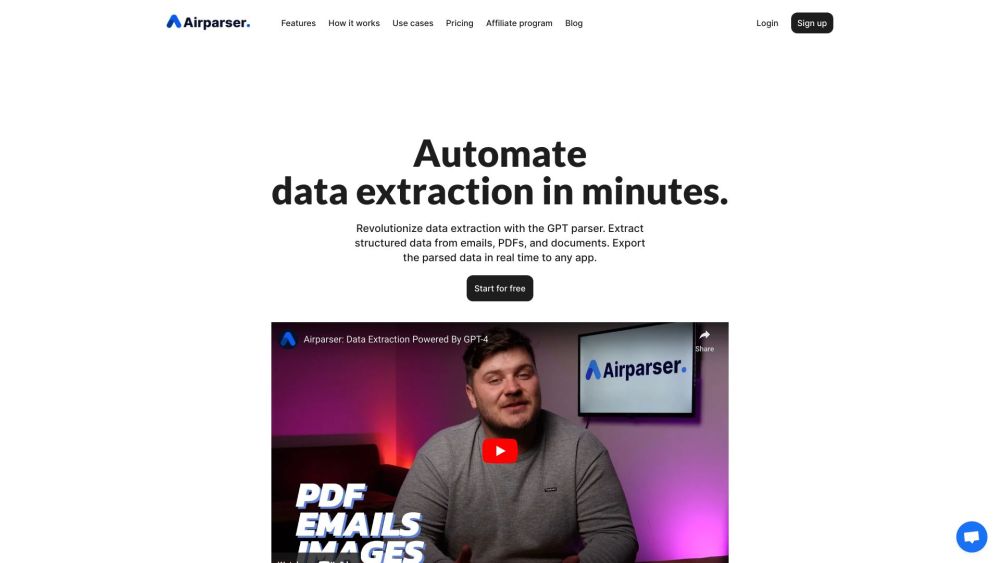
Airparser website preview

Airparser Website screenshot

What is Airparser?

Transform your data extraction process with Airparser, powered by GPT-4. Seamlessly extract structured data from PDFs, emails, and various documents. Effortlessly export the parsed data in real-time to Google Sheets, CRMs, and over 5000 other applications, or set up custom automations tailored to your needs.

How to use Airparser?

Streamline document data extraction in three simple steps: import emails and attachments, upload files manually, or import documents via API. Define the data extraction schema, and Airparser will take care of the rest. Leveraging AI and GPT technology, Airparser ensures efficient data extraction. The parsed data can be exported via webhooks or downloaded in Excel, CSV, or JSON formats. Airparser offers seamless integration with over 6000 applications, including Zapier, Make, Google Sheets, Slack, and Airtable.

Airparser's Core Features

Advanced GPT-powered data extraction, OCR capabilities for scanned documents and handwritten notes, easy parsing of texts, emails, PDFs, images, HTML, and more, secure data storage, automatic document processing, and multiple data export options.

Airparser's Use Cases

Effortlessly extract signatures, contact details, dates, and key information from emails and text messages.

Digitize handwritten notes and lists, converting them into organized, actionable data.

Accurately capture amounts, dates, ordered items, and vendor details from invoices, receipts, and purchase orders.

Extract vital details such as names, contact information, and work experience from CVs and resumes seamlessly.

Simplify contract management by automatically extracting terms, involved parties, and crucial data from contracts.

Enhance order processing by extracting order numbers, items, and delivery details from confirmation documents.

Product source: Airparser official website. Check the provider for current plans, limits and availability.

FAQ

Airparser questions and answers

Product context and practical checks for evaluating Airparser.

What is Airparser used for?

Revolutionize data extraction with Airparser. Use GPT-4 to parse PDFs, emails, and documents, and export data in real time to Google Sheets, CRM, and 5000+ apps.

How do I get started with Airparser?

Streamline document data extraction in three simple steps: import emails and attachments, upload files manually, or import documents via API. Define the data extraction schema, and Airparser will take care of the rest. Leveraging AI and GPT technology, Airparser ensures efficient data extraction. The parsed data can be exported via webhooks or downloaded in Excel, CSV, or JSON formats. Airparser offers seamless integration with over 6000 applications, including Zapier, Make, Google Sheets, Slack, and Airtable.

Which capabilities are described for Airparser?

Advanced GPT-powered data extraction, OCR capabilities for scanned documents and handwritten notes, easy parsing of texts, emails, PDFs, images, HTML, and more, secure data storage, automatic document processing, and multiple data export options.

What projects can I evaluate Airparser for?

Effortlessly extract signatures, contact details, dates, and key information from emails and text messages.Digitize handwritten notes and lists, converting them into organized, actionable data.Accurately capture amounts, dates, ordered items, and vendor details from invoices, receipts, and purchase orders.Extract vital details such as names, contact information, and work experience from CVs and resumes seamlessly.Simplify contract management by automatically extracting terms, involved parties, and crucial data from contracts.Enhance order processing by extracting order numbers, items, and delivery details from confirmation documents. Airparser Support Email & Customer Service Contact & Refund Contact etc. Contact Airparser support for customer service at [email protected]. For more information, visit the contact us page(mailto:[email protected]) Airparser Company Company name: Airparser Airparser Login Login to Airparser at: https://app.airparser.com/login Airparser Sign up Sign up for Airparser at: https://app.airparser.com/signup Airparser Pricing Check out Airparser's pricing at: https://airparser.com/pricing/ Airparser Facebook Follow Airparser on Facebook: https://www.facebook.com/airparserAirparser LinkedIn Connect with Airparser on LinkedIn: https://www.linkedin.com/company/airparserAirparser Twitter Follow Airparser on Twitter: https://twitter.com/airparser

What should I compare before choosing a Airparser plan?

Check out Airparser's pricing at: https://airparser.com/pricing/ Confirm current prices and allowances on the provider’s website before purchasing.

What inputs should I prepare for a Airparser trial?

Compare support for source documents, style instructions, outlines and length limits. Check whether citations link to real material rather than merely looking like references.

How can I check the quality of a Airparser result?

Verify names, dates, quotations and factual claims against the original sources. Edit tone, remove repetition and make sure the text answers the intended reader’s question.

Which export options should I check in Airparser?

Check export to plain text, Markdown, documents or your publishing system. Formatting, headings and working links matter when moving a draft into production.

What is a practical way to test Airparser against alternatives?

Use a real brief and a short source document. Compare factual accuracy, structure and editing time rather than accepting the longest or most confident draft.

Where is the official Airparser website?

The website linked from this profile is https://airparser.com. Use the provider’s own documentation, account area and support channels to confirm current product details.

Visit Airparser