Text&ampWriting

CharaLab

Create unique anime and 3D characters from text or photos in seconds with CharaLab AI. Make art, videos and face swaps

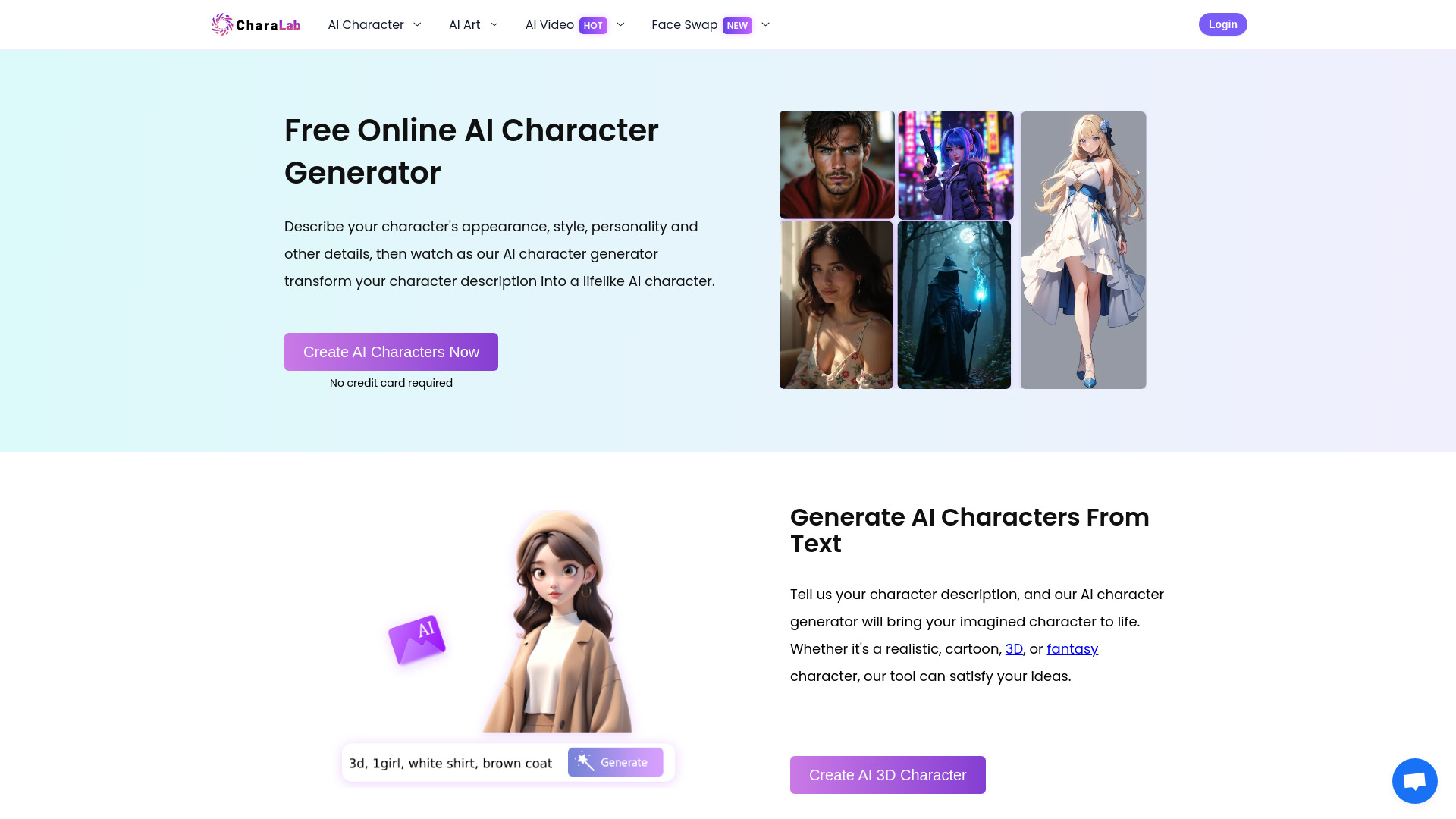
CharaLab website preview

What Is CharaLab?

CharaLab is an AI character and art generator that turns written ideas and uploaded photos into visual designs. From anime protagonists and 3D-style characters to fantasy adventurers and stylized portraits, the platform helps users explore character concepts without drawing experience. Its text-to-image and image-to-image tools offer different starting points: describe a character from scratch or reinterpret an existing photograph in a new style. CharaLab also supports broader creative work through art styles such as Studio Ghibli-inspired imagery, Furry art, DnD illustrations, and Pixel Art. Additional tools for AI video generation and face swapping extend the possibilities beyond still images.

How to Use CharaLab

Begin with a description of the character you want to create. Include details such as hairstyle, clothing, facial expression, pose, and setting, then specify an artistic direction, such as anime, a 3D-rendered look, or fantasy illustration. Clear, descriptive prompts give the generator more guidance and help communicate your intended result. Select the available settings and click the generation button to create your image. Review the output, then download it for your project or share it with your audience.

If you prefer to work from a photograph, use the image-to-image feature to explore a stylized interpretation of the person or subject in your image. Try different styles and adjust your descriptions to compare results. You can also explore CharaLab's video tools to develop motion-based content around your ideas. Refining a prompt and generating additional versions can help you discover a character design that fits your story, profile, or creative brief.

Key Features of CharaLab

  • Text-to-Character Creation: Build character images from written descriptions, with options ranging from anime heroes and fantasy figures to realistic portraits, superheroes, and 3D-style designs. Specify visual details to guide the appearance of each result.
  • Photo-to-Character Transformation: Use an uploaded photograph as the starting point for a new character image. Explore how a portrait looks in different artistic styles while drawing inspiration from the original subject.
  • A Variety of Art Styles: Experiment with Studio Ghibli-inspired scenes, Furry characters, DnD artwork, Pixel Art, and other visual directions. Different styles make it easier to explore ideas for stories, games, avatars, and illustrations.
  • AI Video Tools: Explore video generation options and themed effects, including Ghibli-style motion, kiss animations, and muscle transformations, to create animated content for personal projects or social media.
  • Face Swapping Across Formats: Apply face swap tools to supported photos, GIFs, and videos to create character edits and entertainment content. These features provide additional ways to experiment with visual storytelling.
  • Accessible Creative Workflow: Create images through prompts and photo uploads without needing illustration or modeling experience. The interface gives beginners a way to test ideas while helping experienced creators explore alternative concepts.

Why Choose CharaLab?

CharaLab brings several character-focused creative tools into one platform. Users can move from a written concept to an anime portrait, explore a 3D-style interpretation, or transform a photo into a fantasy persona. This flexibility is useful when a project is still taking shape and several visual directions need to be compared. Writers can picture a protagonist, game developers can explore character concepts, and content creators can develop a distinctive avatar using the same starting workflow.

The combination of image generation, photo transformation, video tools, and face swapping also supports a wider range of creative experiments. Users can begin with a still image and explore related formats as their ideas develop. CharaLab's credit-based access includes free daily credits and additional packages for more frequent use, allowing users to try the tools before deciding how much generation capacity they need.

Use Cases and Applications

Character Concepts for Games and Stories: Writers, tabletop players, and independent game developers can use CharaLab to visualize protagonists, supporting characters, and fantasy creatures. Generated images can help establish a character's appearance, communicate ideas to collaborators, or provide visual references during early development. Exploring several versions can also make it easier to choose a direction before investing in further production work.

Avatars and Social Media Content: Creators can turn portraits into anime-inspired profile images, experiment with superhero looks, or produce stylized visuals for posts and thumbnails. Video generation and face swap features offer additional formats for creative edits. A consistent prompt and chosen style can provide a starting point for developing a recognizable visual identity across different pieces of content.

Illustration and Commercial Planning: Artists, authors, and marketing teams can explore character ideas for comics, book projects, campaigns, and mascots. CharaLab can support brainstorming by making different costumes, moods, and styles easier to compare. Before including generated work in a commercial release, users should review the platform's current usage terms and consider any rights associated with uploaded photos or recognizable characters.

Product source: CharaLab official website. Check the provider for current plans, limits and availability.

FAQ

CharaLab questions and answers

Product context and practical checks for evaluating CharaLab.

What is CharaLab used for?

Create unique anime and 3D characters from text or photos in seconds with CharaLab AI. Make art, videos and face swaps

How do I get started with CharaLab?

Begin with a description of the character you want to create. Include details such as hairstyle, clothing, facial expression, pose, and setting, then specify an artistic direction, such as anime, a 3D-rendered look, or fantasy illustration. Clear, descriptive prompts give the generator more guidance and help communicate your intended result. Select the available settings and click the generation button to create your image. Review the output, then download it for your project or share it with your audience.If you prefer to work from a photograph, use the image-to-image feature to explore a stylized interpretation of the person or subject in your image. Try different styles and adjust your descriptions to compare results. You can also explore CharaLab's video tools to develop motion-based content around your ideas. Refining a prompt and generating additional versions can help you discover a character design that fits your story, profile, or creative brief.

Which capabilities are described for CharaLab?

Text-to-Character Creation: Build character images from written descriptions, with options ranging from anime heroes and fantasy figures to realistic portraits, superheroes, and 3D-style designs. Specify visual details to guide the appearance of each result. Photo-to-Character Transformation: Use an uploaded photograph as the starting point for a new character image. Explore how a portrait looks in different artistic styles while drawing inspiration from the original subject. A Variety of Art Styles: Experiment with Studio Ghibli-inspired scenes, Furry characters, DnD artwork, Pixel Art, and other visual directions. Different styles make it easier to explore ideas for stories, games, avatars, and illustrations. AI Video Tools: Explore video generation options and themed effects, including Ghibli-style motion, kiss animations, and muscle transformations, to create animated content for personal projects or social media. Face Swapping Across Formats: Apply face swap tools to supported photos, GIFs, and videos to create character edits and entertainment content. These features provide additional ways to experiment with visual storytelling. Accessible Creative Workflow: Create images through prompts and photo uploads without needing illustration or modeling experience. The interface gives beginners a way to test ideas while helping experienced creators explore alternative concepts.

What projects can I evaluate CharaLab for?

Character Concepts for Games and Stories: Writers, tabletop players, and independent game developers can use CharaLab to visualize protagonists, supporting characters, and fantasy creatures. Generated images can help establish a character's appearance, communicate ideas to collaborators, or provide visual references during early development. Exploring several versions can also make it easier to choose a direction before investing in further production work.Avatars and Social Media Content: Creators can turn portraits into anime-inspired profile images, experiment with superhero looks, or produce stylized visuals for posts and thumbnails. Video generation and face swap features offer additional formats for creative edits. A consistent prompt and chosen style can provide a starting point for developing a recognizable visual identity across different pieces of content.Illustration and Commercial Planning: Artists, authors, and marketing teams can explore character ideas for comics, book projects, campaigns, and mascots. CharaLab can support brainstorming by making different costumes, moods, and styles easier to compare. Before including generated work in a commercial release, users should review the platform's current usage terms and consider any rights associated with uploaded photos or recognizable characters.

How does CharaLab handle text-to-character creation?

Text-to-Character Creation: Build character images from written descriptions, with options ranging from anime heroes and fantasy figures to realistic portraits, superheroes, and 3D-style designs. Specify visual details to guide the appearance of each result.

How does CharaLab handle photo-to-character transformation?

Photo-to-Character Transformation: Use an uploaded photograph as the starting point for a new character image. Explore how a portrait looks in different artistic styles while drawing inspiration from the original subject.

What should I compare before choosing a CharaLab plan?

Check CharaLab’s current pricing page for included usage, renewal terms and any credit charges. Compare the cost of a usable result, including retries, rather than assuming that account registration includes free usage.

What inputs should I prepare for a CharaLab trial?

Compare text prompts, reference frames, source footage and audio support. Check duration, aspect ratio and whether the tool lets you keep a subject consistent between shots.

How can I check the quality of a CharaLab result?

Watch the entire clip for motion errors, distorted objects, changing identities, lip-sync problems and abrupt transitions. Inspect the downloaded file as well as the preview.

Where is the official CharaLab website?

The website linked from this profile is https://aicharalab.com. Use the provider’s own documentation, account area and support channels to confirm current product details.

Visit CharaLab